
Set Your Currency
Whether you’re invoicing in dollars, euros, or pounds, Docelf makes it easy to set the currency that works for you. You can choose a different currency for each document, or set a default currency for your entire account.
Supported Currencies
Docelf supports these currencies:
- USD (US Dollar)
- EUR (Euro)
- CAD (Canadian Dollar)
- AUD (Australian Dollar)
- GBP (British Pound)
How to Change the Currency for a Document
You can change the currency for each invoice, estimate, or quote individually. Here’s how:
- Open the document
- Click the Currency menu on the right-hand side
- Choose the currency you want
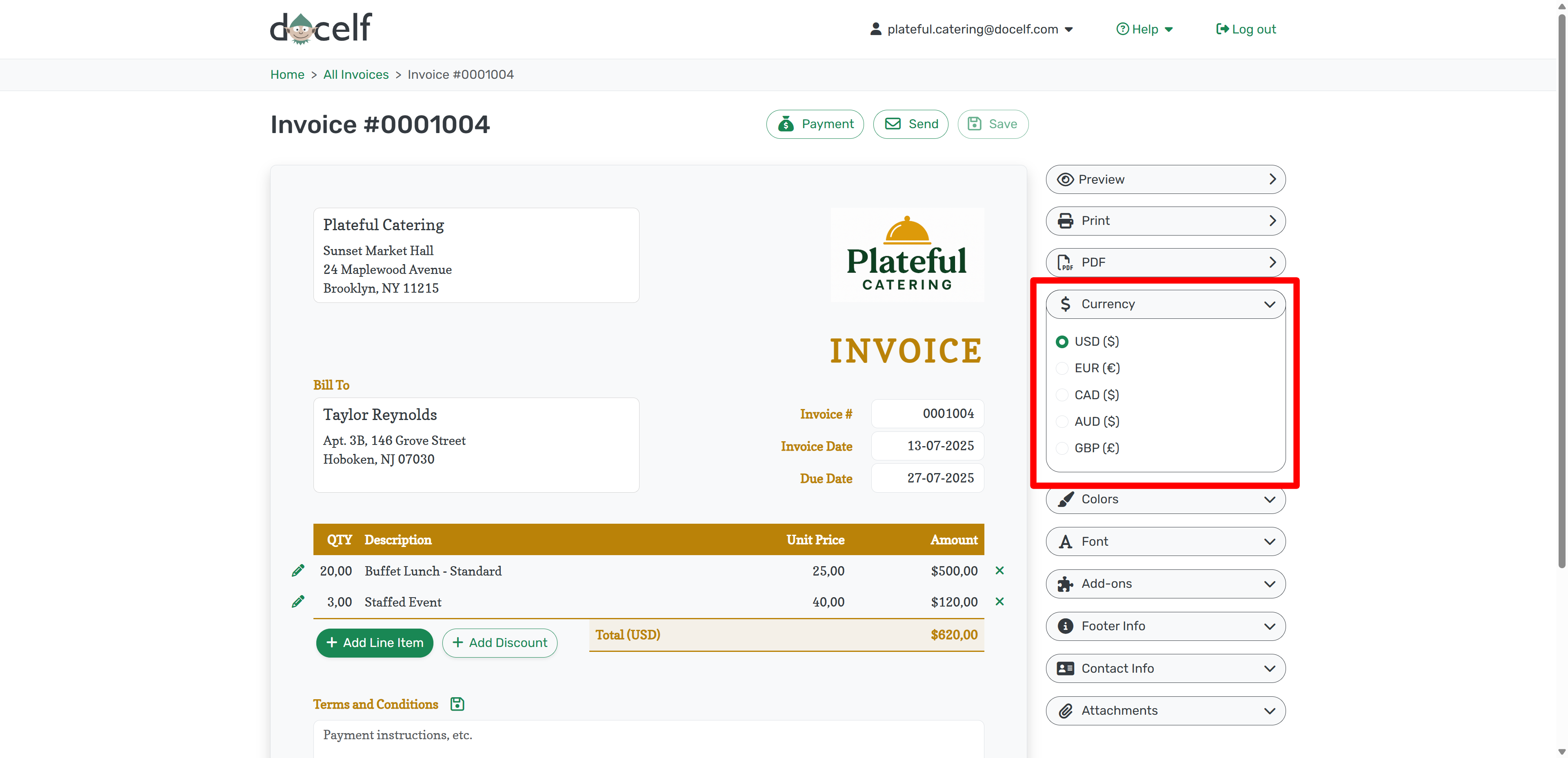
This choice applies only to the document you're editing, so you can invoice different customers in different currencies.
How to Set a Default Currency for Your Account
To change the default currency for new documents:
- Click your email address in the top right
- Select Settings from the dropdown
- Under Default Currency, choose your preferred option
- Click Save
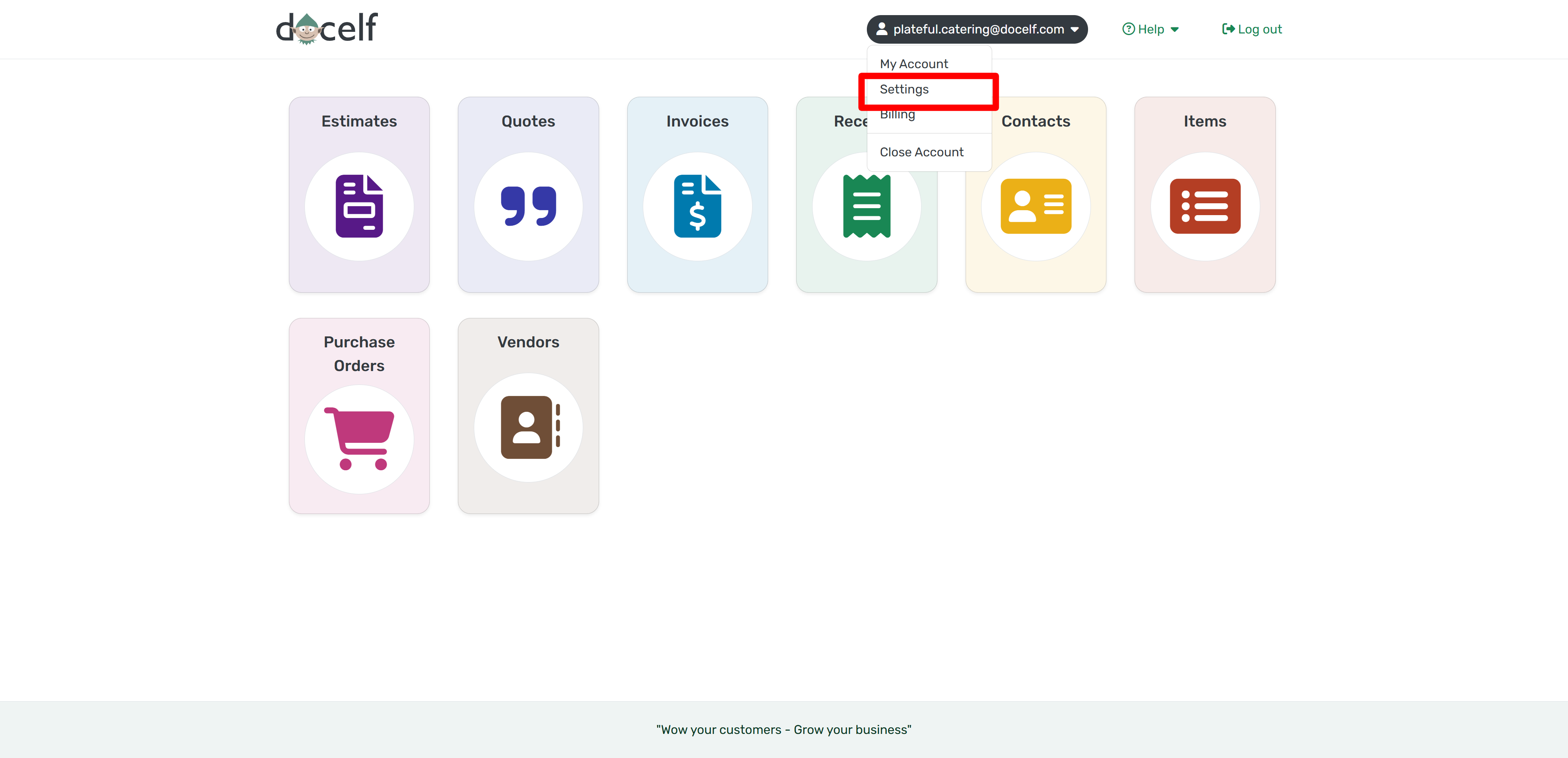
This opens your main account settings, where you can update your default currency and other preferences.
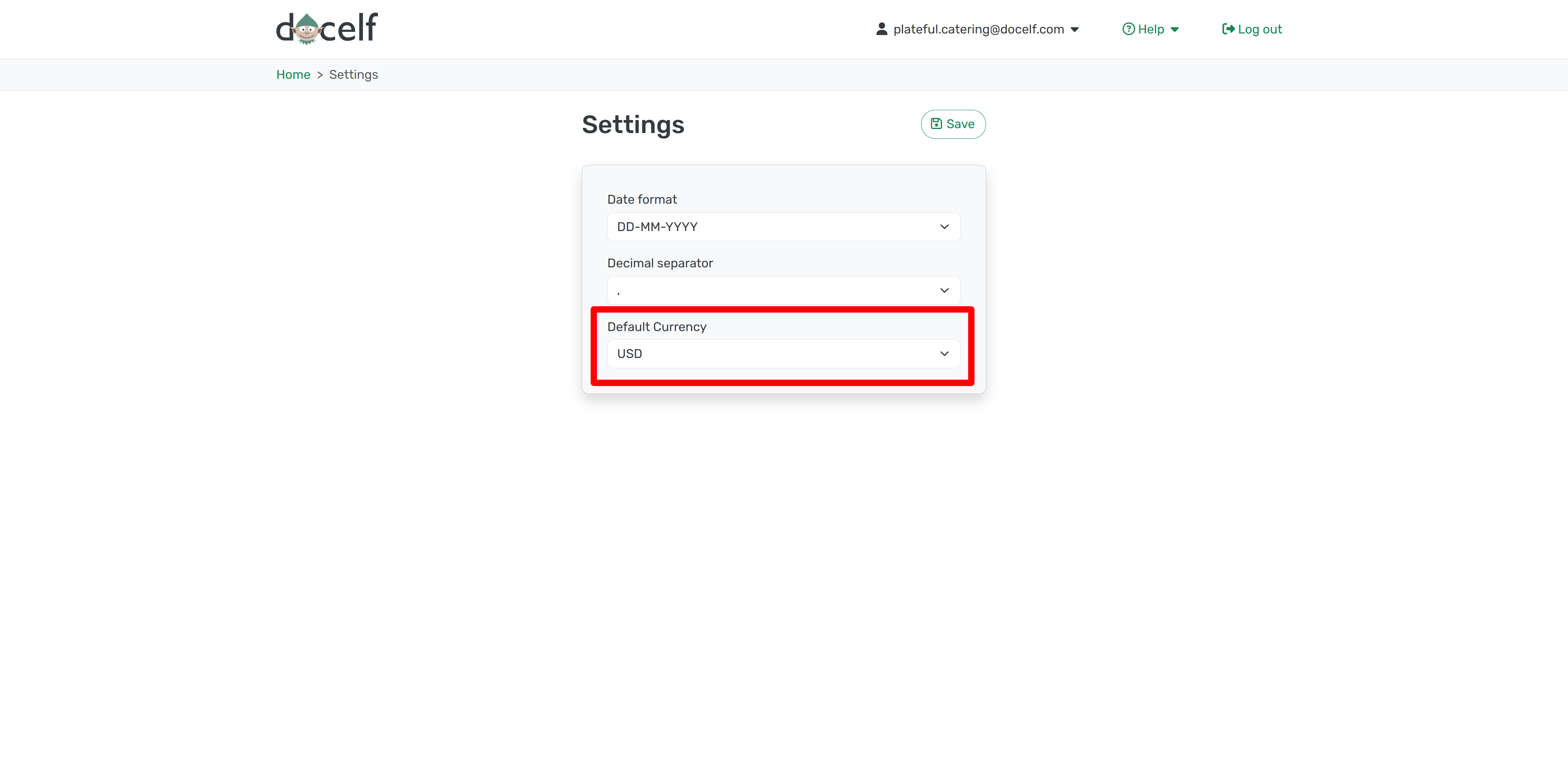
From now on, every new invoice or quote will use your selected currency automatically. You can still change it on a case-by-case basis as needed.




