One Item
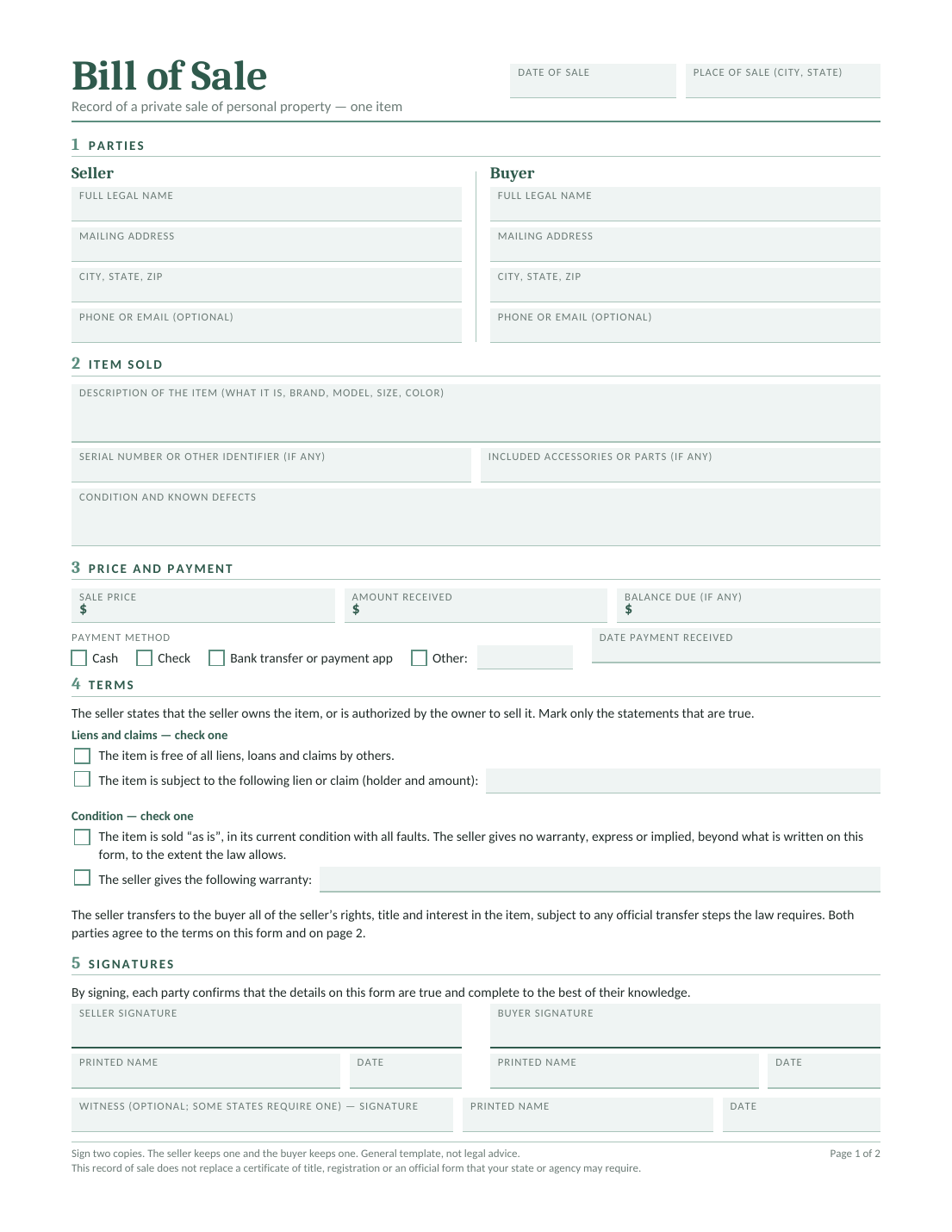
Describe one item, its condition and anything included in the sale.
Download a free template.
Choose a bill of sale template for what you’re selling. Record the item, price and payment so the seller and buyer have a clear record.
Edit in Word or Google Docs, type into a fillable PDF, or print a blank PDF to fill in by hand.
Document the sale and agreed terms. Give both seller and buyer a signed copy.
Choose a PDF to print, a Word or Google Docs template to edit, or a fillable PDF to type into. In Google Docs, sign in and choose Make a copy to save your own version.
Describe one item, its condition and anything included in the sale.
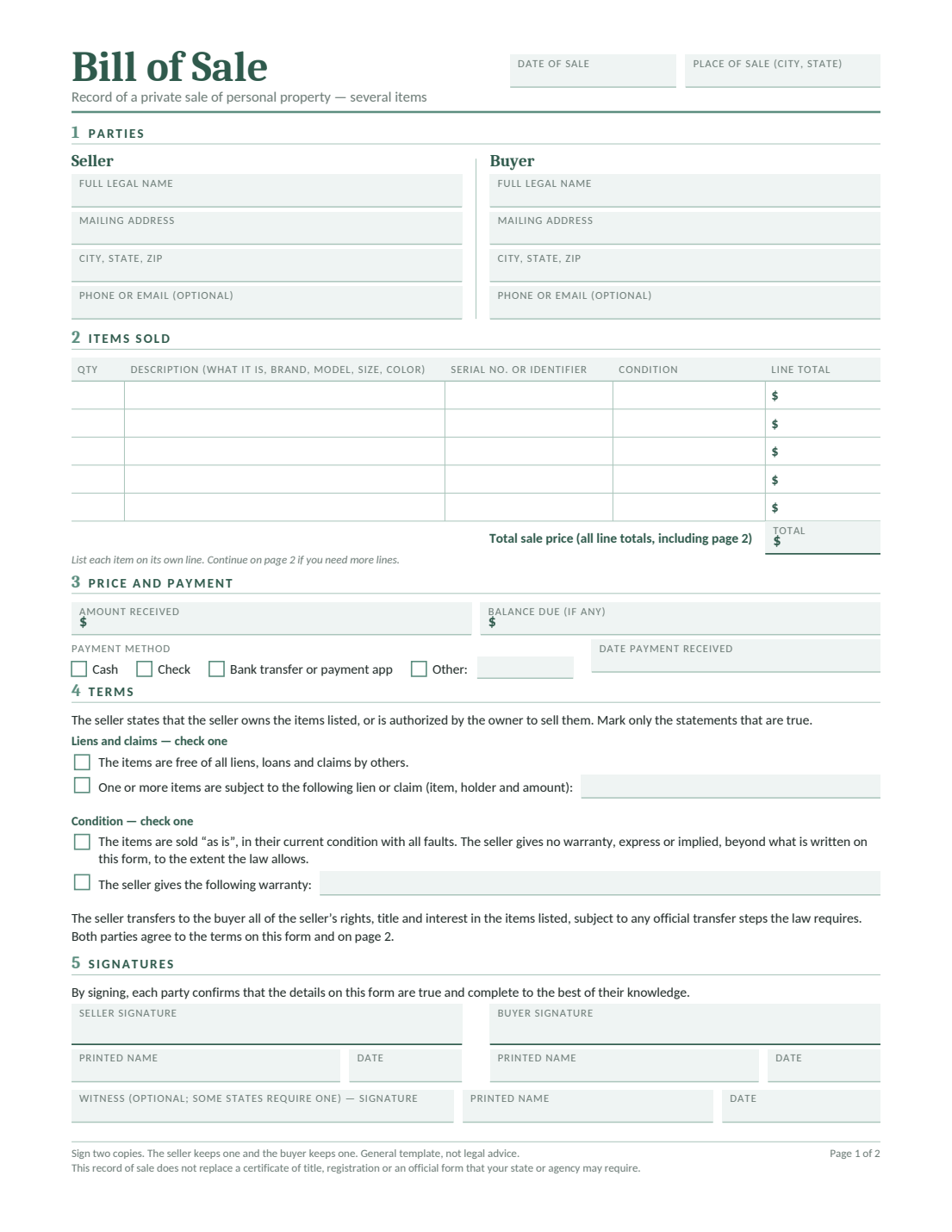
List each item and its price when you’re selling several things together.
Record the item’s condition and any known defects or promises.
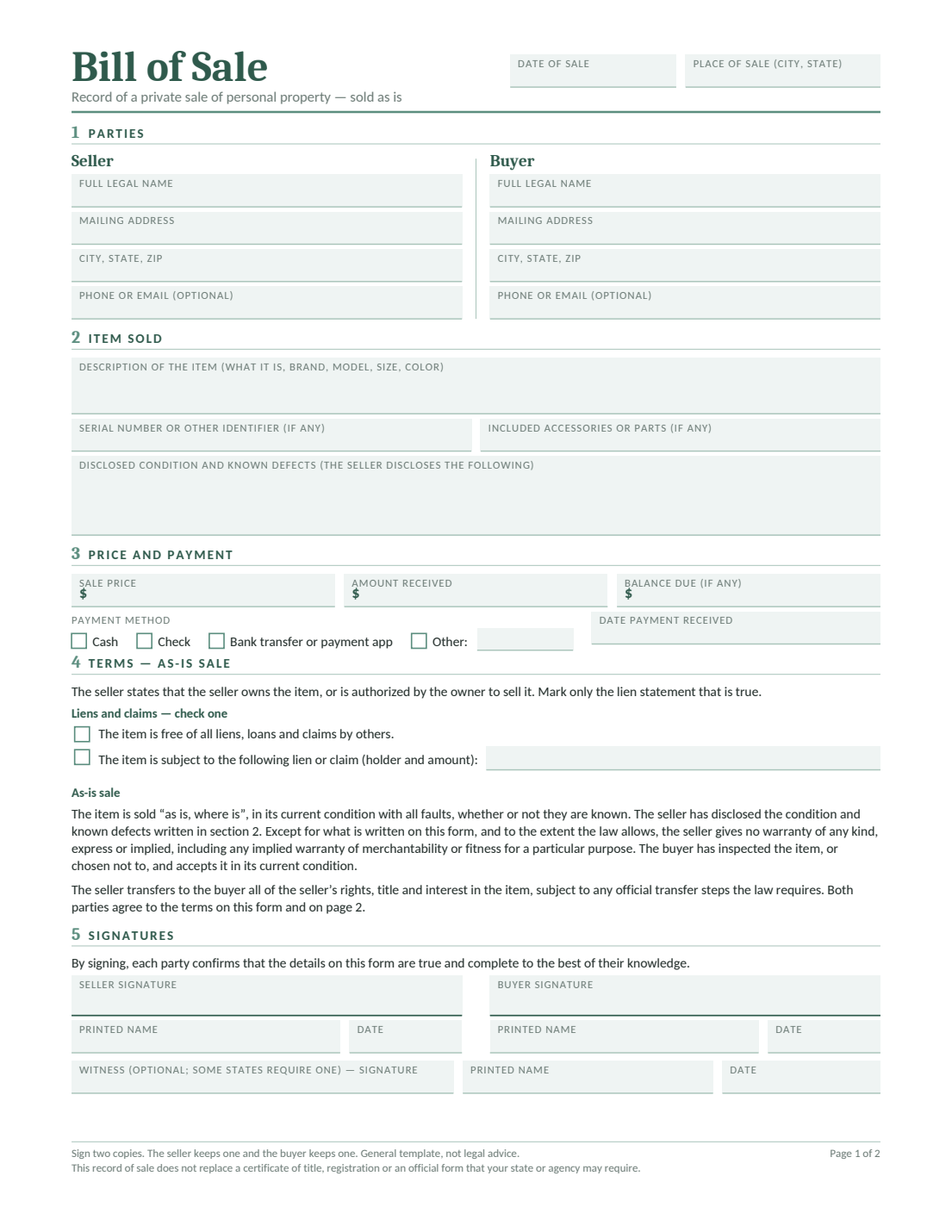
For vehicle, boat and other templates, use the templates by item type. For an as-is sale, see the as-is bill of sale templates.
These are general templates, not legal advice. See our Terms and Conditions.
Choose a template for what you’re selling. Each template page explains which details to include and any additional paperwork you may need.
A bill of sale records a sale between a seller and a buyer. It describes what was sold, the agreed price and the sale date, along with payment details and signatures.
It gives you a record to keep after the sale. For a vehicle or another item that needs a title or registration, check the official transfer paperwork too. Our bill of sale guide explains when to use one.
Have these details nearby so you can work through the document without stopping to look them up.
Have both people’s names, addresses and contact details ready.
Note the make, model or serial number, along with any accessories included.
Have the sale date, agreed price and payment details ready, including any amount still owed.
Describe the item’s condition and any promises about repairs, delivery or collection.
For a car, have the vehicle identification number (VIN) ready. For a boat, look for the hull identification number (HIN). Copy these numbers from the item and check them against its records.
Choose a template and open it in Word, Google Docs or a PDF reader, or print it to fill in by hand. Read both pages with the seller or buyer before signing.
Need help with a particular detail? See how to write a bill of sale.
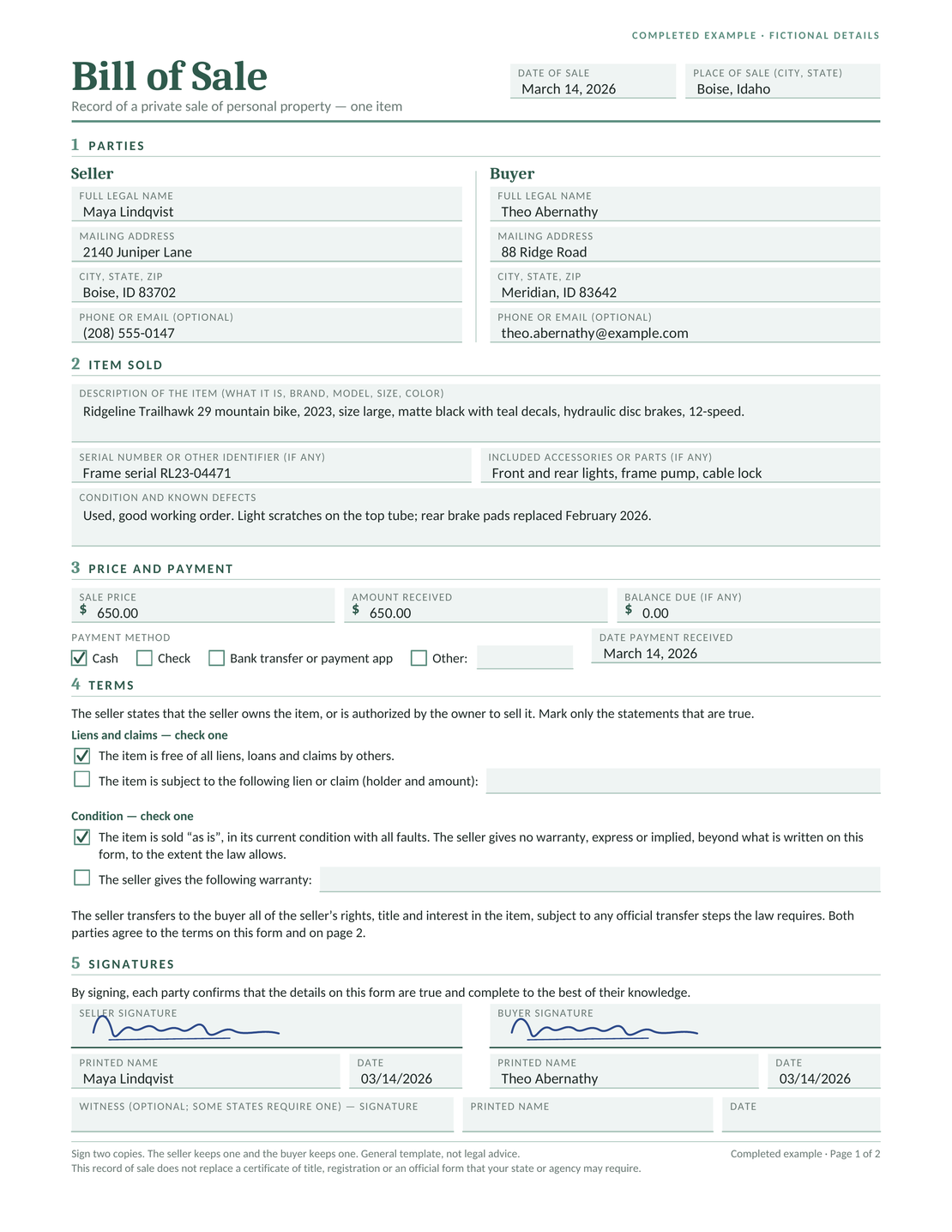
In this fictional example, Maya sells a used mountain bike to Theo for $650. The description includes the frame number, accessories and visible scratches, so they can both check what the sale covers.
The agreed price is $650, and Maya receives $650 in cash. The example records both amounts: agreeing on a price is different from receiving the payment.
Download the Completed Example (PDF)
For other sales, browse the bill of sale examples.
Choose a Word, Google Docs or PDF template, fill in the details and review the document together before signing.
Read the document together while you can still ask questions and correct mistakes.
For a vehicle or boat, check your state’s guidance for the title, registration and other paperwork. A bill of sale and a title serve different purposes.
The seller and buyer should each keep a complete signed copy, including any item list. Store it with proof of payment and the title or registration documents that apply to the sale.
If money is still owed, keep a record of later payments too. For a vehicle sold in installments, see the vehicle payment agreement template.
For vehicles, boats and trailers, choose the state where the buyer will title or register the item. For an out-of-state sale, check the seller’s transfer and reporting steps too.
The state pages bring together templates, relevant forms and official sources. Check the current instructions before signing or submitting paperwork.
A bill of sale records the sale details. A receipt records a payment. If the item needs a title, follow the official title-transfer steps as well.
For a car sale with conditions to agree before completing the purchase, see the car purchase agreement template. You can also read how a bill of sale differs from a title.
Use these guides for the next part of your task.
Use these PDFs alongside your template when checking the details or filling it in.
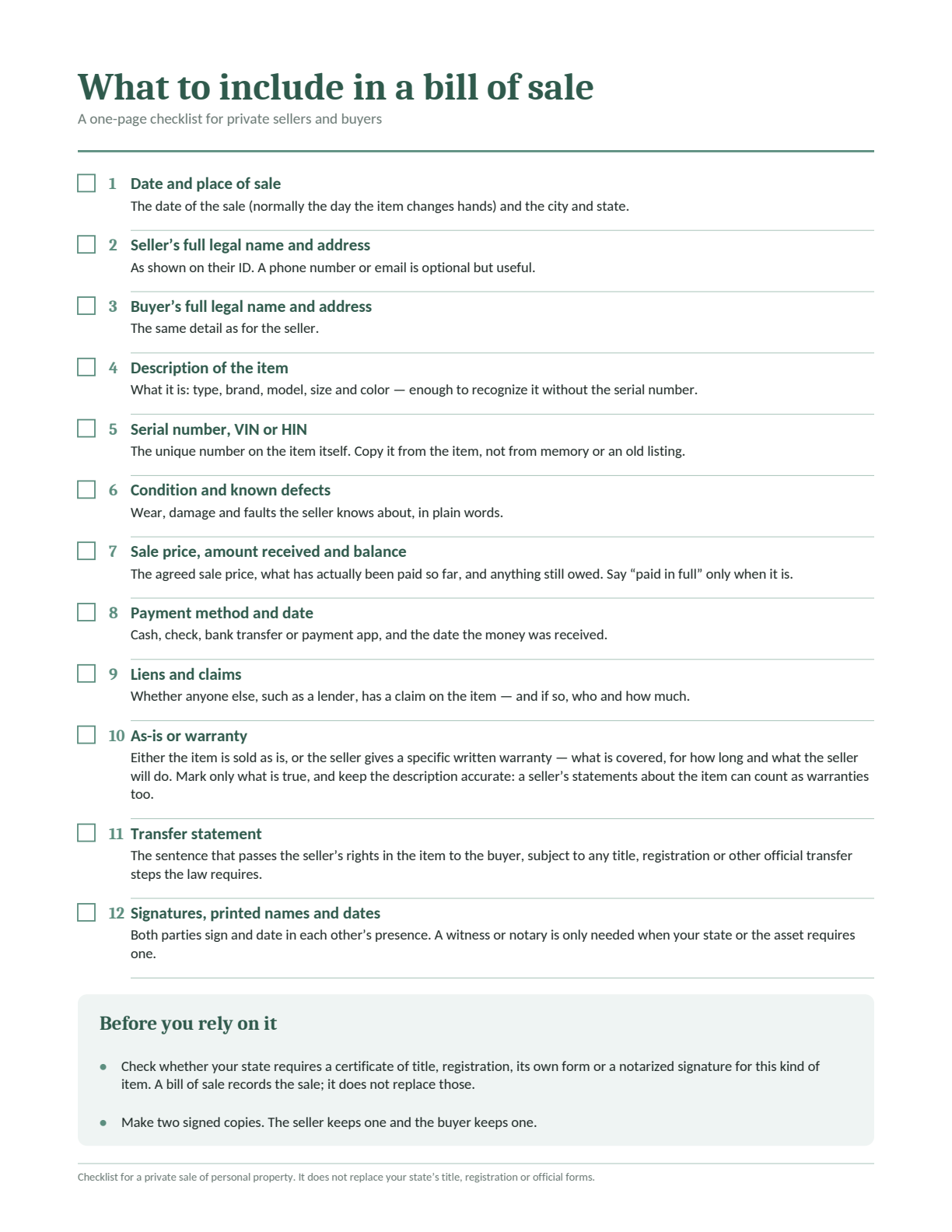
Check the information to include, from the seller and buyer details to payment and signatures.
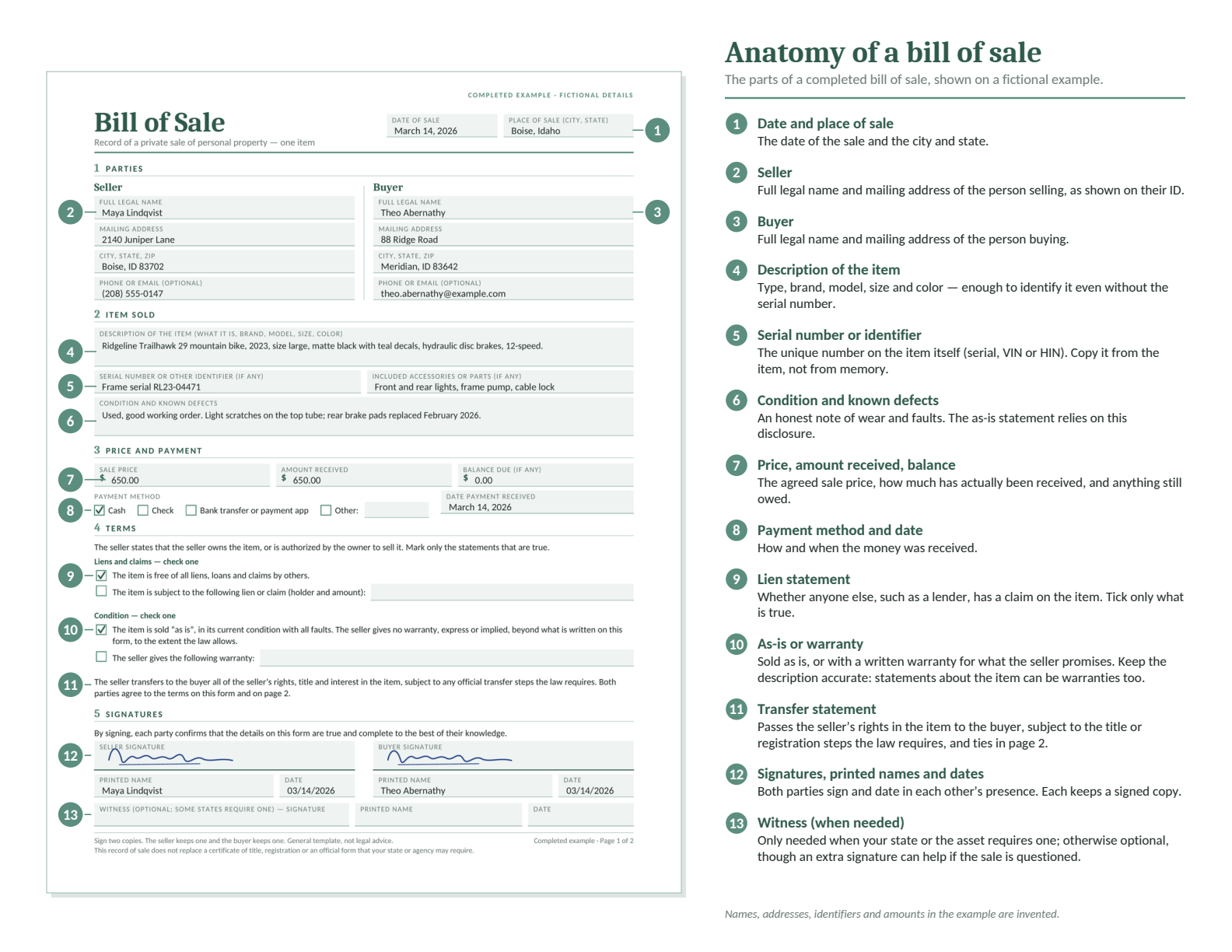
See a completed fictional example with numbered explanations of the fields.
Follow the instructions from the office handling your title or registration. For example, New York DMV explains the ownership documents needed for its vehicle transfers, and California DMV explains its bill of sale requirements. These sources apply to their own states.
Yes. Start with a blank bill of sale template. Add the seller, buyer, item, sale date, price and agreed terms. If an office requires its own form, follow those instructions too.
For general goods sold together, list each item with its description, condition and price. Keep the complete list with every signed copy. Vehicles and other items with titles may need separate transfer paperwork.
Not always. The sale price is what you agreed. The amount paid is what the seller has actually received. Record any amount still owed, and write “paid in full” only after the full payment has been received.
Check the official instructions for your document and state before signing. A bill of sale and a title can have different signing requirements. The state template pages help you find the relevant instructions.
If a title is required, complete the title transfer as well. A bill of sale records the sale details; it does not replace the required ownership paperwork. If the title is missing, check the replacement or transfer process with the office handling it.
The seller and buyer should each keep a complete signed copy, including any item list or attachments. If an office asks for an original, make copies before submitting it.
You can print a blank PDF and write in the details. Use full names and clear handwriting, and check numbers carefully. For title or registration paperwork, check that the office accepts the form you plan to use.
Describe the item’s condition, known defects and any promises about repairs, delivery or collection. As-is wording should reflect what you agreed; it does not remove every possible responsibility. The as-is bill of sale template page explains what to check.
Start with a Word, Google Docs or PDF template and record the sale and agreed terms.
Create free business documents like invoices, estimates, quotes and receipts from these blank, printable and downloadable templates

Create and send unlimited documents. Every feature is included.
Create and send unlimited documents.
Every feature is included.
No credit card required.
After 14 days, continue for $12.99/month only if you choose to upgrade.