Record your Texas sale with the item, price, payment and agreed terms. Give the seller and buyer a signed record to keep.
Choose a car, boat or trailer template in Word, Google Docs or PDF. Use the completed example to fill it in, then check the official transfer forms for your sale.
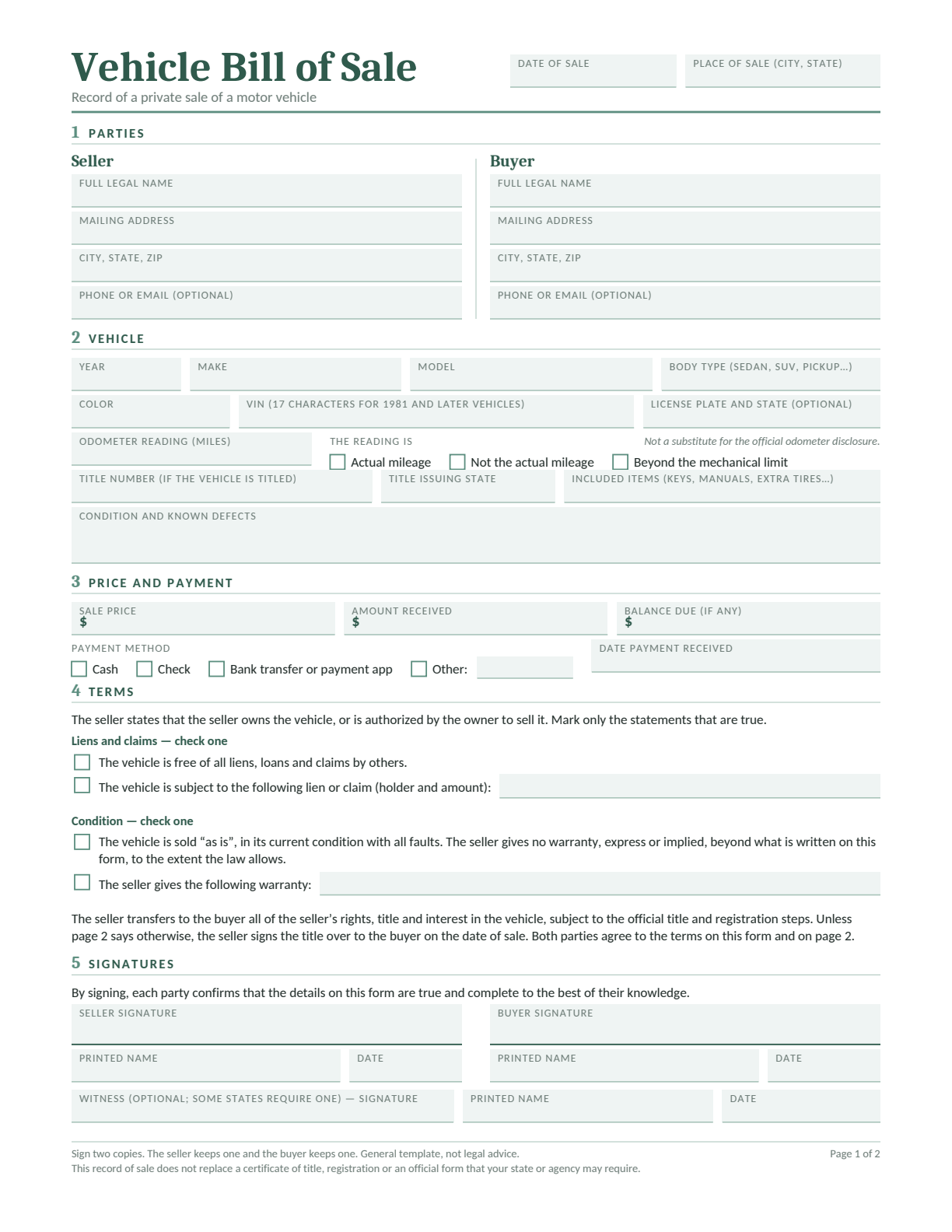
A bill of sale identifies the seller, buyer and property, and records the sale date, price, payment and terms. It gives each person a record they can check later.
For an ordinary private sale of a Texas-titled vehicle, TxDMV lists the assigned title and signed Form 130-U among the required transfer papers. A bill of sale helps document the transaction, but it does not replace those forms.
The guidance below covers private sales of Texas-titled vehicles, boats and outboard motors, and used manufactured non-farm trailers. For a gift, estate, dealer sale, out-of-state transfer or USCG-documented vessel, check the agency’s instructions for that situation.
How to Fill In Your Texas Bill of Sale
Follow the vehicle example below, then enter the details of your own sale. The bill of sale and the official transfer forms each need their own entries and signatures.
123456
Name the seller and buyer: Enter full names and addresses. Check the seller’s name against the ownership papers.
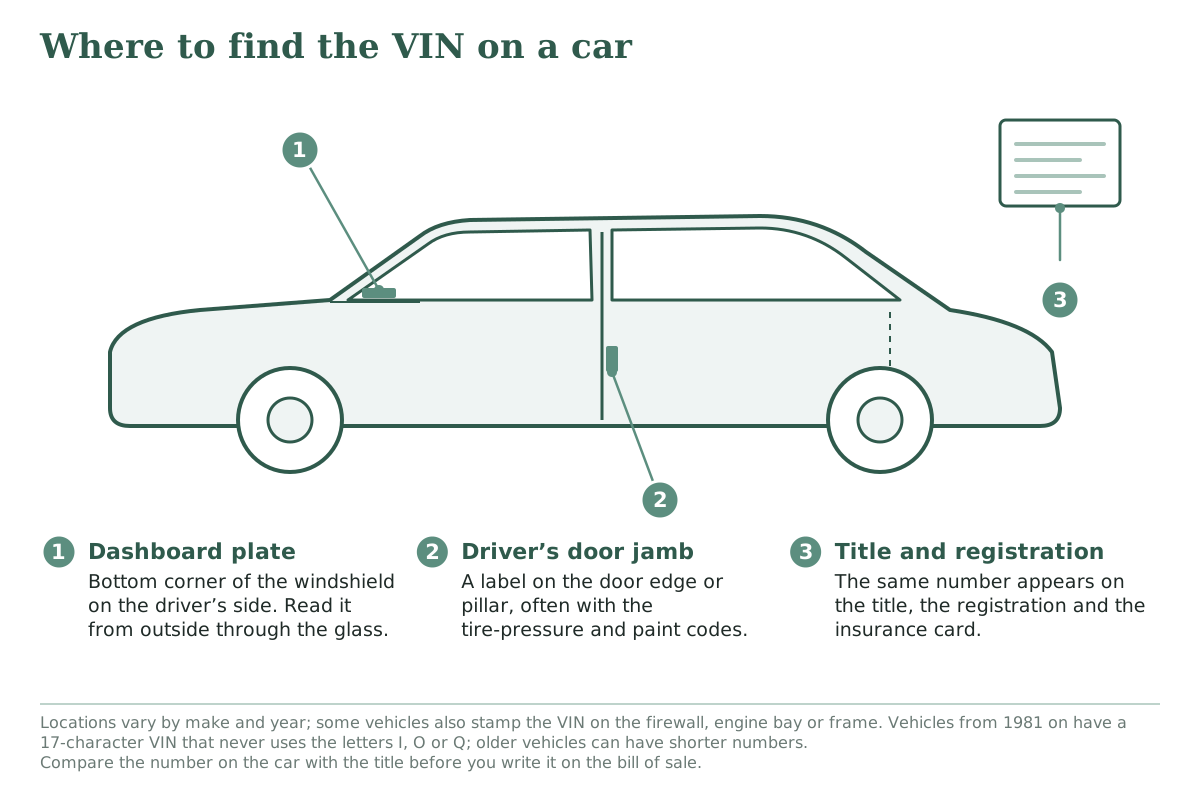
Identify the vehicle: Add the year, make, model and VIN. Compare the VIN on the vehicle with the title.
Add the date and mileage: Record the sale date and current mileage. Complete any required official odometer disclosure too.
Separate price from payment: Enter the agreed price, amount received, payment method and date, and any balance due.
Explain the condition and terms: Describe known defects, included extras and any promises. Complete the lien statement accurately.
Review both pages and sign: Add any extra terms, complete the signatures and initials, and keep a signed copy each.
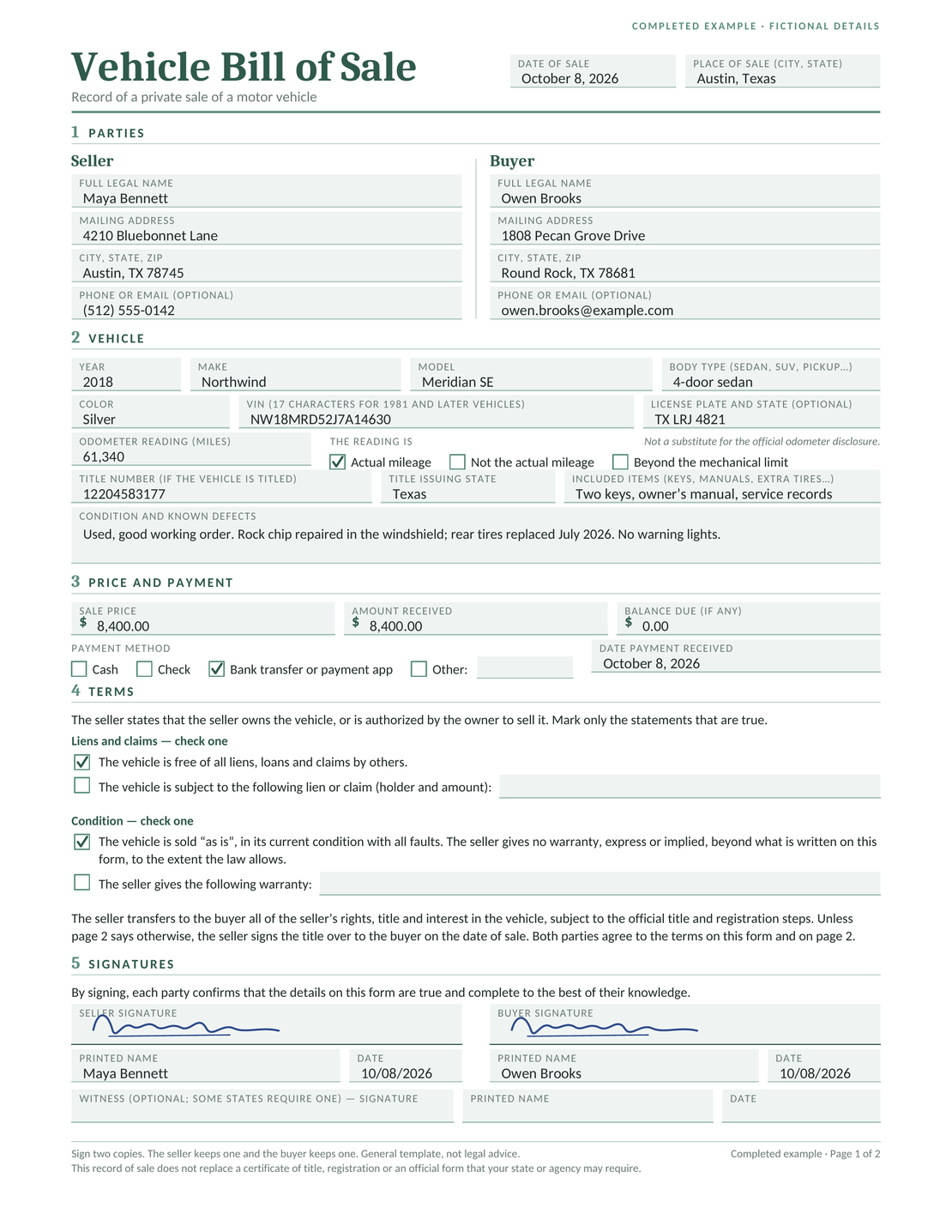
Completed Texas Bill of Sale Example
Maya sells Owen a silver 2018 Northwind Meridian SE sedan for $8,400 in Austin, Texas, on October 8, 2026. The names, identifying numbers and signatures are fictional.
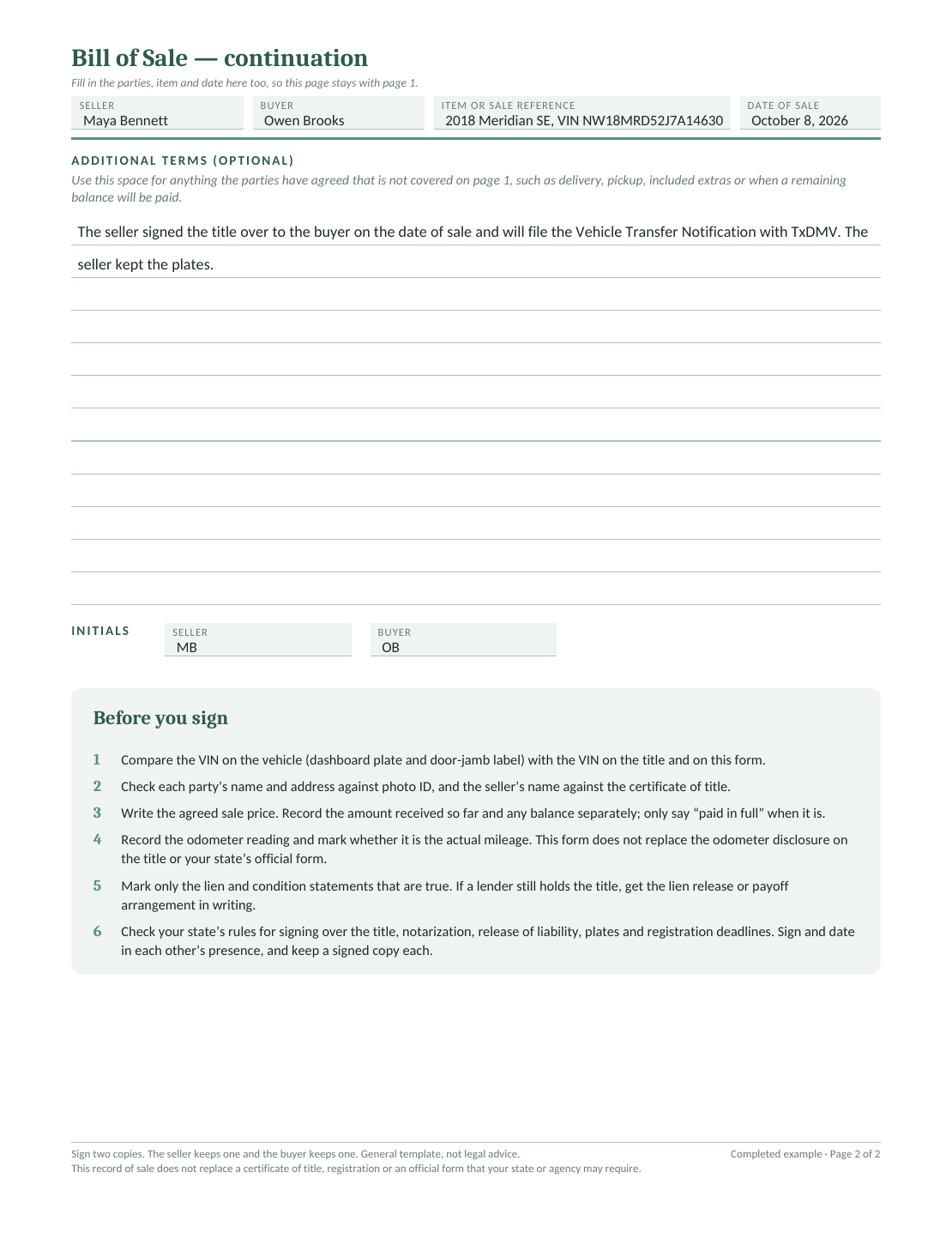
The example records 61,340 miles, two keys, the owner’s manual and service records. It notes a repaired windshield chip and replacement rear tires. Maya receives the full $8,400 by bank transfer, so the balance is $0.
Page 2 records that Maya signed over the title, kept the plates and will file the Vehicle Transfer Notification. That note records the arrangement; Maya still needs to submit the notification to TxDMV.
For an ordinary private vehicle sale, start with the TxDMV buyer and seller instructions. TxDMV recommends going to the county tax office together.
Seller: Prepare the Transfer Papers
Give the buyer the properly assigned title and signed Form 130-U with the sale price. Include a lien release if one is needed.
Complete the required odometer information on the ownership paperwork. The mileage line on the Docelf template does not replace that disclosure.
Buyer: Apply within 30 Days
Apply for title in your name within 30 days of the sale at the county tax office. Bring the assigned title, Form 130-U and the supporting papers required for your transfer.
Check registration requirements too, including insurance and any emissions test that applies.
For a private vehicle purchase, tax may depend on the vehicle’s standard presumptive value as well as the sale price. Use the Texas Comptroller’s private-party purchase guidance and confirm the amount due with the county tax office.
Texas no longer requires safety inspections for noncommercial vehicles. Emissions tests still apply where required; check the current DPS emissions instructions for the vehicle and county.
Texas Boat and Outboard Motor Bills of Sale
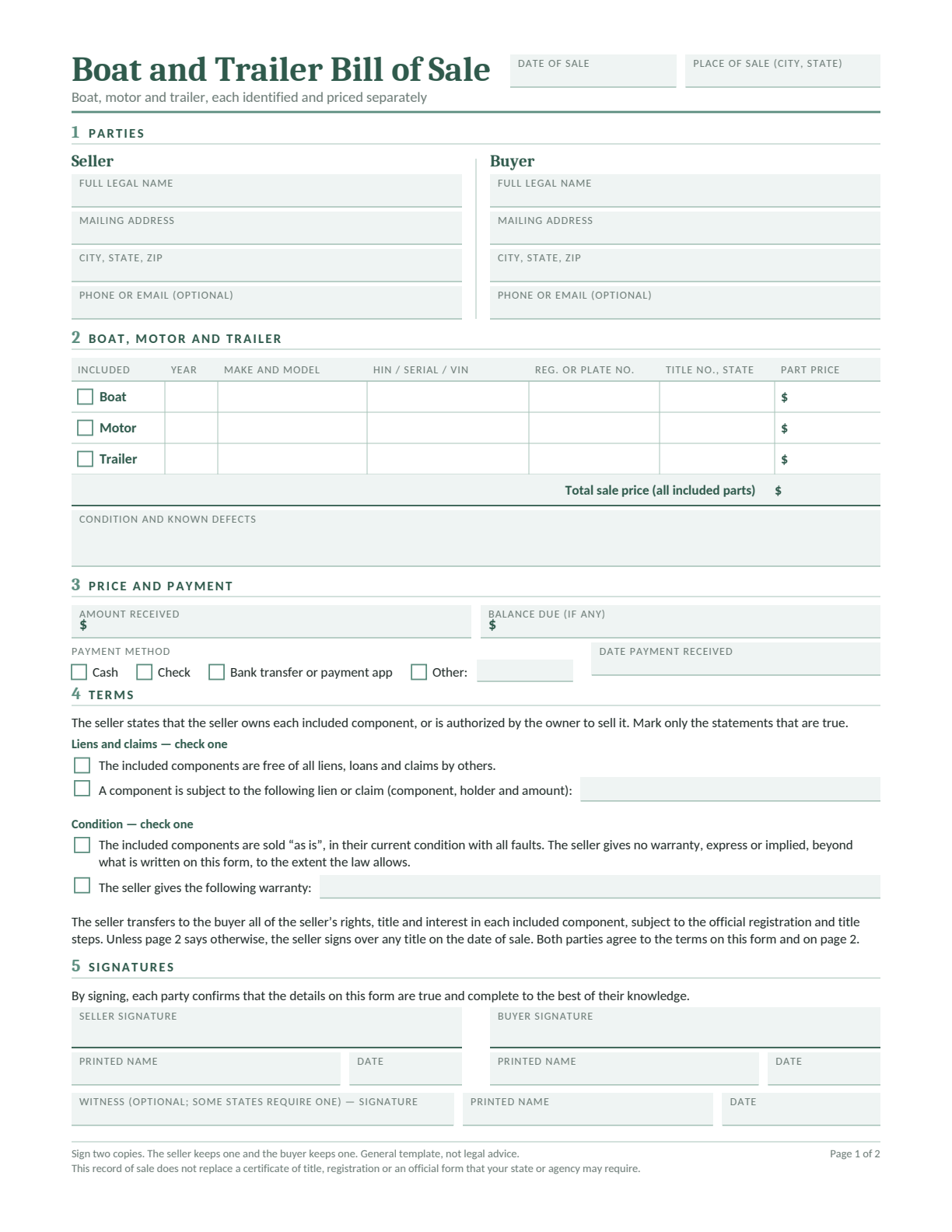
Choose a template for a boat on its own or a boat, motor and trailer package. Both have two pages and are available in Word, Google Docs, blank PDF and fillable PDF.
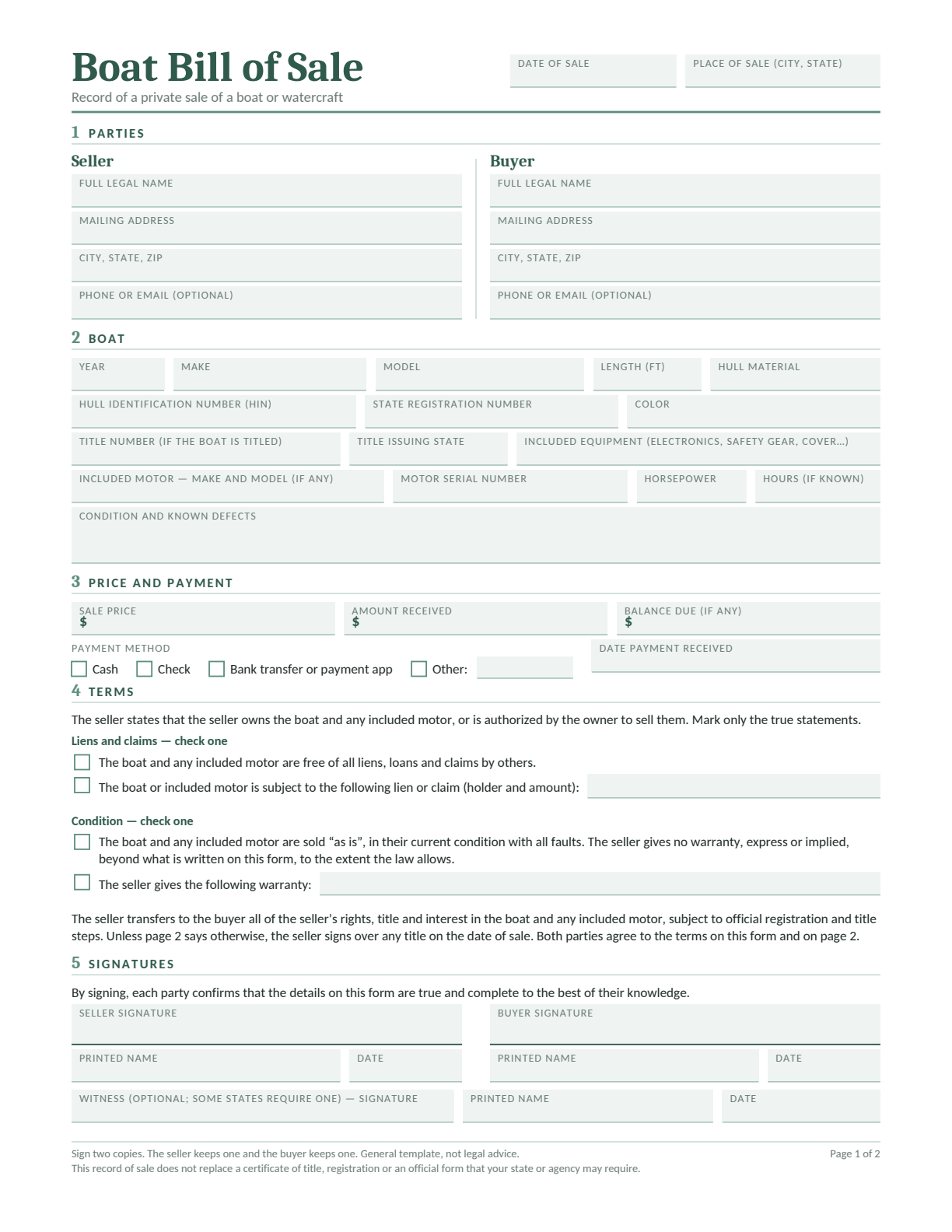
Boat Bill of Sale
For a boat sold on its own. Record the boat’s identifying details, condition, price and payment.
For a boat or outboard motor ownership transfer, TPWD requires a signed bill of sale or an accepted substitute. The completed seller-signed sale section on PWD 143 or PWD 144, or the sale section on an eligible TPWD title, can serve this purpose. Follow the TPWD bill of sale instructions.
A separate sale record needs the date, price, buyer’s name, property description and seller’s original signature. Include the boat’s make, year and TX number or hull identification number. Identify an outboard motor by its make, year and identification or serial number.
List the trailer price separately from the boat and motor prices. TPWD handles boat and motor paperwork; a boat trailer goes through the county tax office.
The tax deadline is 45 working days after delivery. Pay the required tax with the application; the longer tax deadline does not extend the title deadline.
Texas Trailer Bill of Sale Requirements
For a used manufactured non-farm trailer, check its gross weight: the trailer’s weight plus its carrying capacity. Under the TxDMV trailer requirements:
Over 4,000 pounds: the trailer must be titled. A used trailer needs its certificate of title.
4,000 pounds or less: the listed ownership evidence is a bill of sale plus registration receipt, or the certificate of title if one was issued.
Road use: registration is required for non-farm trailers used on public highways.
Farm and assembled trailers have separate rules. Missing paperwork does not turn a manufactured trailer into an assembled trailer; resolve the missing documents with the county tax office.
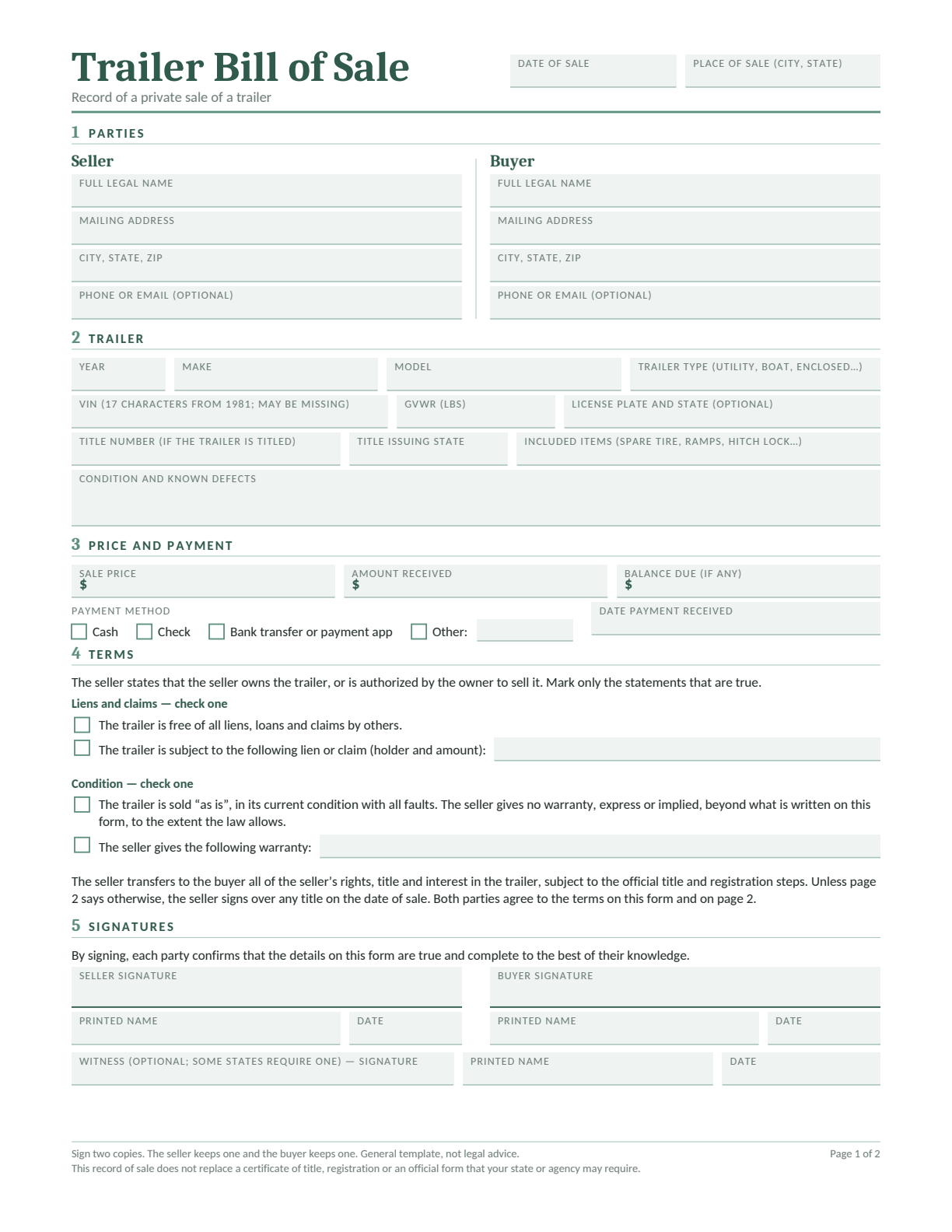
Trailer Bill of Sale
Record the trailer’s year, make, VIN, weight details, condition and payment. Use page 2 for extra terms.
Edit in Word or Google Docs, type into the fillable PDF, or print the blank PDF. Keep both pages with the required ownership papers.
Match the seller’s name to the ownership papers and confirm their authority to sell.
Compare the VIN, HIN or serial number on each item with its records.
Check the included items, known defects and any repair or warranty promises.
Separate the agreed price from the amount actually received and any balance due.
Complete the required title assignments and get any necessary lien release.
Review both template pages and every attachment before signing.
For paper TPWD applications and a separate bill of sale submitted with them, follow the original-signature instructions. Related documents may have different signing requirements, so check each form.
After the Sale: Notify the Right Agency
Give the seller and buyer a complete signed copy and keep proof of payment. Seller notifications and the buyer’s title application are separate steps.
These links open forms on the agency’s own website. Use the current version and its instructions. Form 130-U is a title and registration application, rather than a standalone vehicle bill of sale.
No. For the ordinary titled-vehicle sale covered here, the buyer needs the assigned title and Form 130-U. Resolve a missing title with the seller and county tax office before treating the transfer papers as complete.
Yes. TPWD accepts a handwritten sale record with the required sale and property details and the seller’s original signature. Keep the trailer price separate and complete the title applications and ownership papers too.
For a used manufactured non-farm trailer at or below 4,000 pounds gross weight, TxDMV lists a bill of sale plus registration receipt, or the title if one was issued. A bill of sale alone is not the complete ownership evidence listed.
The ordinary Form 130-U and TPWD applications PWD 143 and PWD 144 have signature sections without notary blocks. Follow each document’s instructions: related paperwork, such as TPWD’s lien release, can require notarization. Notarizing a bill of sale does not replace required ownership papers.
No. The price is what the buyer agreed to pay. Record the amount actually received, payment date and method, and any remaining balance. Use “paid in full” only when the full amount has been received.
After 14 days, continue for
$12.99/month
only if you choose to upgrade.
We use cookies to provide you with the best possible experience. Cookies also help us analyze user behaviour so we can continue to improve our website. View our cookie policy.