As-Is Vehicle Bill of Sale
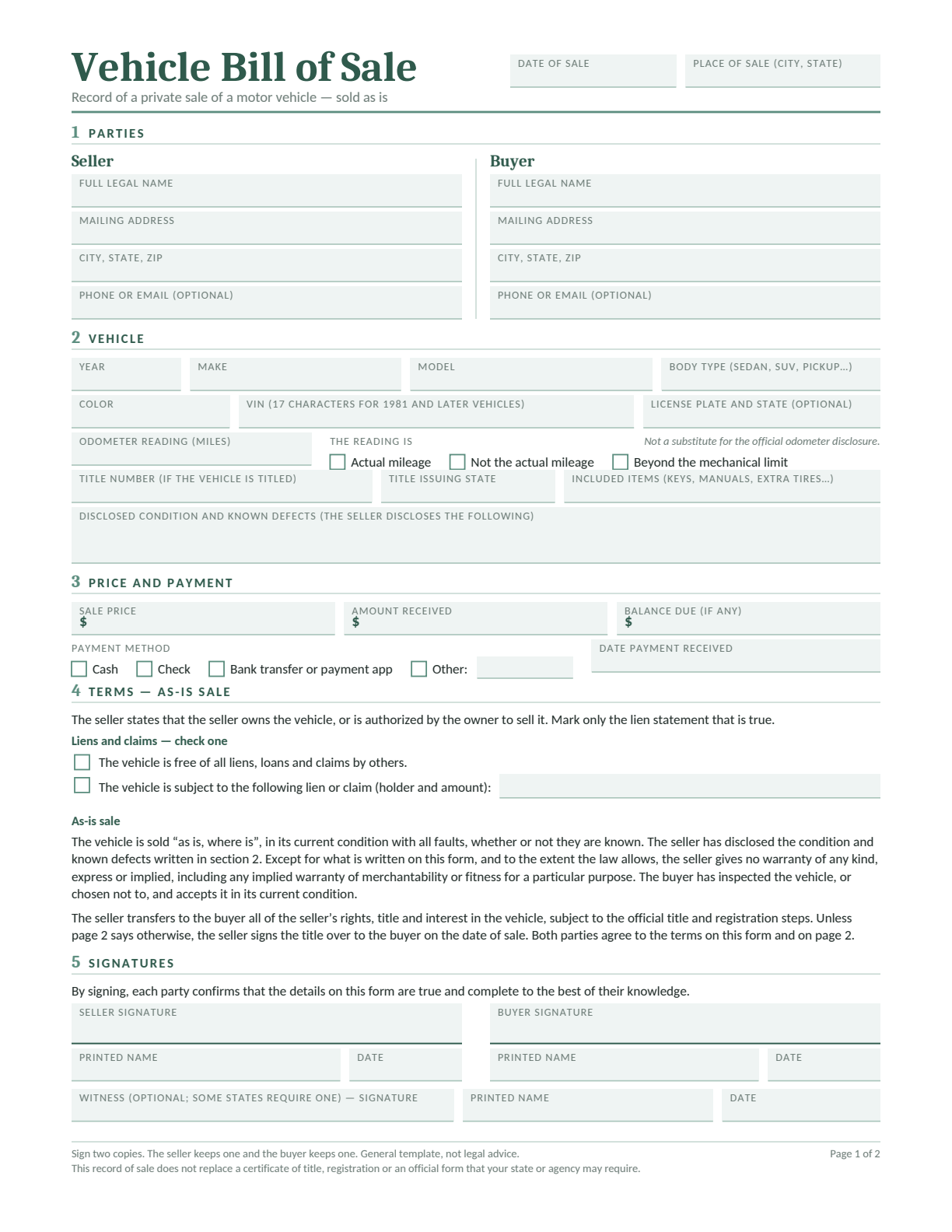
For a car or other vehicle. Record the VIN, mileage, known defects, payment and any extra terms.
Download a free template.
Document an as-is sale with the item’s condition, the price and the agreed terms. Give the seller and buyer a clear record of what changed hands.
Choose a vehicle or general item template. Edit in Word or Google Docs, type into a fillable PDF, or print a blank copy to complete by hand.
Document the sale and agreed terms. Give both seller and buyer a signed copy.
Choose the template for what you’re selling, then select a format. Each template has two pages. Complete both and keep them together.
For a car or other vehicle. Record the VIN, mileage, known defects, payment and any extra terms.
For an item such as furniture, a bicycle or equipment. Describe what is included, its condition and the payment.
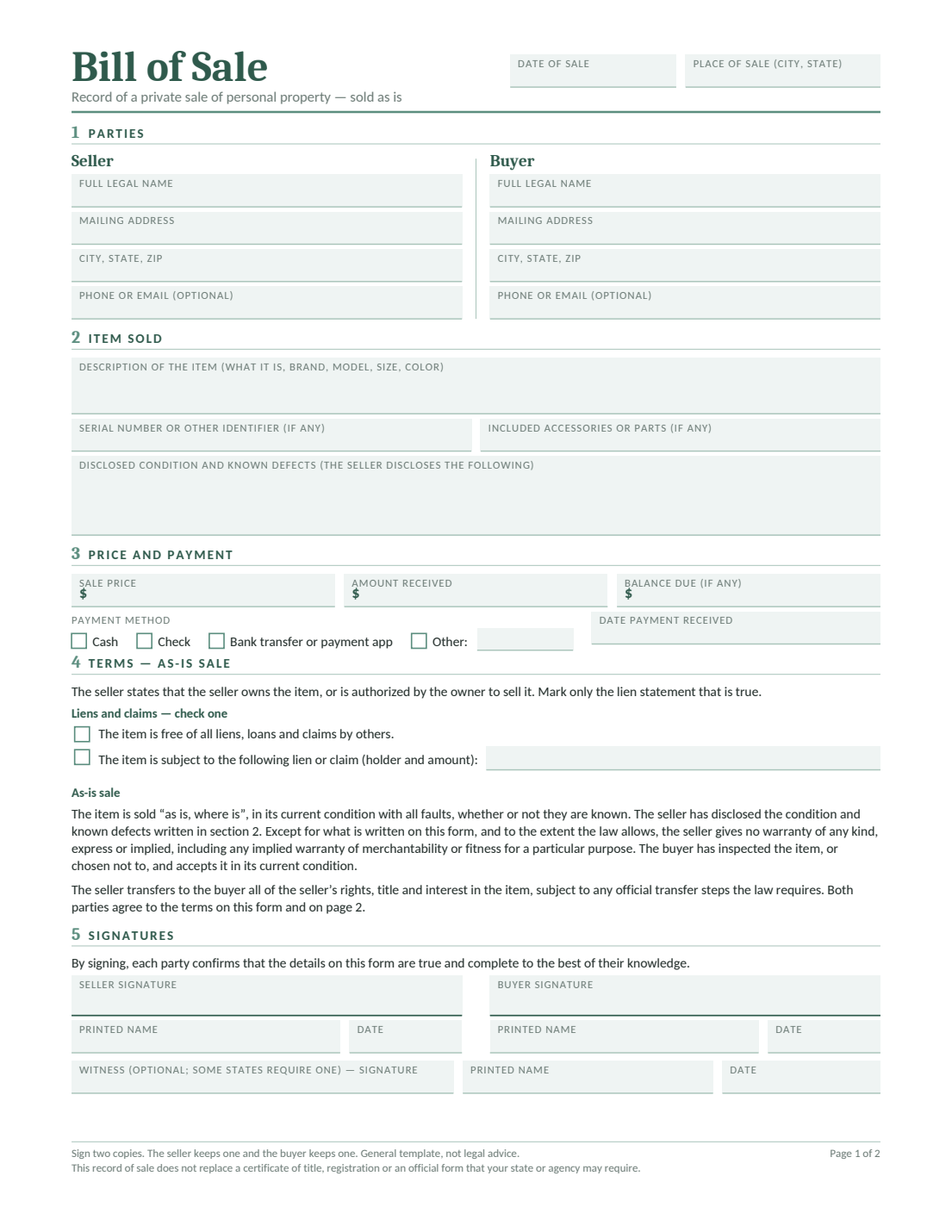
To edit in Google Docs, sign in and choose Make a copy. Save your own version before adding your sale details.
These are general templates, not legal advice. The effect of as-is wording depends on the agreement and applicable law. Check the official instructions for your sale and our Terms and Conditions.
An as-is bill of sale records a sale in the item’s current condition. It identifies the seller, buyer and property, and records the price, payment and agreed terms.
“As is” describes the intended warranty arrangement. It does not tell the buyer what is wrong with the item or replace the rest of the agreement. Describe known problems and record any repair or warranty promise clearly.
The wording does not remove every possible obligation. State law and promises made about the item can affect what the seller is responsible for. The FTC warranty guide explains why a general as-is statement may have limits.
Follow these six steps with your own sale details. The numbered preview uses the fictional vehicle example shown in full below.
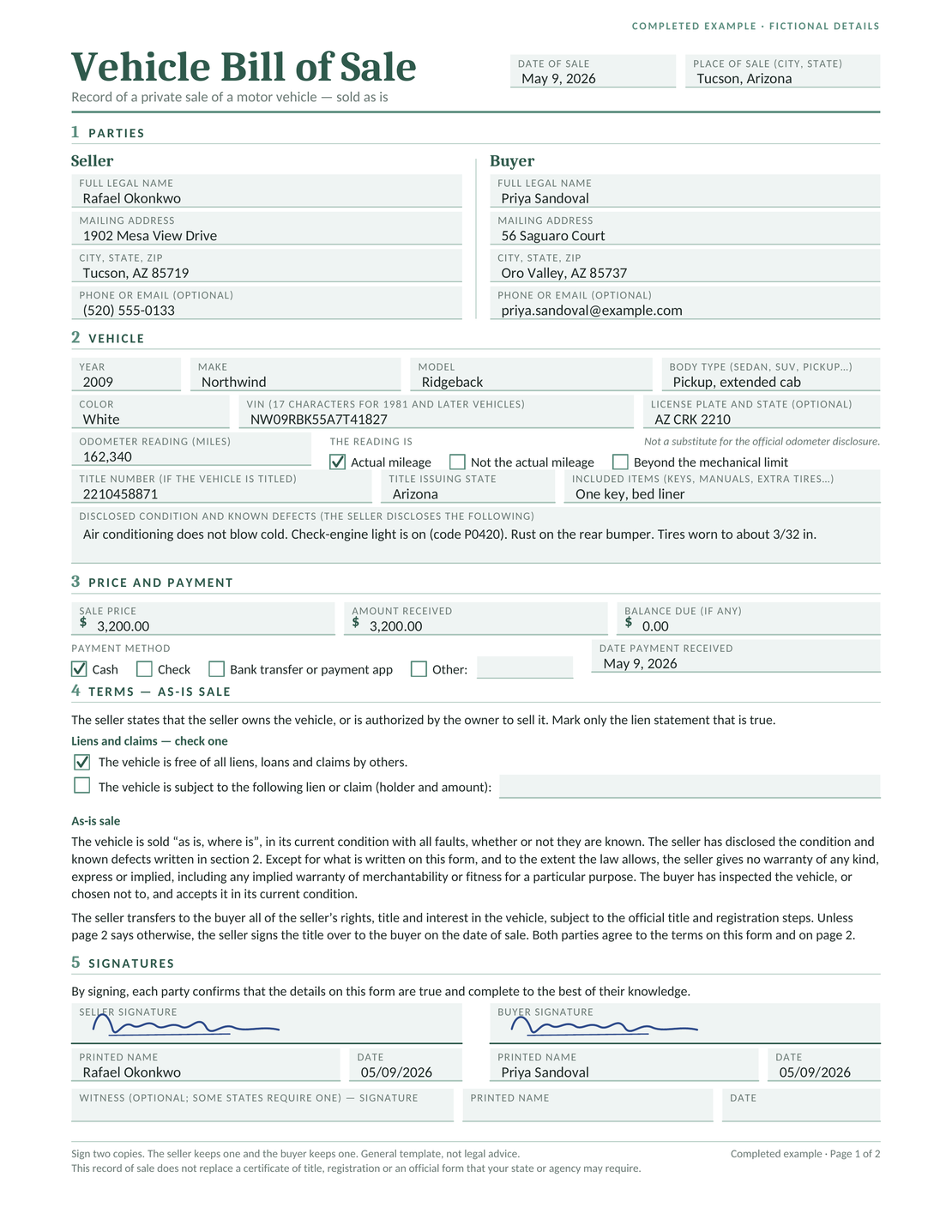
Rafael sells Priya a used pickup for $3,200 in Tucson, Arizona. The names and transaction details are fictional.
The condition field lists four known problems: the air conditioning does not blow cold, the check-engine light is on with diagnostic code P0420, the rear bumper has rust, and the tires have about 3/32 inch of tread. This tells the buyer more than “used condition.”
The seller receives the full $3,200 in cash, leaving no balance due. Page 2 records the buyer’s test drive and independent inspection before the sale. Record an inspection only if it happened.
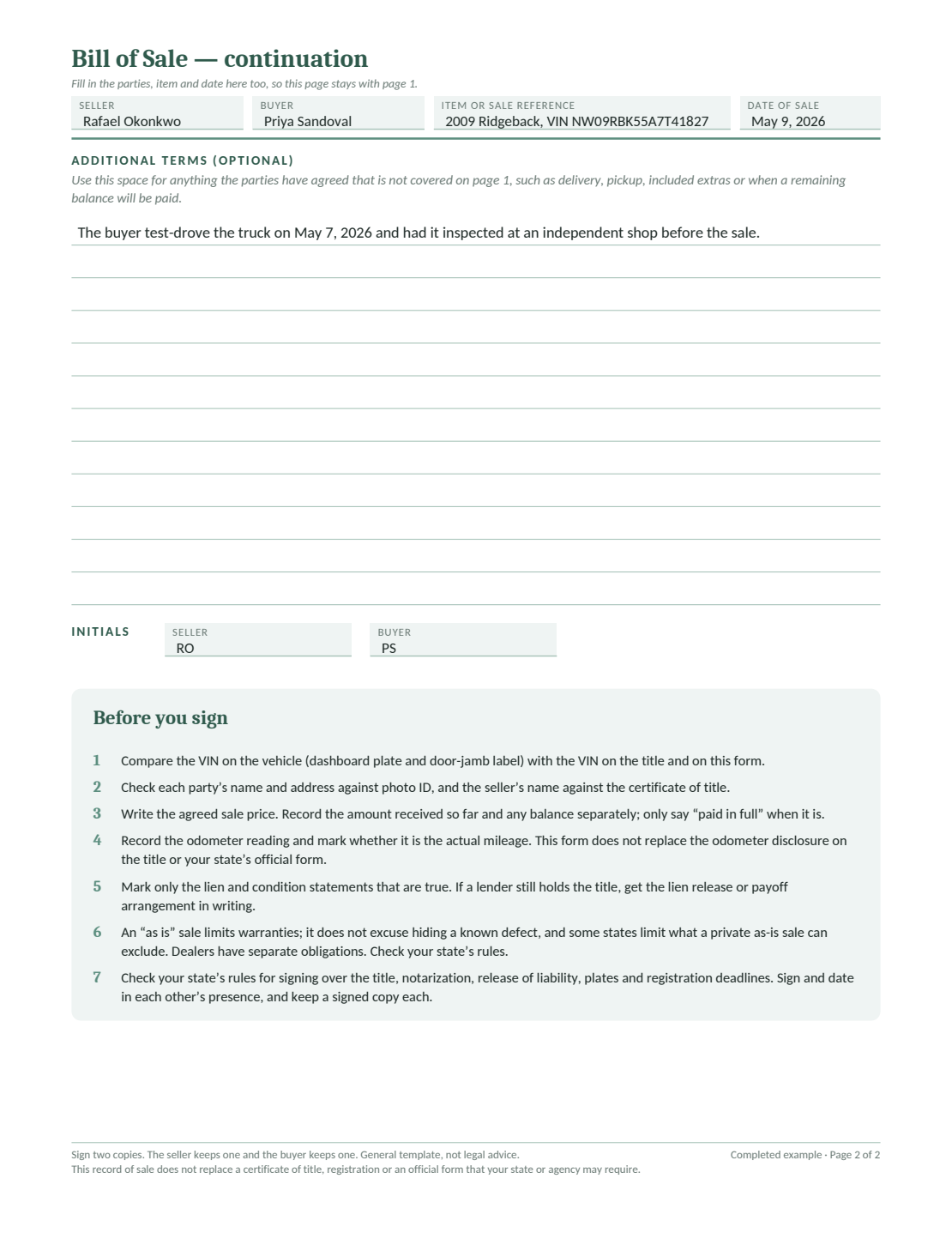
Write what you know about the item. “The air conditioning does not blow cold” records an observable problem. “Works perfectly” conflicts with that description and may create a promise you did not intend to make.
If the seller agrees to a repair, record what will be done, who will pay and when it must be finished. Keep the promise consistent with the rest of the form instead of relying on an as-is label to cancel it.
The vehicle is sold “as is, where is”, in its current condition with all faults, whether or not they are known. The seller has disclosed the condition and known defects written in section 2.
Except for what is written on this form, and to the extent the law allows, the seller gives no warranty of any kind, express or implied, including any implied warranty of merchantability or fitness for a particular purpose.
The buyer has inspected the vehicle, or chosen not to, and accepts it in its current condition.
This is the wording printed in the vehicle template. Read it alongside the condition description and any extra terms. Check that it reflects the actual agreement and is appropriate under the rules that apply to your sale.
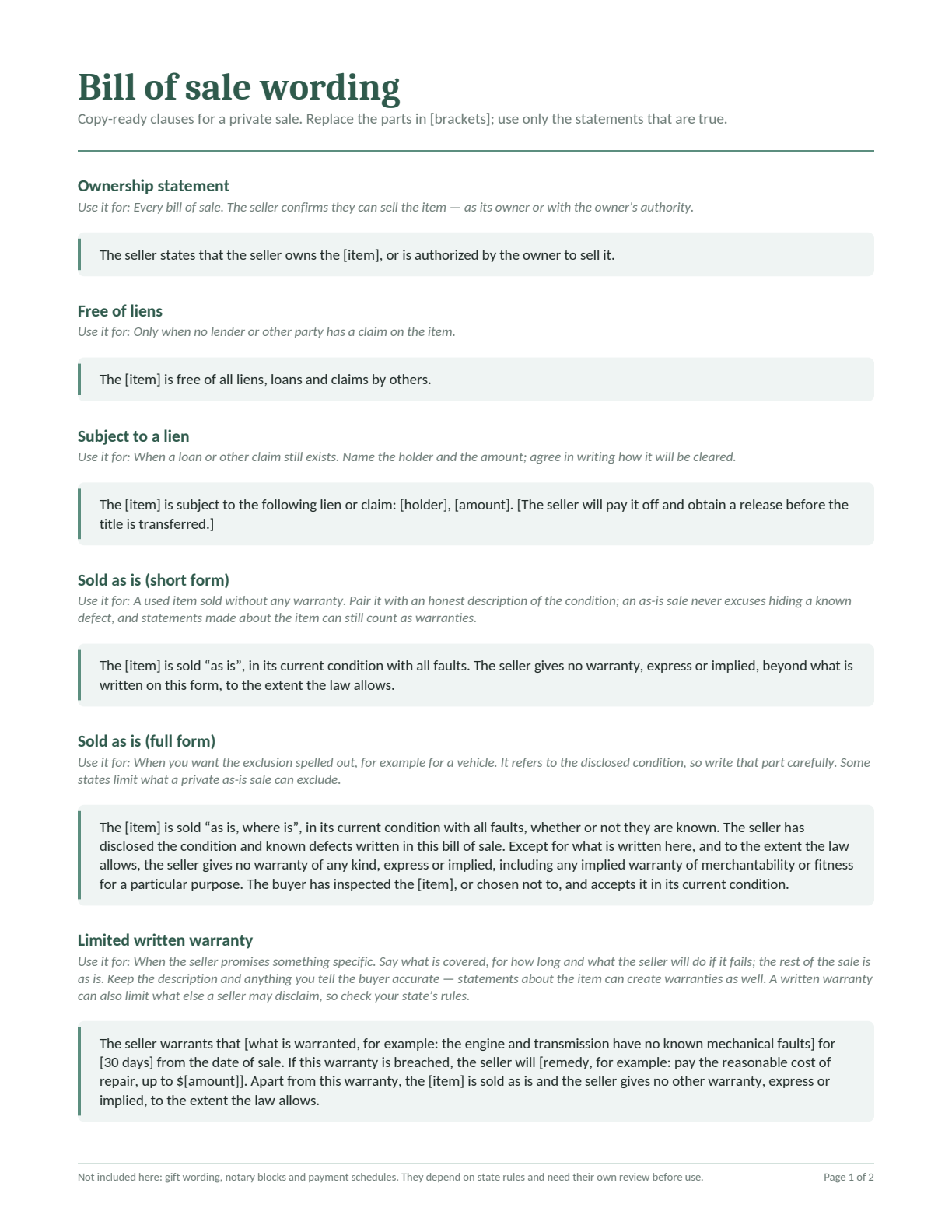
Compare sample ownership, condition, payment and signature wording. Replace the placeholders and include only statements that are true for your sale.
The preview shows page 1. Download the PDF for both pages.
A lien is a lender’s or another party’s claim on the property. An as-is clause does not resolve it. For a car sale, use the state selector and official transfer instructions to check the required paperwork.
A business may have warranty duties that a private seller does not. Check the FTC warranty guidance before using a general as-is clause, particularly if you offer a written warranty or service contract.
For a covered used-car dealer sale, the FTC Buyers Guide is separate required paperwork. This template does not replace it.
Give the seller and buyer a complete signed copy, including attachments. Keep proof of payment with it so the agreement and the payment can be checked together later.
For a vehicle, complete the required title, registration, tax and sale-reporting steps. Record the mileage and complete any required official odometer disclosure. An as-is bill of sale does not replace these separate documents or make the vehicle safe to drive.
Use the rules for your own sale and location. These sources explain warranty limits and vehicle paperwork.
Sources reviewed October 31, 2026. For vehicle transfer forms, choose your state on the car template page.
No. The effect depends on applicable law, the agreement and statements made about the item. An as-is label does not automatically cancel a specific promise. Describe the condition accurately and check the rules before relying on a disclaimer.
Yes. Describe known problems clearly so the buyer can check the item and the record. Specific details, such as “air conditioning does not blow cold,” are more useful than “used condition.” Check any disclosure requirements for your sale.
Do not assume the same wording has the same effect. Business sellers may have additional warranty and disclosure duties. Review the official guidance above, including the Used Car Rule if you are a covered dealer.
No. A bill of sale records the sale and terms. Complete the separate title and registration steps required for the vehicle. Check the official transfer instructions for your state.
Check the signing requirements for the property and location. If the relevant agency requires a notarized form, use its instructions and arrange the signing accordingly. The general templates here do not include a notary certificate.
Yes. Edit the Word file or make a copy in Google Docs. You can also type into the fillable PDF. The blank PDF is available if you prefer to complete it by hand. Review both pages before signing.
Choose a vehicle or general item template and add your own sale details.
Create free business documents like invoices, estimates, quotes and receipts from these blank, printable and downloadable templates

Create and send unlimited documents. Every feature is included.
Create and send unlimited documents.
Every feature is included.
No credit card required.
After 14 days, continue for $12.99/month only if you choose to upgrade.