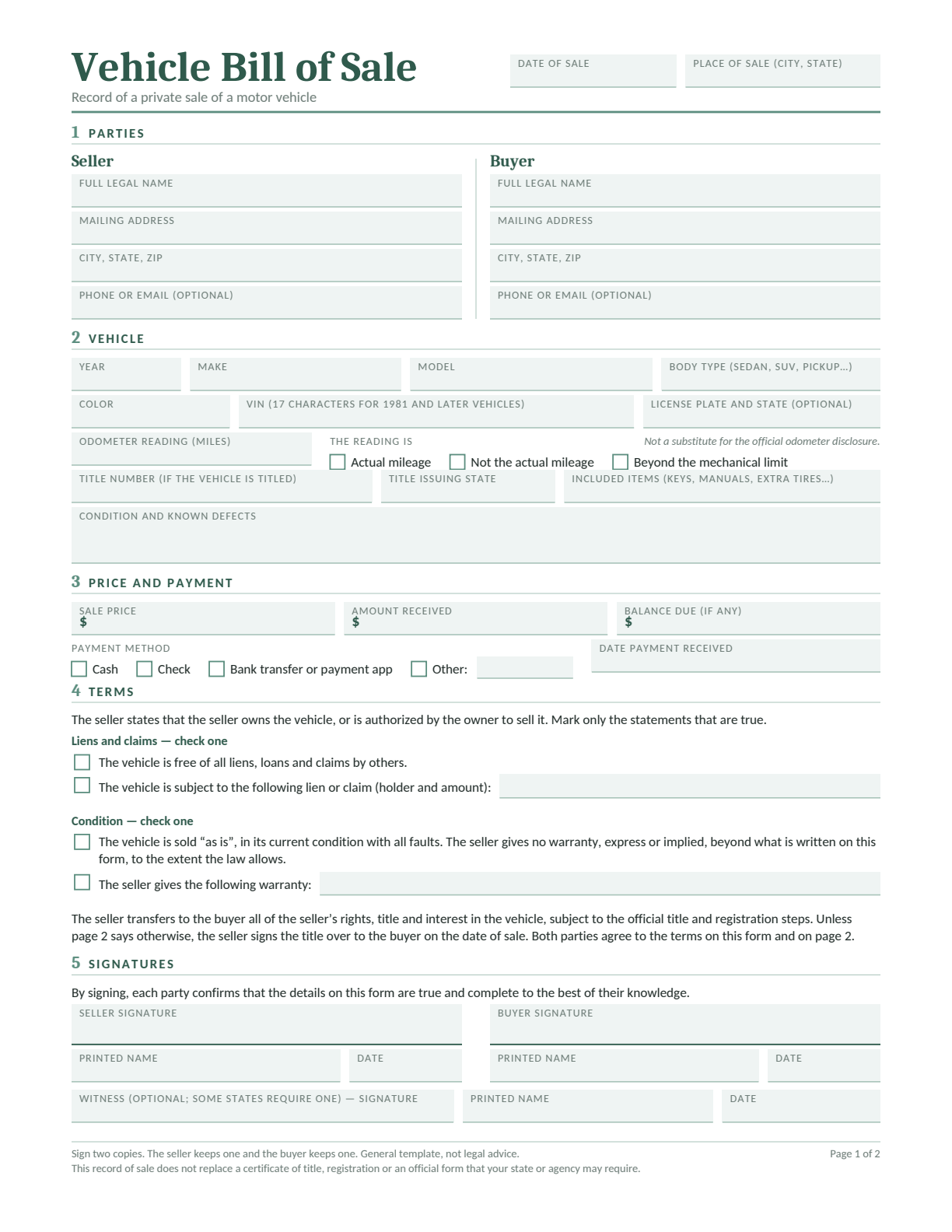
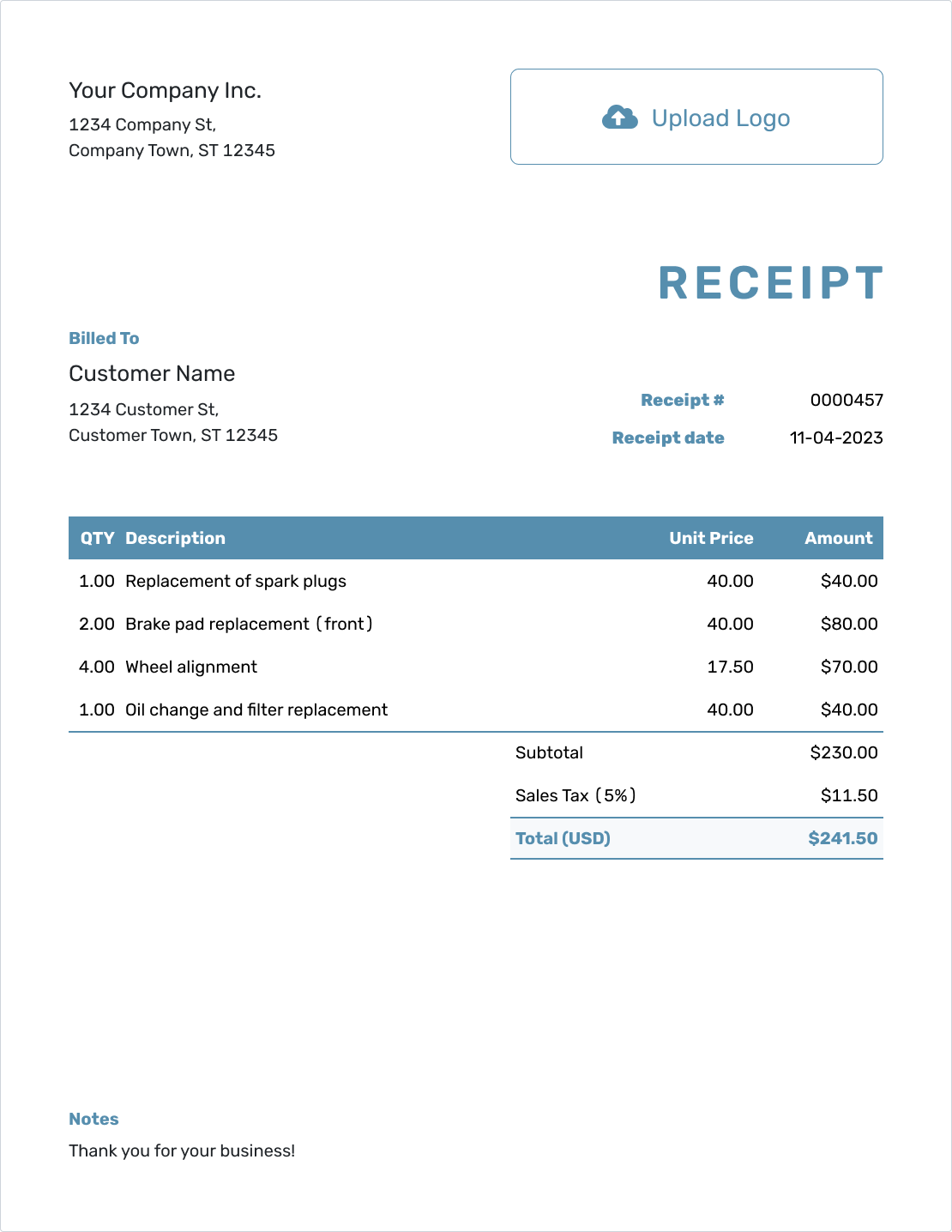
Record the seller and buyer, the vehicle’s VIN and mileage, and the price agreed for the sale. Keep the amount received separate from any remaining balance. Describe known defects and list included keys, documents and equipment.
Edit in Word or Google Docs, type into the fillable PDF, or print the blank PDF to complete by hand.
In Google Docs, sign in and choose Make a copy. Use page 2 for extra terms, then keep both pages together.
An Oregon bill of sale can record the payment agreement and show an owner releasing interest. DMV accepts its own Form 501 or a separate document with the required identifying details and release.
The two jobs are worth distinguishing: Form 501 has no price or payment field. A fuller sale agreement can record money and condition alongside the ownership release. Neither completes the buyer’s title application by itself.
Oregon Vehicle Bill of Sale
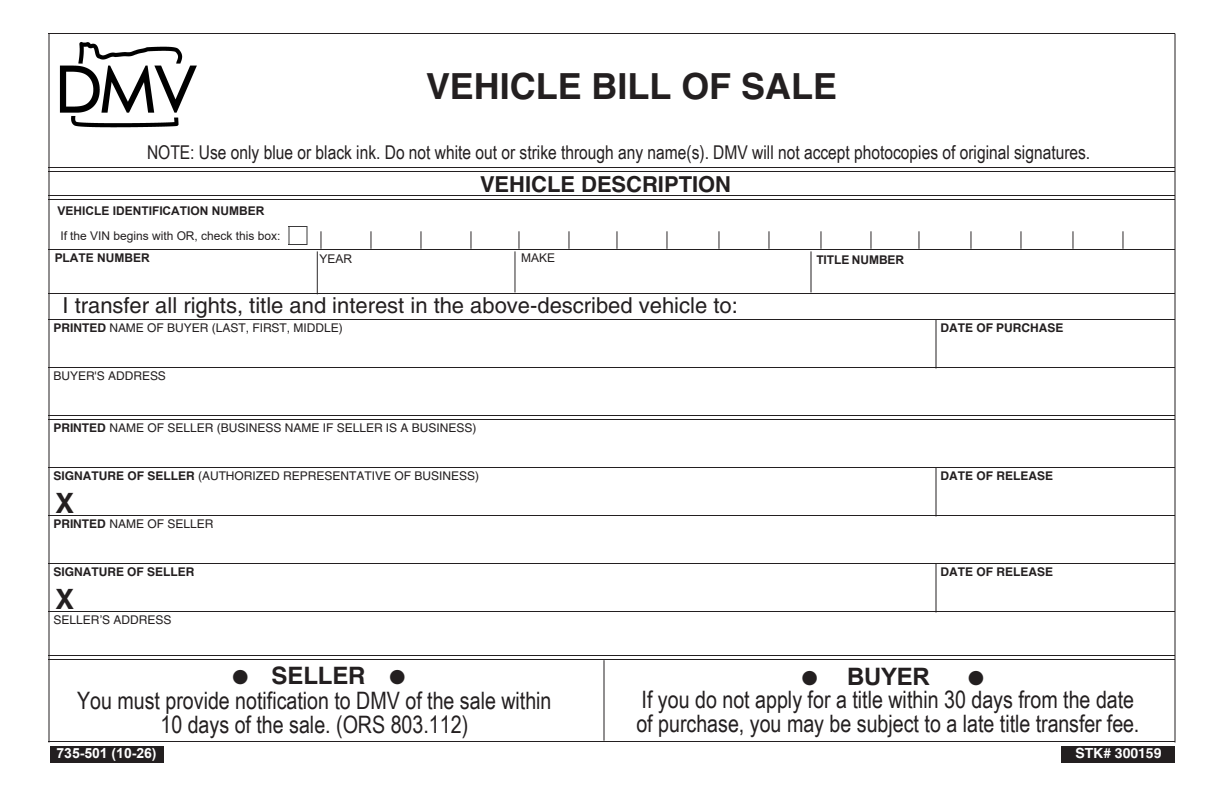
DMV Form 735-501 releases ownership interest in the described vehicle. It can be used when DMV needs a bill of sale in the title chain.
What to Fill In
Vehicle: Enter the VIN, plate number, year, make and title number. Check the box if the VIN begins with OR.
Buyer: Print the buyer’s name and address and the purchase date.
Seller release: Print each seller’s name, then sign and date the release in blue or black ink.
Records: Keep a copy, but submit original signatures where DMV requires them.
This release form has no sale-price or odometer fields. Keep your payment record and required odometer disclosure separately.
Preview of the official form. 10-26. Open its PDF for the complete form and instructions.
Check the Full Chain of Vehicle Ownership
Get the original title with releases from all owners and lienholders. If the seller is not named on the title, Oregon DMV requires a bill of sale showing the VIN, release of interest, seller’s printed name and signature, and sale date.
For a model year 2011 or newer vehicle under 20 years old, buyer and seller must complete the required odometer disclosure. Use the title or an accepted secure disclosure; the sale agreement’s mileage field is a useful record but does not replace it.
Seller: Notify DMV Within 10 Days
Release interest on the title and give the buyer the ownership papers. Resolve any unpaid loan with the lender before the sale.
Use DMV2U to notify DMV within 10 days. You may remove the plates. Agree that choice before collection so the buyer can arrange a permit or registration if needed.
Buyer: Submit the Title Application
Submit the title application within 30 days to avoid a late transfer fee. Keep all original releases together; a missing link in the ownership chain can delay processing.
Check whether the vehicle needs a VIN inspection or DEQ emissions evidence for registration. Requirements depend on the vehicle and where it will be registered.
Keep Original Signatures
Form 501 requires blue or black ink and does not accept photocopies of original signatures. Do not white out or strike through a name. If an entry is wrong, prepare a clean document before signing.
Oregon Boat Bill of Sale Templates
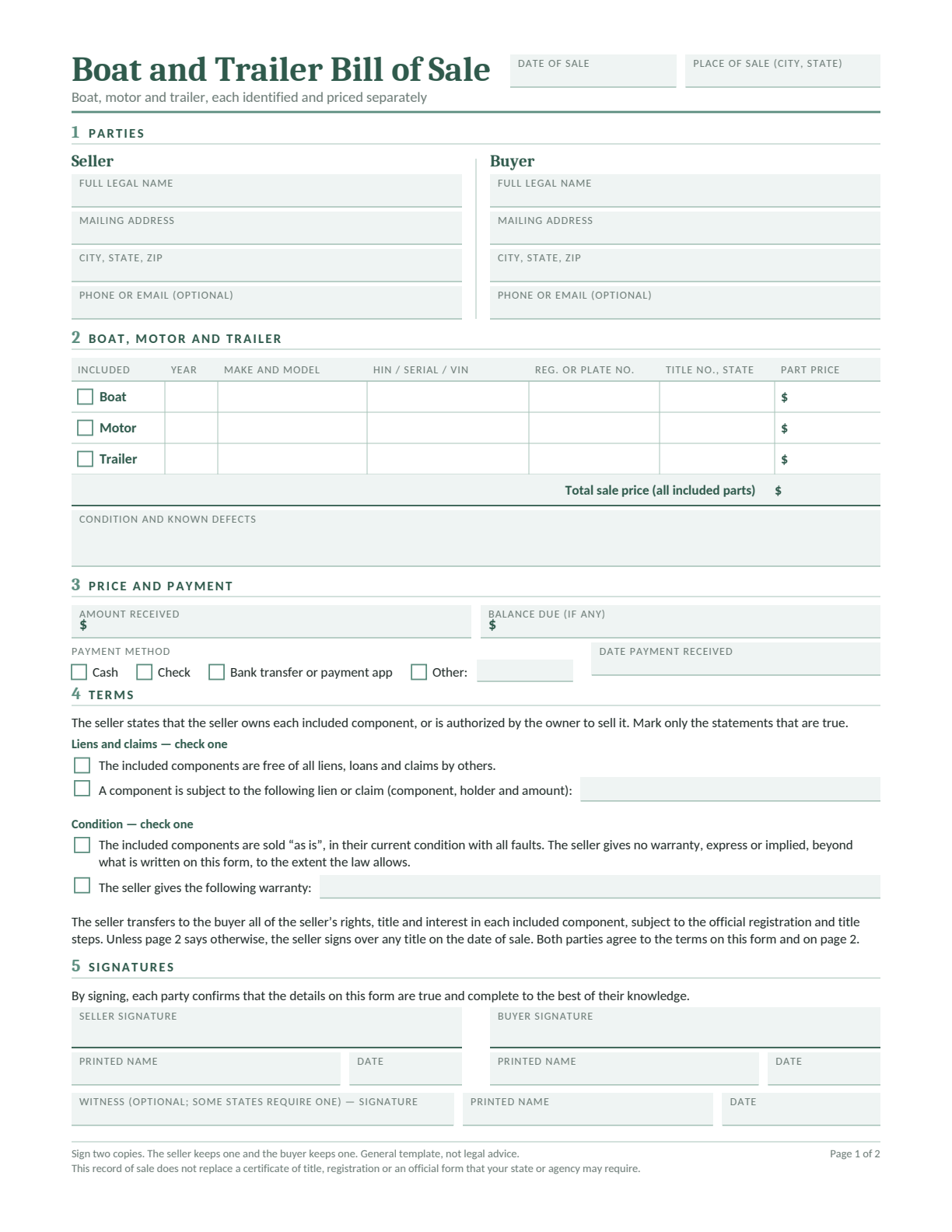
Oregon’s Marine Board handles the boat, while DMV handles a titled trailer. A bundle record helps both people identify the hull, motor and trailer without mixing their ownership papers.
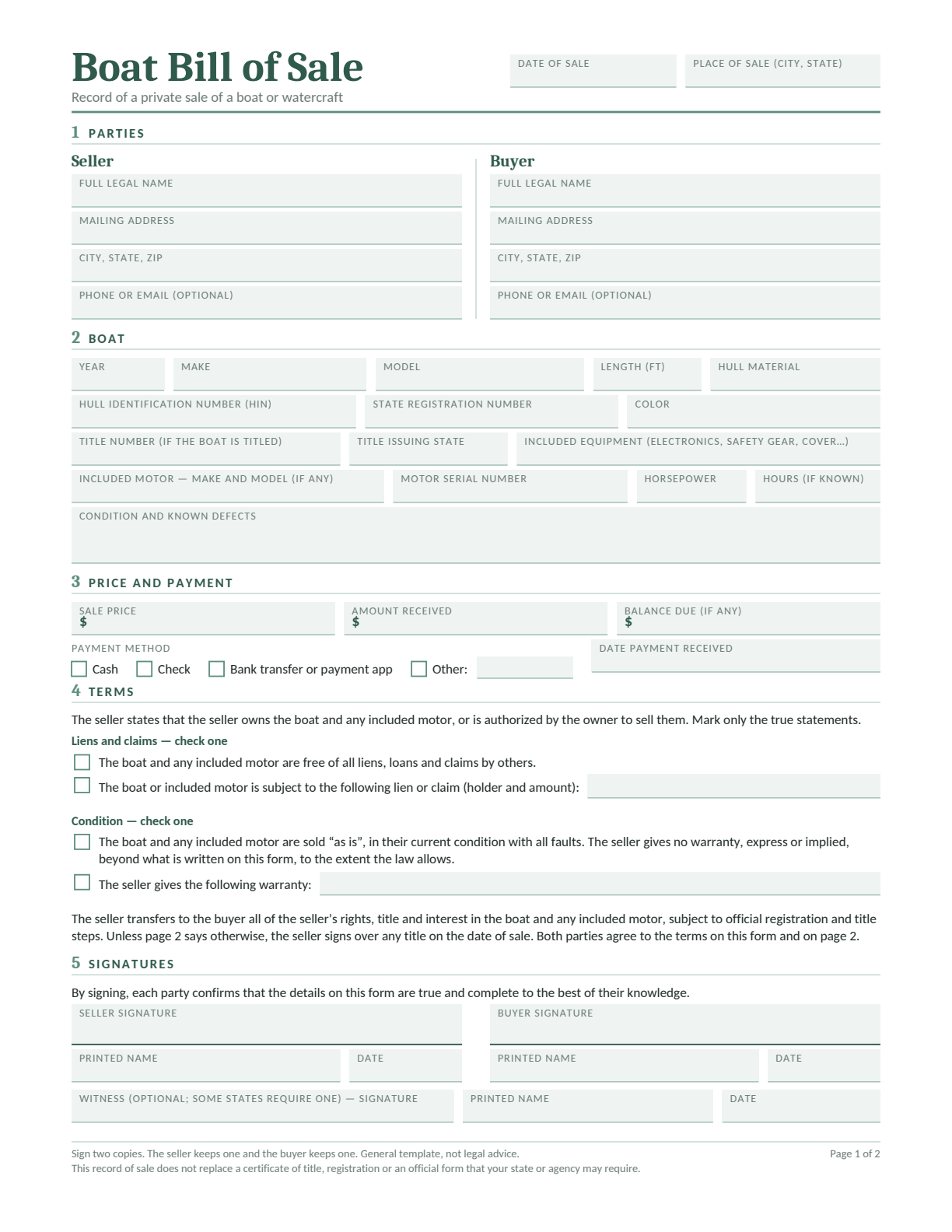
Boat Bill of Sale
Record the boat, included equipment, condition, price and payment.
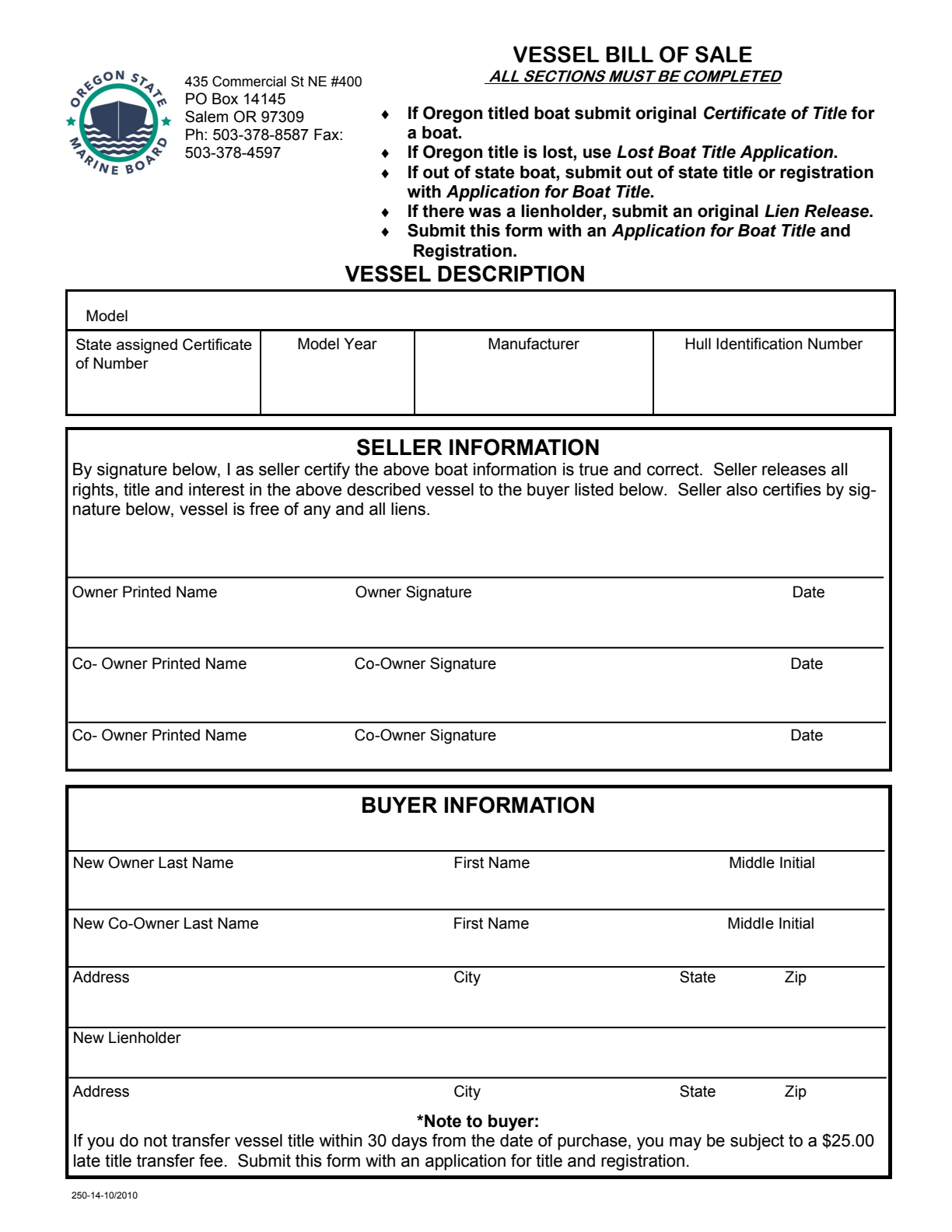
The Marine Board’s courtesy form identifies the boat and releases the seller’s interest. It accompanies the appropriate ownership and application papers.
What to Fill In
Boat: Enter its model, registration number, year, manufacturer and HIN.
Owners: Have the owner and every co-owner print, sign and date their release.
Buyer and lienholder: Complete the new owner and any new lienholder information.
Attachments: Supply the original title or applicable out-of-state record and an original lien release when needed.
Read the seller’s lien-free certification before signing. This form does not contain price, motor or trailer fields.
Preview of the official form. 250-14-10/2010. Open its PDF for the complete form and instructions.
Send Boat Ownership Papers to the Marine Board
For an Oregon-titled boat, give the buyer the original title with all owners’ releases signed and dated. The buyer completes the new-owner information and submits the transfer to the Oregon State Marine Board. Apply within 30 days to avoid a late transfer fee.
For a boat from a state that does not title it, provide the previous registration and bill of sale with the application. A lost Oregon title uses the Marine Board’s lost-title process; its release signatures have additional identity or notarization requirements.
The seller can report the boat sold to the Marine Board. If the trailer was included, notify DMV separately. Retain the motor serial number and equipment list with the parties’ sale records.
Oregon Trailer Bill of Sale
For an ordinary Oregon utility or boat trailer, loaded weight matters. Record both the trailer’s identity and the weight information used to determine its registration category.
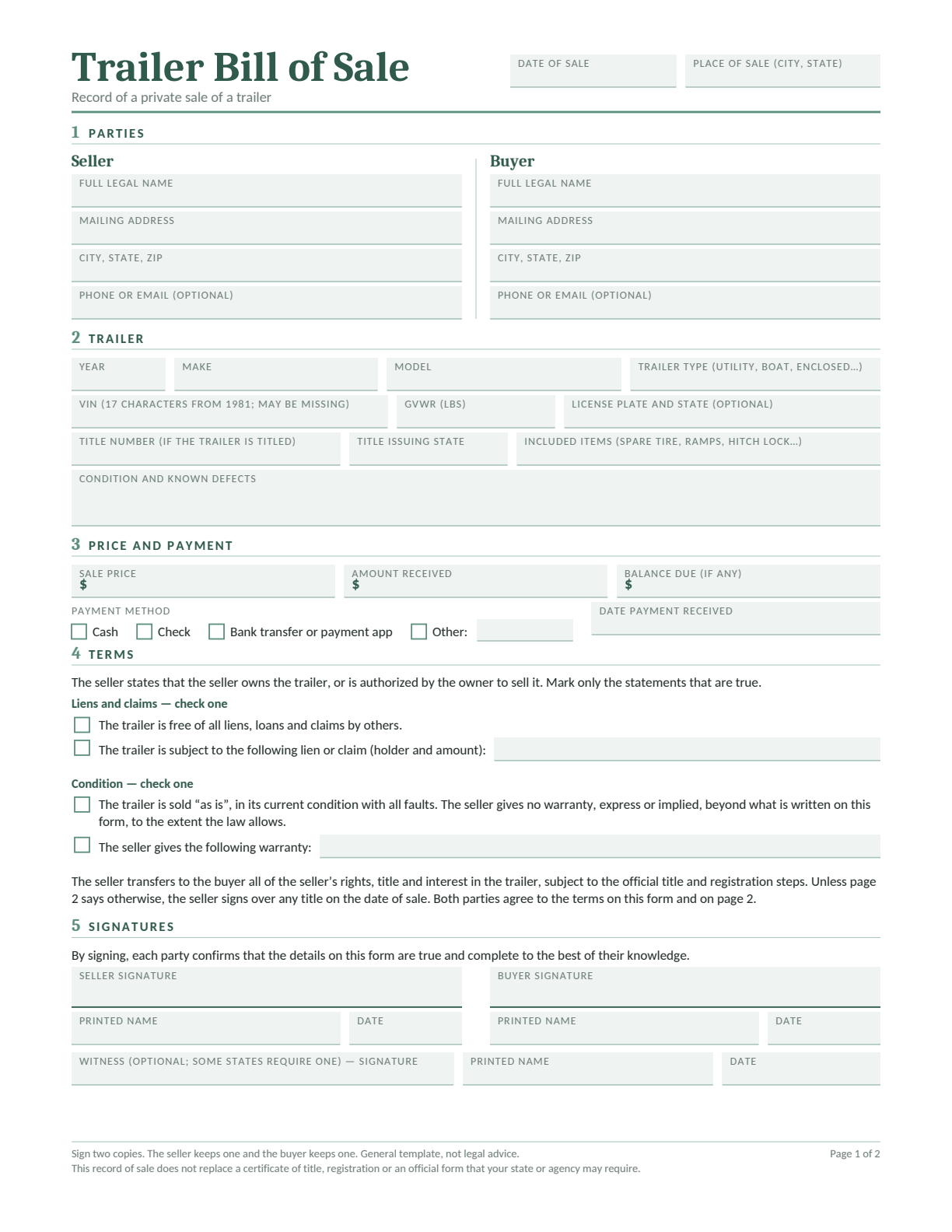
Trailer Bill of Sale
Describe the trailer and included equipment, then record the price, payment and any remaining balance. Use page 2 for extra terms, such as collection arrangements.
Edit in Word or Google Docs, type into the fillable PDF, or print a blank copy. Complete both pages and keep them with the ownership papers.
Oregon DMV’s trailer rules exempt trailers with a loaded weight of 1,800 pounds or less from title and registration. Light and heavy trailers above that threshold follow different categories; travel trailers have their own rules.
For an assembled trailer never titled or registered elsewhere, review Form 735-6644. Keep receipts for the frame, axle and materials and obtain releases from previous owners. The ownership certification and VIN inspection are separate from the buyer-and-seller payment record.
Completed Oregon Bill of Sale Example
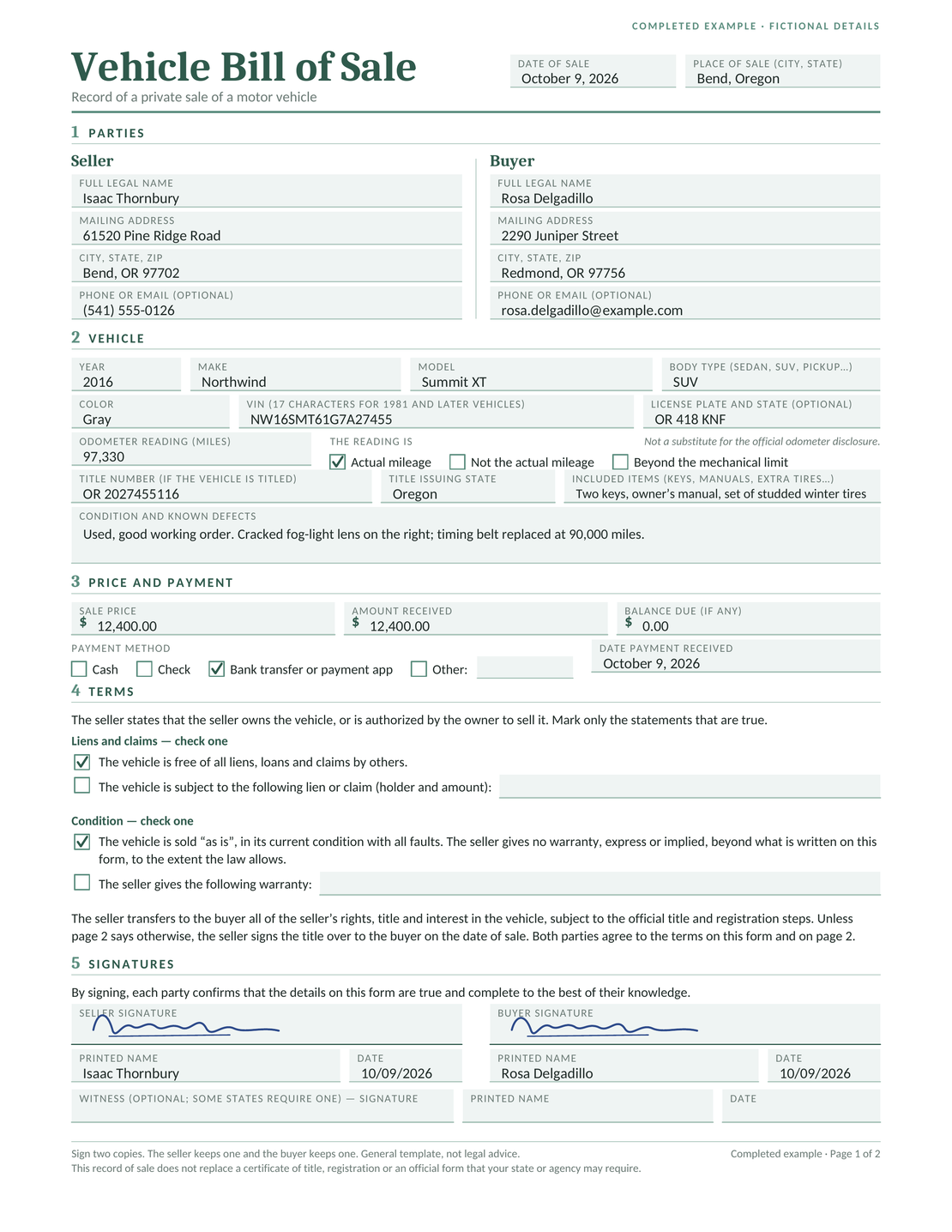
Isaac sells Rosa a gray 2016 Northwind Summit XT in Bend for $12,400. This fictional example records the full price received and a $0 balance.
The vehicle has 97,330 miles and comes with a set of studded winter tires. The condition note identifies a cracked right fog-light lens and a timing belt replaced at 90,000 miles.
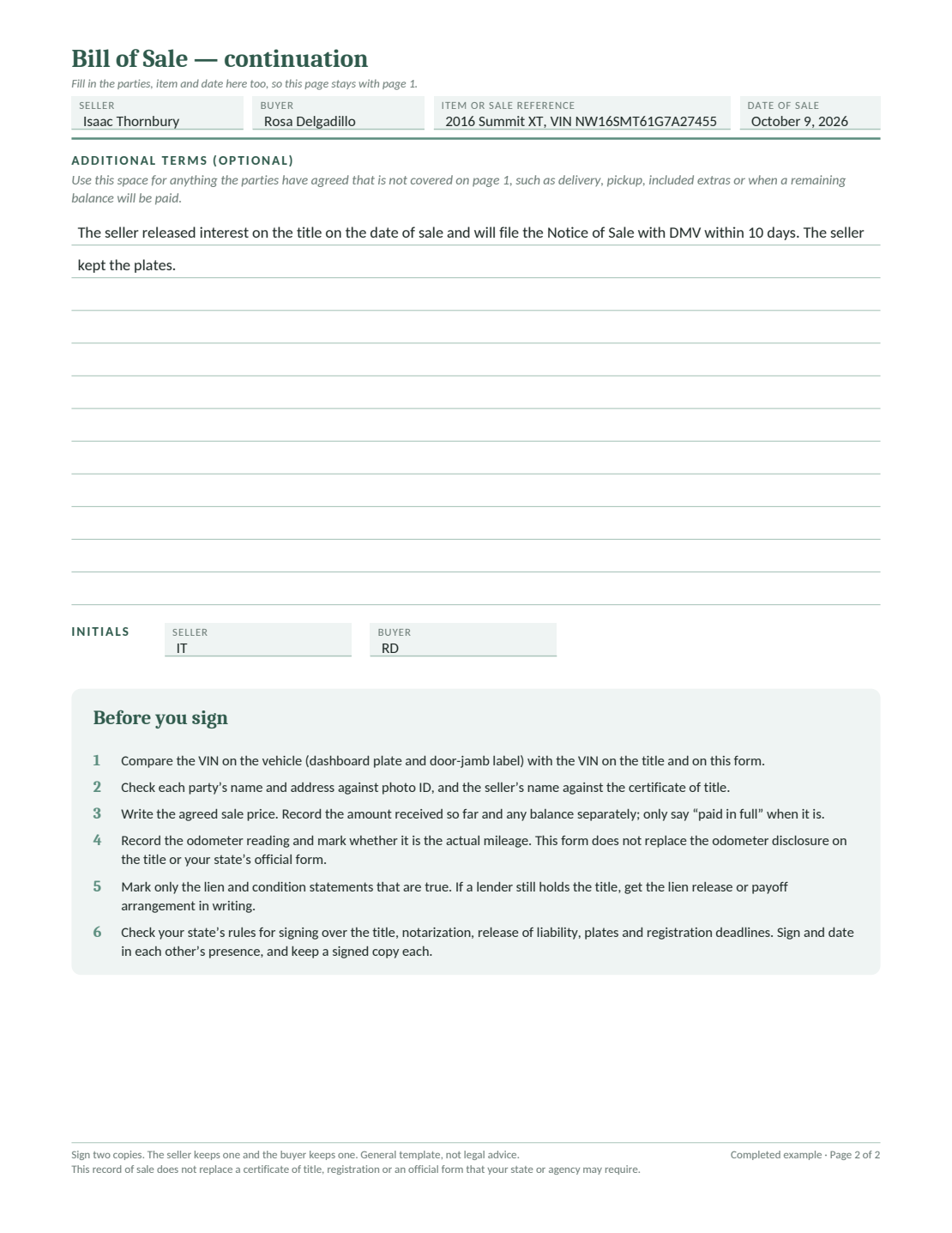
Page 2 records Isaac’s title release and his decision to keep the plates. He plans to notify DMV within 10 days; the example records that promise, not a completed filing.
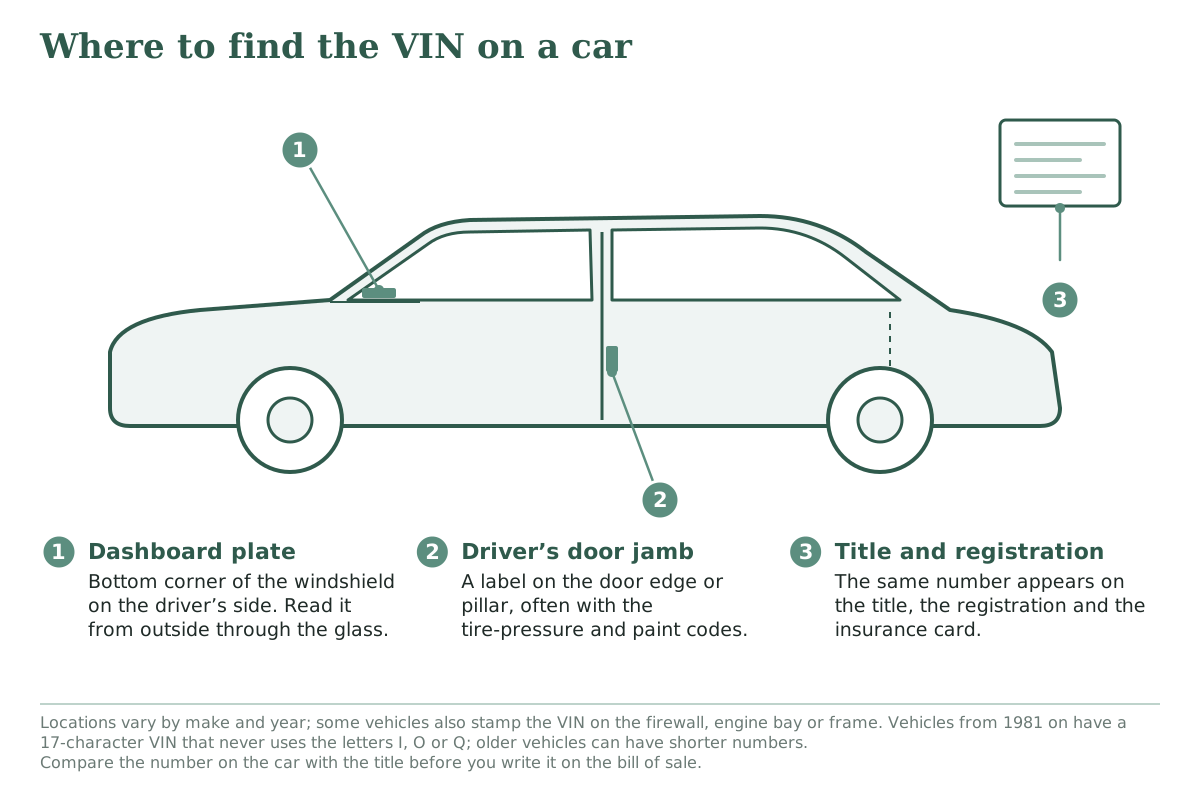
Compare the identifying number on the property with the ownership papers before copying it into your sale record.
Look through the windshield at the driver-side dashboard. Also check the label inside the driver’s door opening. Locations vary, so consult the vehicle’s manual if needed.
Resolve a missing or mismatched number with the agency handling the transfer. Do not guess from an unclear label.
Collect releases from all owners and any lienholder.
Keep any bills of sale needed to connect earlier owners.
Complete required odometer disclosure separately.
Agree whether the seller removes the vehicle plates.
The ordinary DMV bill of sale has no notary block. Follow the Marine Board’s specific identity or notarization instructions when using a lost-boat-title release.
Keep the Sale Record with the Transfer Papers
Keep both pages of the signed sale record together with copies of the ownership papers and proof of payment. If a balance remains, record the later payment separately and keep it with the original agreement.
Save confirmations for any sale report, title application or registration request. A promise in the bill of sale describes what the parties agreed; the responsible person still needs to complete that action.
It is a release-of-interest document. Use a separate sale record for the agreed price, amount paid, balance and condition.
Yes. DMV accepts a separate document with the VIN, release of interest, seller’s printed name and signature, and sale date. See its buying instructions.
Within 10 days of the sale. The buyer’s 30-day title application is a separate duty.
The Oregon State Marine Board handles boat titles. DMV handles the trailer when it requires title or registration.
DMV says trailers with a loaded weight of 1,800 pounds or less do not need title or registration. Check the correct trailer category and loaded weight before relying on that exemption.
After 14 days, continue for
$12.99/month
only if you choose to upgrade.
We use cookies to provide you with the best possible experience. Cookies also help us analyze user behaviour so we can continue to improve our website. View our cookie policy.