An Ohio vehicle sale needs the correct title assignment, including the required notarized signature. Use a bill of sale to record the payment and condition alongside it.
Choose a vehicle, boat or trailer template and prepare the ownership papers before signing.
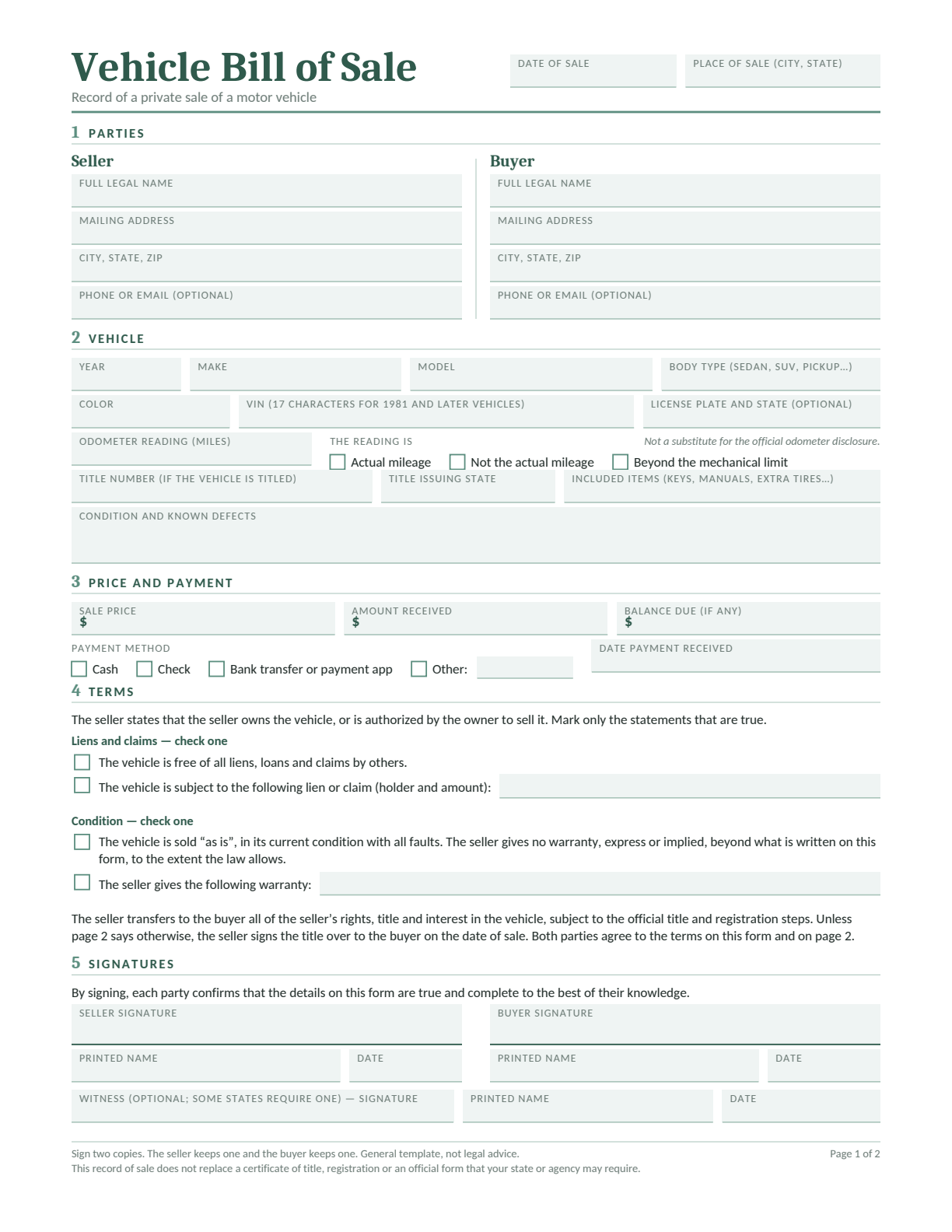
Use this private record for the VIN, price, payment received, mileage and condition. Keep the title or applicable BMV form beside it to check matching names and identifiers. Add collection arrangements on page 2 if payment and delivery occur at different times.
Edit in Word or Google Docs, type into the fillable PDF, or print the blank PDF to complete by hand.
In Google Docs, sign in and choose Make a copy. Use page 2 for extra terms, then keep both pages together.
An Ohio bill of sale records the property, parties, date and payment terms of a private sale. It helps the buyer and seller keep the same account of the condition, included equipment and handover.
For an ordinary titled vehicle, ownership paperwork centers on the assigned title. Ohio’s BMV 3770 is an ownership-assignment and title-application form for eligible electronic-title sales, not a general bill of sale for every vehicle or boat.
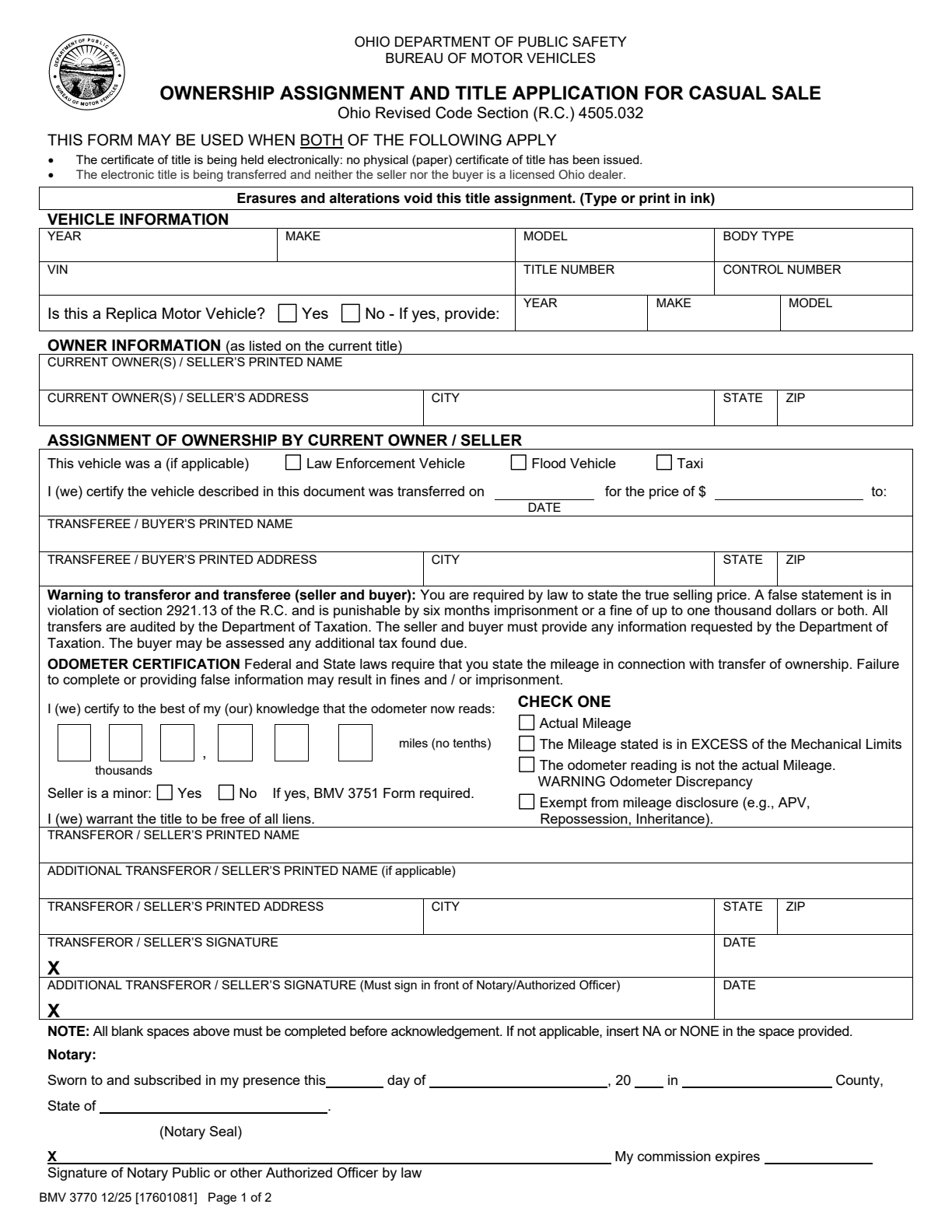
BMV 3770 Electronic-Title Casual Sale
This is an ownership assignment and title application, not a general bill of sale. Use it only when the current title is electronic and the transaction meets BMV’s casual-sale conditions.
What to Fill In
Vehicle and current owner: Copy the VIN, title information and owner names exactly from the electronic title record.
Assignment and odometer: Enter the buyer, true price and date. Complete the mileage certification and applicable vehicle-history entries.
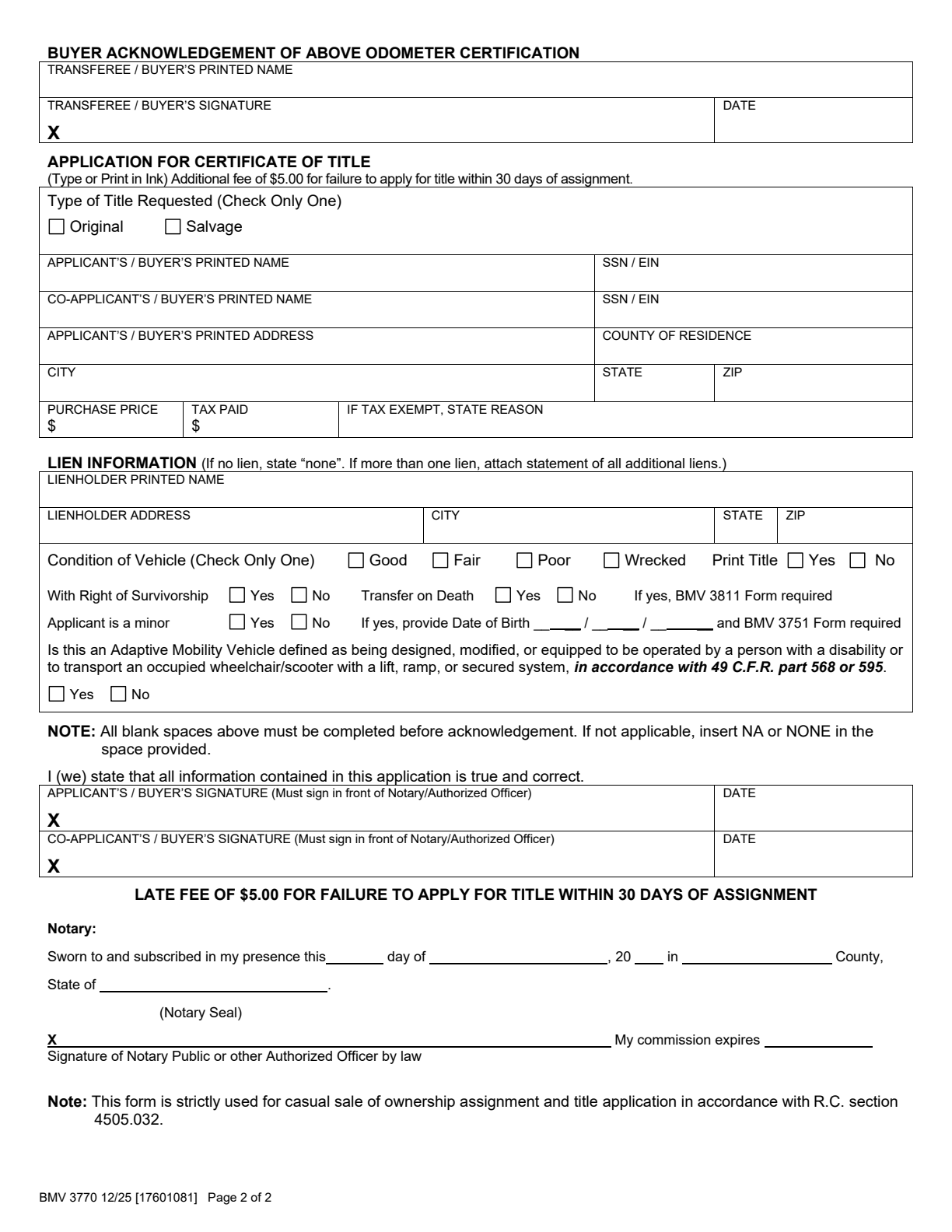
Both pages: The seller completes the notarized assignment. The buyer completes the odometer acknowledgment and title application, including its notary section.
Keep both pages together. Do not use BMV 3770 for a paper title, dealer transaction, watercraft or outboard motor.
Preview of the official form. 12/25. Open the PDF for the complete form and instructions.
Arrange the Notarized Title Assignment
Ohio BMV’s used-vehicle instructions require the seller to complete the assignment on the paper title and have the seller’s signature notarized. The buyer takes the assigned original to a county Clerk of Courts title office; BMV license agencies do not issue titles.
For an eligible vehicle whose Ohio title is held electronically, BMV 3770 provides a separate assignment and application route. Check eligibility first. It cannot be used for watercraft or outboard motors, which require physical titles under their applicable transfer rules.
Seller: Sign the Correct Ownership Document
Enter the buyer’s details, date, actual sale price and required mileage disclosure before the notary completes the acknowledgment. Resolve liens and name discrepancies before signing.
Remove the license plates and keep a copy of the sale record. If the title is electronic, confirm the record and BMV 3770 requirements with the title office rather than offering a printout or generic bill of sale as the assigned title.
Buyer: Use the Title Office, Then Register
Apply for the title within 30 days of sale. Bring the assigned original title or eligible electronic-title papers, identification and payment; an out-of-state title also requires the applicable VIN inspection.
After the ownership step, follow the first-registration checklist for plates, financial responsibility and any E-Check requirement. If you need a temporary tag, arrange it in the proper sequence with the agency before driving.
Ohio Boat Bill of Sale Templates
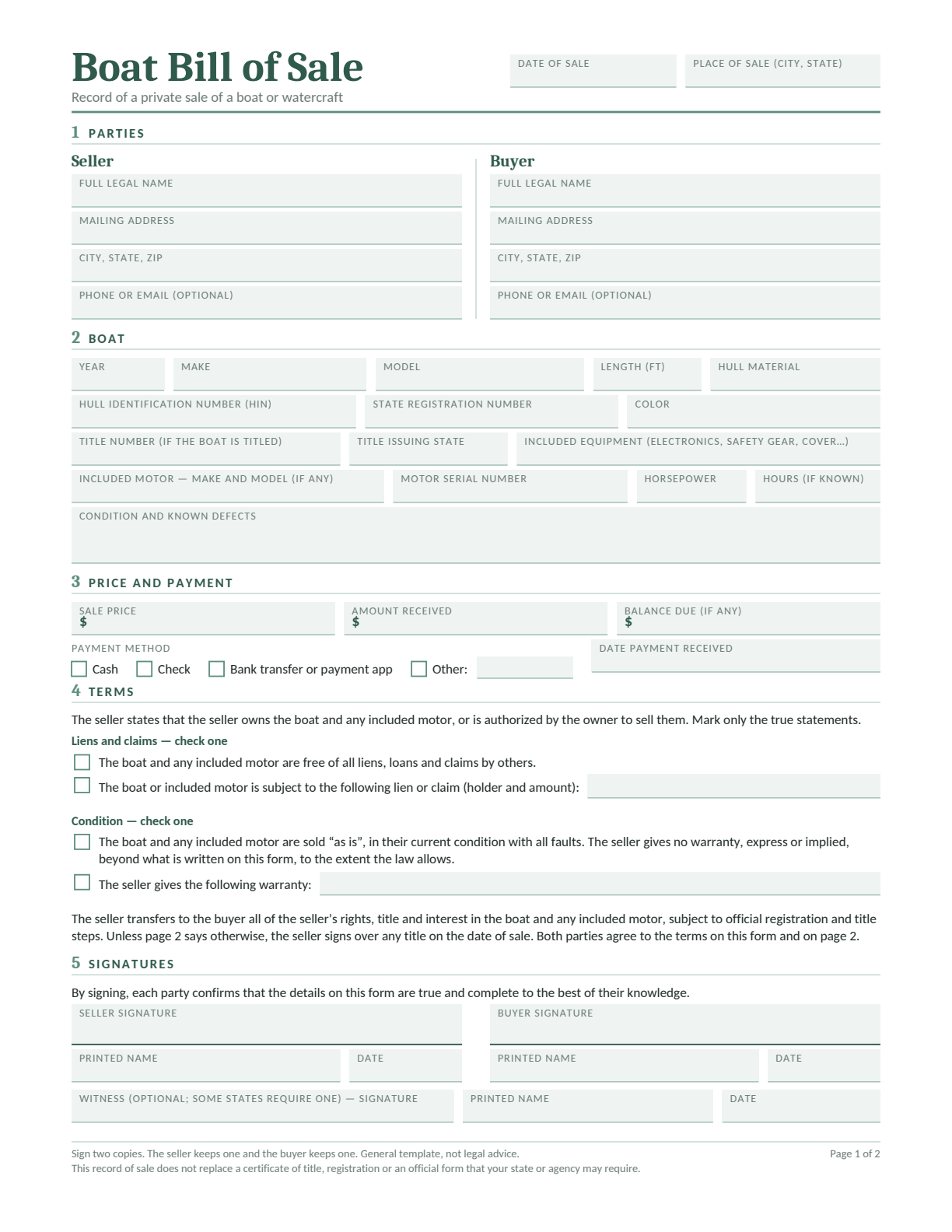
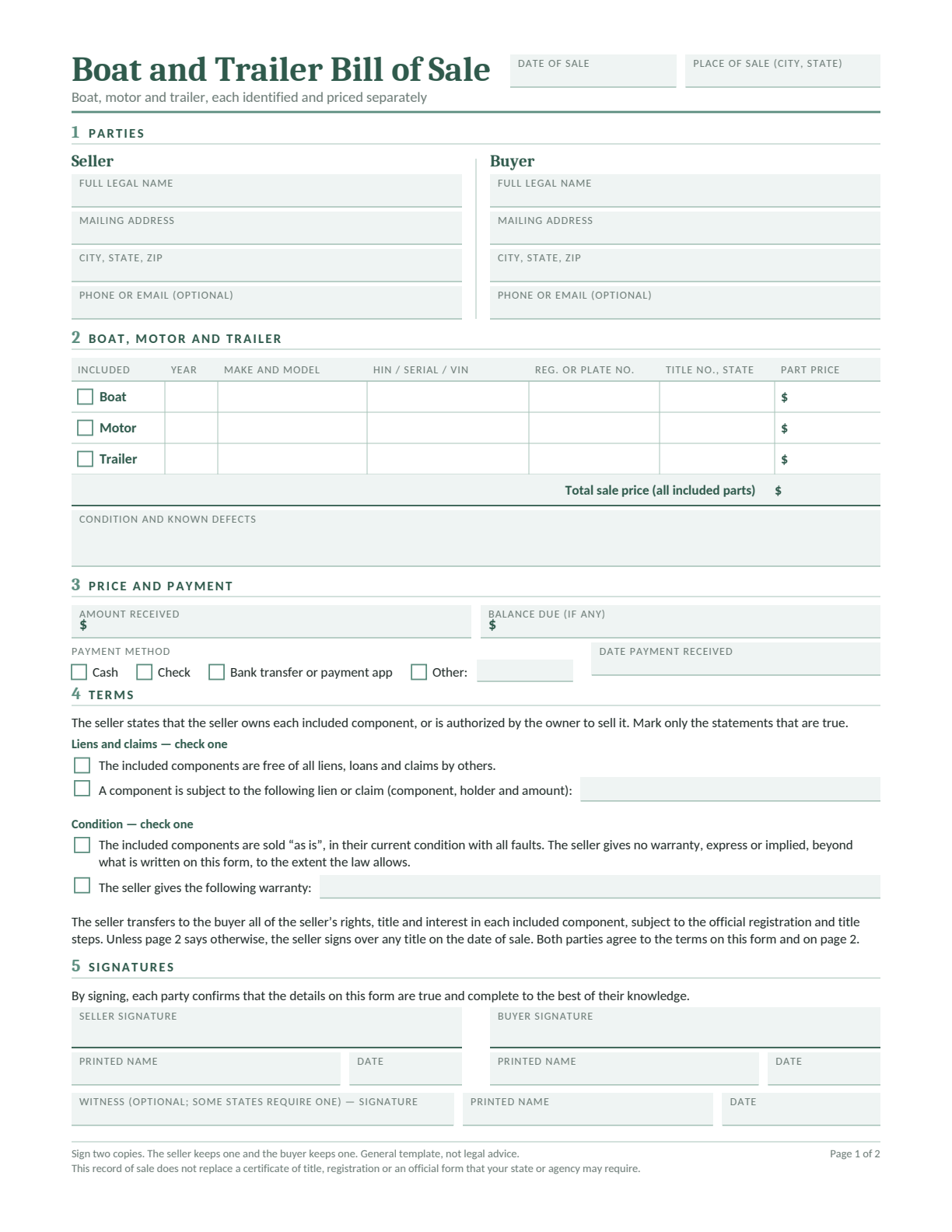
A boat package may involve separate titles for the hull and an outboard motor. Give each component its own identifier and price, and record the trailer independently.
Boat Bill of Sale
Record the boat, included equipment, condition, price and payment.
County title offices handle applicable boat and outboard-motor titles; Ohio Department of Natural Resources handles watercraft registration. Ohio’s title exemptions distinguish canoes, smaller boats and motors by type, length and horsepower.
Ordinary boats 14 feet or longer generally need titles. A shorter boat with a permanently fixed motor of 10 horsepower or more also falls within the title system, as does an outboard motor rated at 10 horsepower or more. Check exemptions such as federally documented vessels before choosing the papers.
For a titled boat or motor, obtain the properly assigned physical title. ORC 1548.03 contains a limited 60-day operation provision requiring a notarized bill of sale for a casual purchase. That provision does not cancel registration or other operating requirements; arrange those with ODNR before launching.
Ohio Trailer Bill of Sale
For an Ohio trailer, record its empty weight rather than substituting the maximum loaded rating. A lighter trailer’s registration process still needs accepted weight evidence.
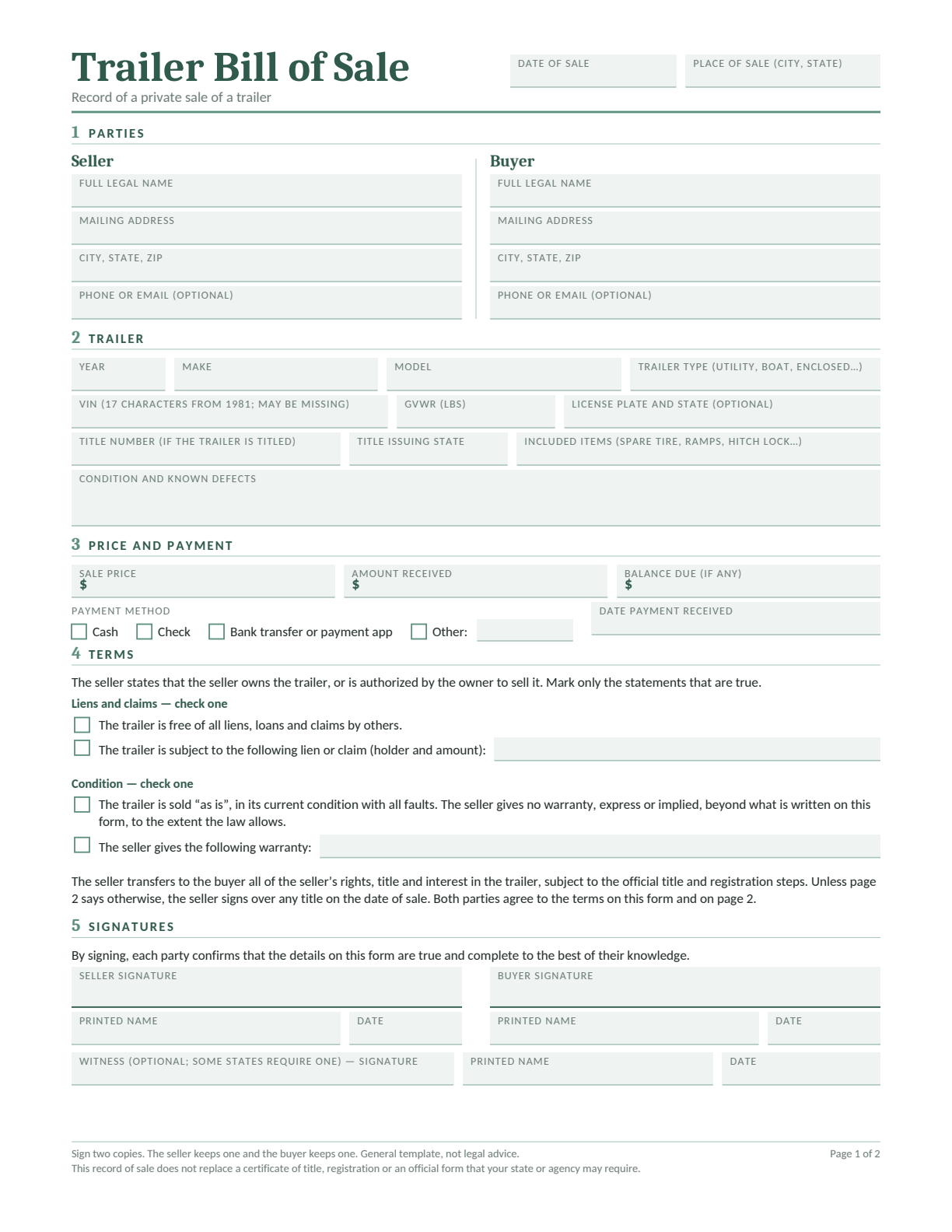
Trailer Bill of Sale
Describe the trailer and included equipment, then record the price, payment and any remaining balance. Use page 2 for extra terms, such as collection arrangements.
Edit in Word or Google Docs, type into the fillable PDF, or print a blank copy. Complete both pages and keep them with the ownership papers.
Ohio title law includes trailers and semitrailers whose weight exceeds 4,000 pounds. For a lighter noncommercial trailer, BMV’s registration checklist calls for BMV 5712 and proof of weight instead of an ordinary trailer-title transfer.
Accepted weight evidence includes an official weight slip or manufacturer’s origin document. When using a previous owner’s Ohio registration, the checklist calls for a notarized Affidavit of Original Weight, BMV 5728. The bill of sale should identify the trailer and price, but it does not establish a certified weight.
If the trailer is homemade or its VIN or weight evidence is missing, check the agency’s required evidence before the sale. A homemade description alone does not establish ownership or an exemption.
Completed Ohio Bill of Sale Example
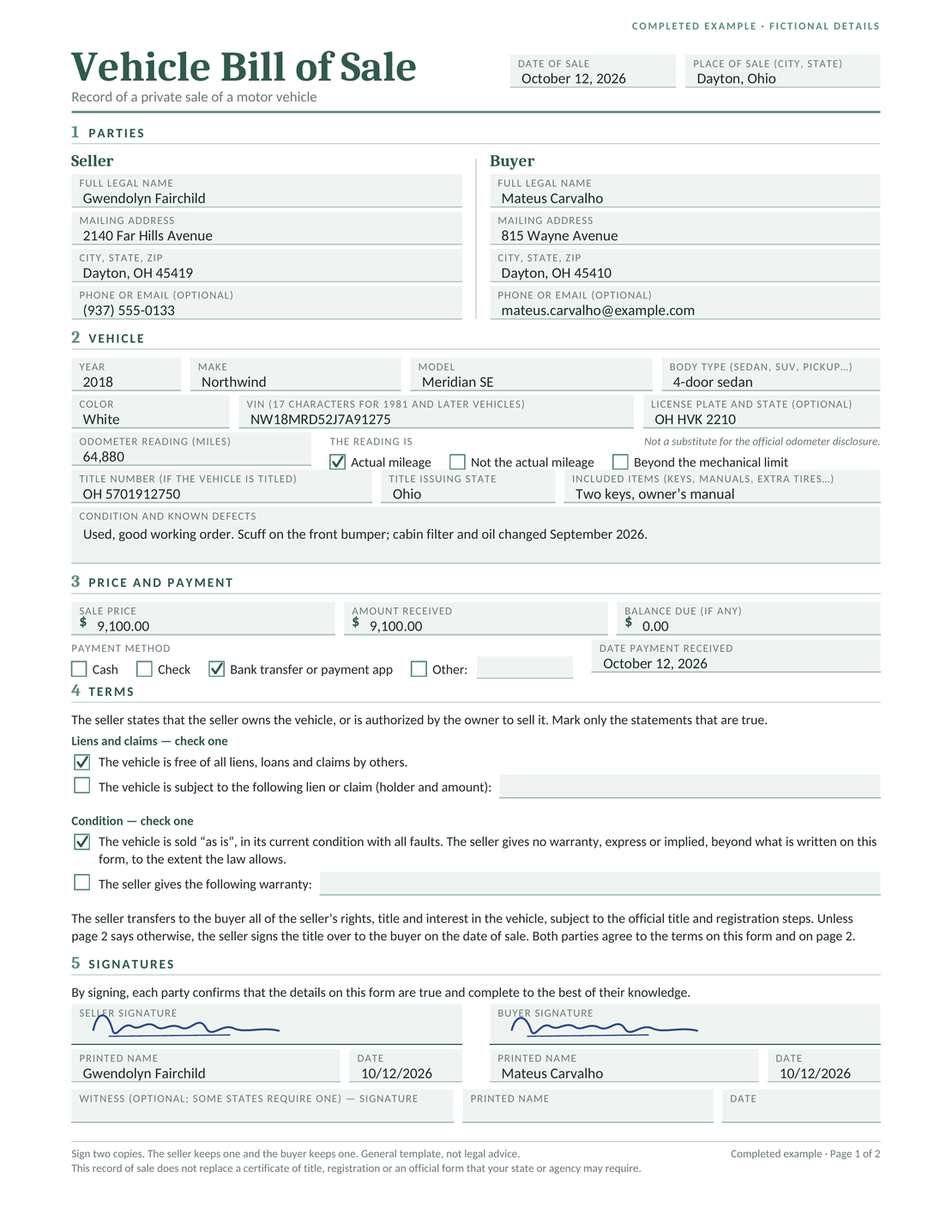
In this fictional sale in Dayton, Ohio, Mateus Carvalho buys a 2018 Northwind Meridian SE from Gwendolyn Fairchild for $9,100.00. The seller records the full $9,100.00 received, leaving a $0.00 balance.
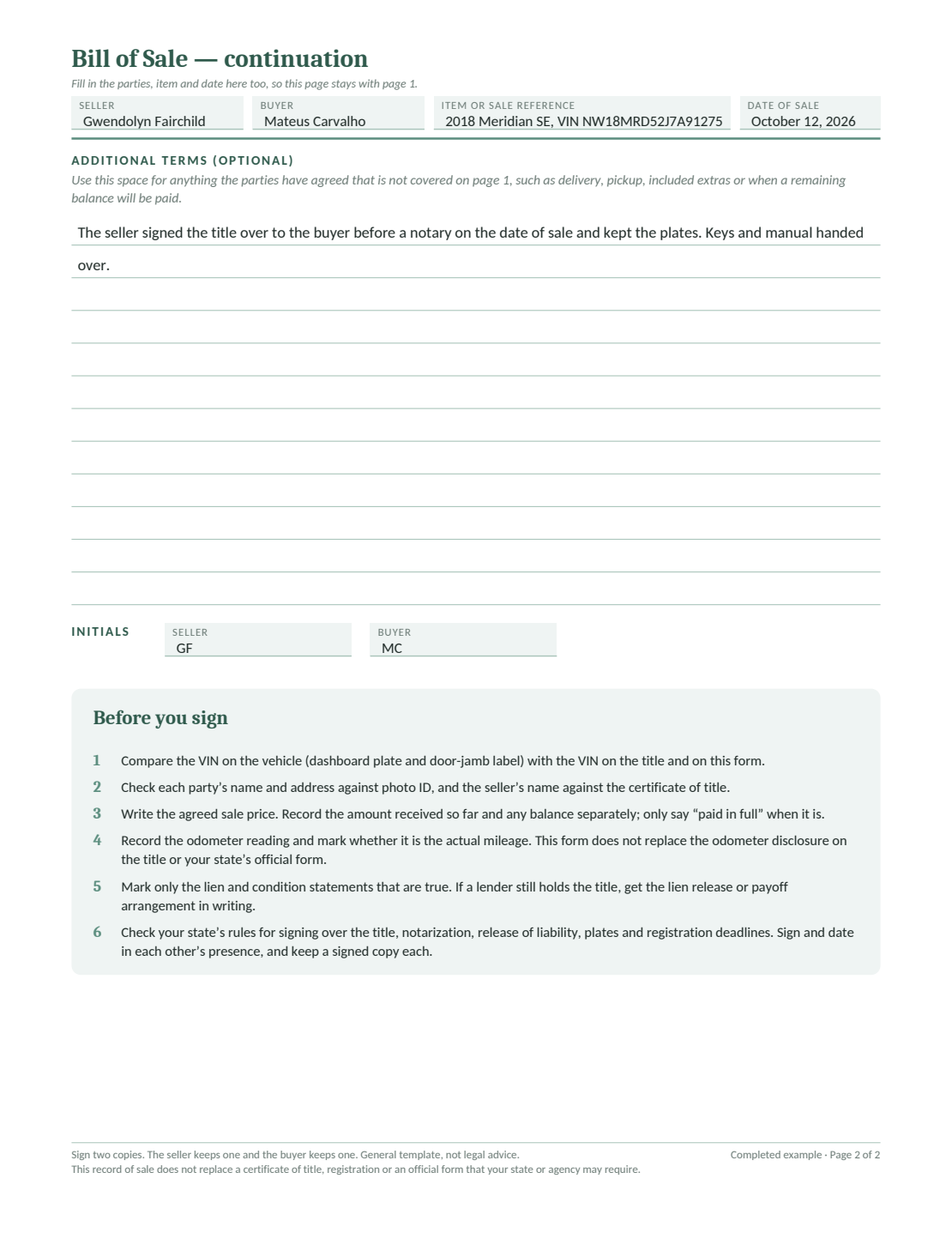
Gwendolyn discloses the front-bumper scuff and records the September 2026 oil and cabin-filter service. The fictional handover includes signing the title before a notary, retaining the plates and giving Mateus the keys and manual.
The names, identifiers and signatures are fictional. This completed sale record does not show that a title application, registration or seller notice has been accepted by the relevant agency.
Page 1: Parties, vehicle, payment and signatures
Page 2: Agreed handover terms and signing checklist
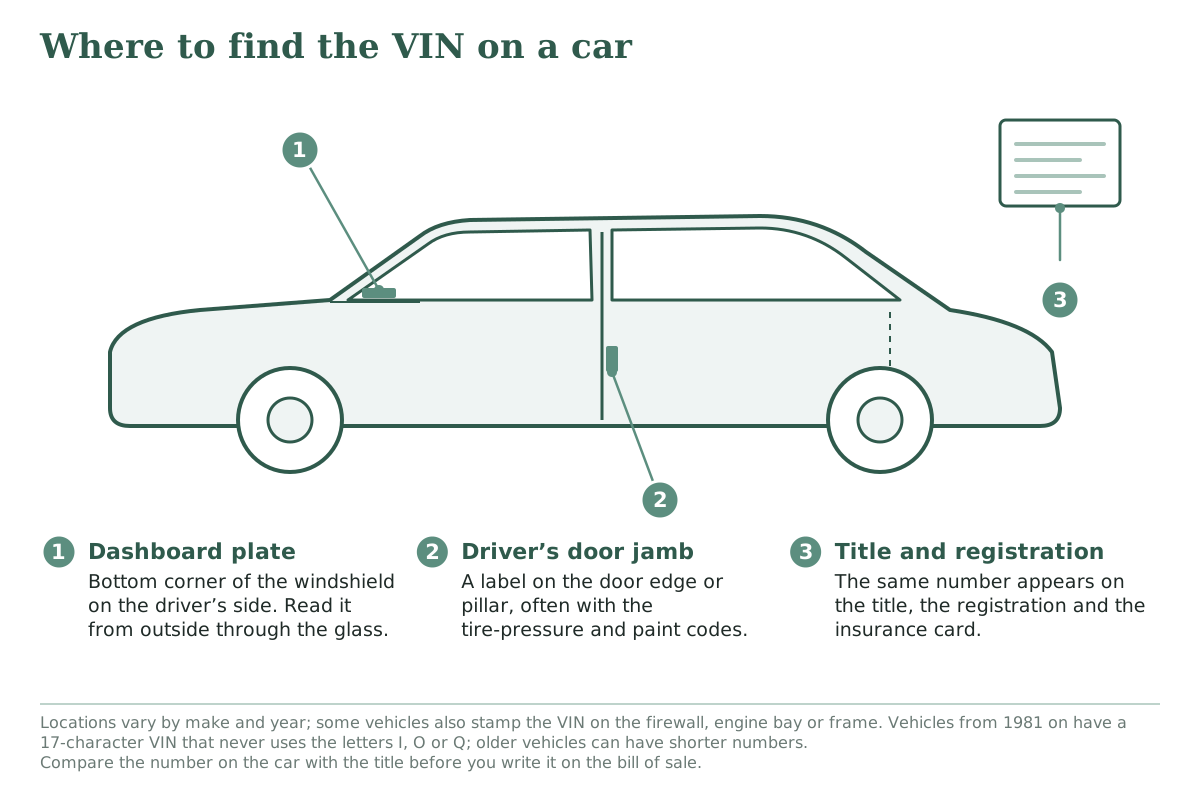
Compare the identifying number on the property with the ownership papers before copying it into your sale record.
Look through the windshield at the driver-side dashboard. Also check the label inside the driver’s door opening. Locations vary, so consult the vehicle’s manual if needed.
Resolve a missing or mismatched number with the agency handling the transfer. Do not guess from an unclear label.
Compare the seller’s name with the ownership record and check every required owner’s signature.
Match the VIN or HIN on the property to the title, registration and sale record.
Record the agreed price, money actually received and any remaining balance separately.
Describe known defects and the equipment included in the price.
Confirm the ownership papers and transport arrangements before handover.
Notarization applies to the Ohio title assignment and relevant title application, including the designated portions of BMV 3770. A notarized casual-sale bill of sale also matters for the limited watercraft provision described above. Leave every notary certificate for the notary.
Keep the Sale Record with the Transfer Papers
Give each party a signed copy of both pages. Keep payment evidence, lien releases and copies of the ownership papers with it. If pickup or a final payment happens later, add a dated receipt or acknowledgment that refers to the same vehicle or vessel.
Keep the agency’s receipt when you submit a title application or seller report. Signing a private form and submitting official paperwork are separate actions.
No. The seller must complete and notarize the applicable title assignment. A separate sale record cannot perform that ownership-transfer step.
It is for an eligible casual sale when the current Ohio title is held electronically and no paper title has been issued. It is not for dealer sales, watercraft or outboard motors.
Ohio titles are issued through county Clerk of Courts title offices. License agencies handle registration and plates.
Ohio’s exemption is for outboard motors below 10 horsepower. A motor rated at exactly 10 horsepower falls outside that exemption.
No. GVWR is a loaded rating. Use the weight evidence accepted by BMV for the trailer’s registration and title category.
After 14 days, continue for
$12.99/month
only if you choose to upgrade.
We use cookies to provide you with the best possible experience. Cookies also help us analyze user behaviour so we can continue to improve our website. View our cookie policy.