Free Purchase Order Templates by Type
Choose a template for what you need to buy.
Choose an order type and add the products or services you need. Send a clear, complete order that makes it easy for your vendor to get it right.
Create your purchase order in Docelf, then email it, print it or download a PDF.
14-day free trial. No credit card required.
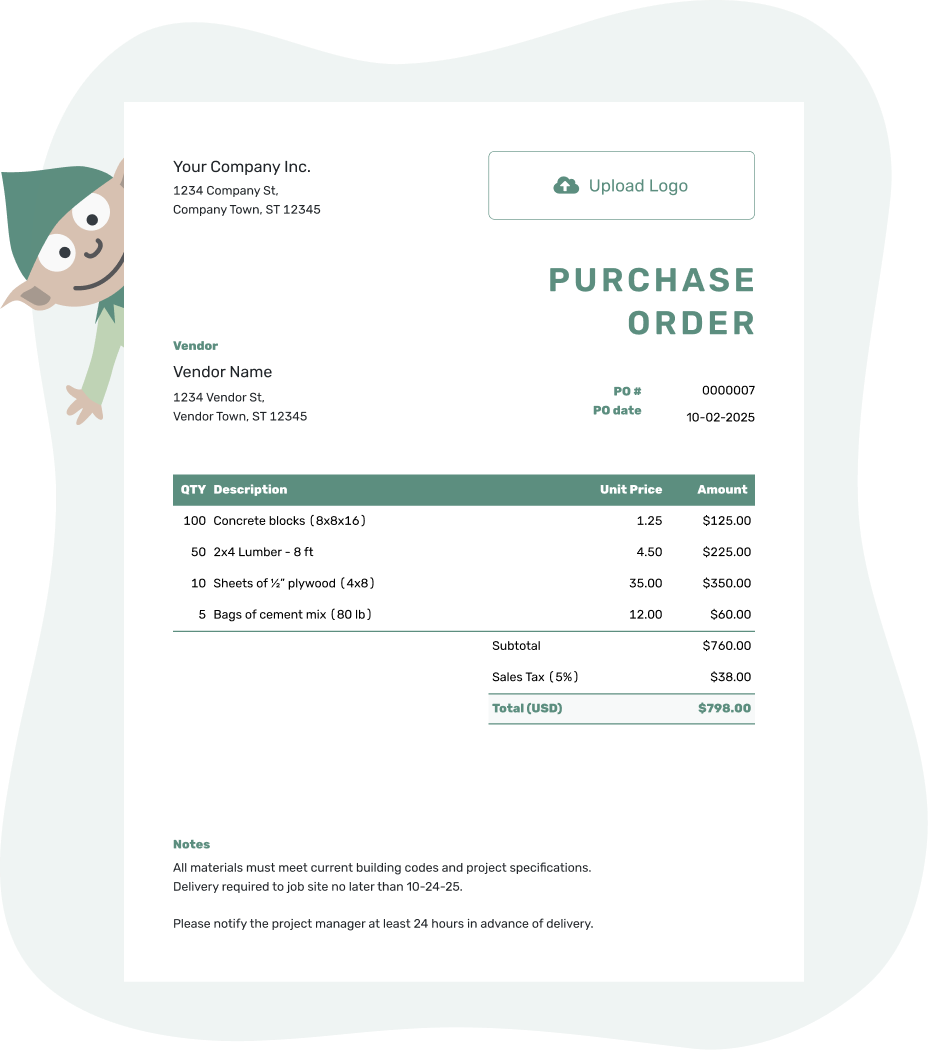
Create a professional purchase order. Send it. Get back to work.
Choose the Purchase Order That Fits the Purchase
Start with what you are buying, then decide whether this order stands on its own or belongs to an ongoing arrangement. Product and service describe the purchase; blanket describes an arrangement for repeated purchases.
Products & Services
Use a product purchase order for physical items. Use a service purchase order when you are hiring a vendor to complete work.
Repeat Purchases and Order Records
Use a blanket purchase order when you have agreed prices, a time period, and limits with one vendor. The management guide explains how to organize your orders in Docelf; management software is a tool, not another purchase order type.
Choose by What You Are Buying and How Often
The same business may use all three templates. These examples show which details matter for each purchase.
| Purchase Order | Example Purchase | Details to Make Clear |
|---|---|---|
| Product | Ordering shelving and storage bins for a workshop | Item descriptions or codes, sizes, quantities, unit prices, delivery address, and requested delivery date |
| Service | Hiring a vendor to install the shelving | Scope of work, hourly rate or agreed price, location, schedule, deliverables, and completion requirements |
| Blanket | Ordering packing supplies from one vendor as needed during a three-month period | Approved items or services, agreed prices, start and end dates, spending or quantity limits, and how to request each delivery |
A blanket purchase order can cover products or services. Buying from the same vendor again does not by itself make the next order a blanket order. If you agree each purchase separately, create a separate order with its own details.
Under a blanket arrangement, a release is a specific request for goods or services under the agreed terms. Tell the vendor what you need for that release and when you need it. Keep your own record of purchases against any agreed limit.
What to Include on Every Purchase Order Type
Whichever type you choose, the vendor should be able to identify the order and fill it from the details you send. Include the information that applies to this purchase.
- Your business and vendor details, a unique PO number, and the order date
- Product or service descriptions with quantities, hours, and agreed prices
- Applicable tax or discounts and the order total
- The delivery address or service location, requested dates, and handling instructions
- Agreed payment terms and any specifications or attachments the vendor needs
In Docelf, put a separately charged shipping or delivery service in the item table so it contributes to the subtotal. Use the separate ship-to address for the delivery location and Notes for instructions or a useful vendor reference.
Ask the vendor to quote the PO number on their invoice. You can then compare the bill with the order and what was delivered or completed. The PO records what you ordered; it does not confirm payment or delivery.
Ready to Send the Order?
Add the details for this purchase. Docelf calculates the totals from your items and prices. Review the order, then email it to the vendor or download a PDF.
Purchase Order Type or Purchase Order Format?
The type describes the purchase or arrangement. The format is where you prepare the document or how you share it. A service purchase order can be completed in Word, for example, or created online and sent as a PDF.
Word, Excel, Google Docs, and Google Sheets are file options. Blank, simple, and professional describe layouts. These choices change how you prepare or present the order, not what you are buying.
Already know what kind of order you need? Browse purchase order templates by format. For a full explanation of purchase orders and how to create one, return to the free purchase order template.
More Purchase Order Templates
Choose a file or layout, return to the main purchase order guide, or start with a template for construction or small-business purchasing.
Purchase Order Types FAQs
-
What are the different types of purchase orders?
This collection covers product purchase orders for goods, service purchase orders for work, and blanket purchase orders for repeated purchases under agreed terms. These categories can overlap: a blanket order may cover either products or services. Management software helps organize orders; it is not a document type.
-
How do I choose the right purchase order type?
Start with what you are buying and how often. Use a product purchase order for goods, a service purchase order for labor or professional work, and a blanket purchase order for repeat purchases under agreed prices, dates, or limits.
-
What is a product purchase order?
A product purchase order is used to order physical goods such as materials, supplies, inventory, parts, or equipment. It normally lists item descriptions, quantities, unit prices, shipping details, and the requested delivery date.
-
What is a service purchase order?
A service purchase order is used when a vendor will provide labor or professional services. Include the scope of work, rate or agreed price, dates, location, deliverables, payment terms, and any completion or approval requirements.
-
What is a blanket purchase order?
A blanket purchase order covers repeated purchases from the same vendor during a set period. It can define approved products or services, prices, maximum quantities or spending, delivery arrangements, and the dates the agreement applies.
-
What is the difference between a blanket and standard purchase order?
A standard purchase order normally covers one defined purchase. A blanket purchase order sets terms and limits for repeated purchases during an agreed period. Each release tells the vendor which goods or services you need under that arrangement.
-
Can one purchase order include products and services?
Yes. For example, one vendor may supply shelving and install it. Give the goods and separately priced installation their own lines, then add the delivery and work dates. Use the agreed quantities and rates so the vendor can see what each price covers.
-
What does a purchase order management system do?
Docelf helps you create and email purchase orders, reuse saved vendor and item details, and keep orders together. Document history shows when the emailed PO was delivered and opened. This records document activity, not delivery of the goods. Docelf is document software, not accounting software, and does not provide inventory tracking or approval workflows.
-
What is the difference between a purchase order type and format?
A purchase order type describes what you are buying or how the purchase is arranged, such as a product, service, or blanket purchase order. A format describes how you create or present it, such as Word, Excel, Google Docs, Google Sheets, PDF, or online.




