Free Purchase Order Templates by Format
Choose a file format or work online.
Choose a format and list the items you need to order. Send a clear, professional order that makes it easy for your vendor to fill it correctly.
You can also create your purchase order in Docelf, then email it or download a PDF.
14-day free trial. No credit card required.
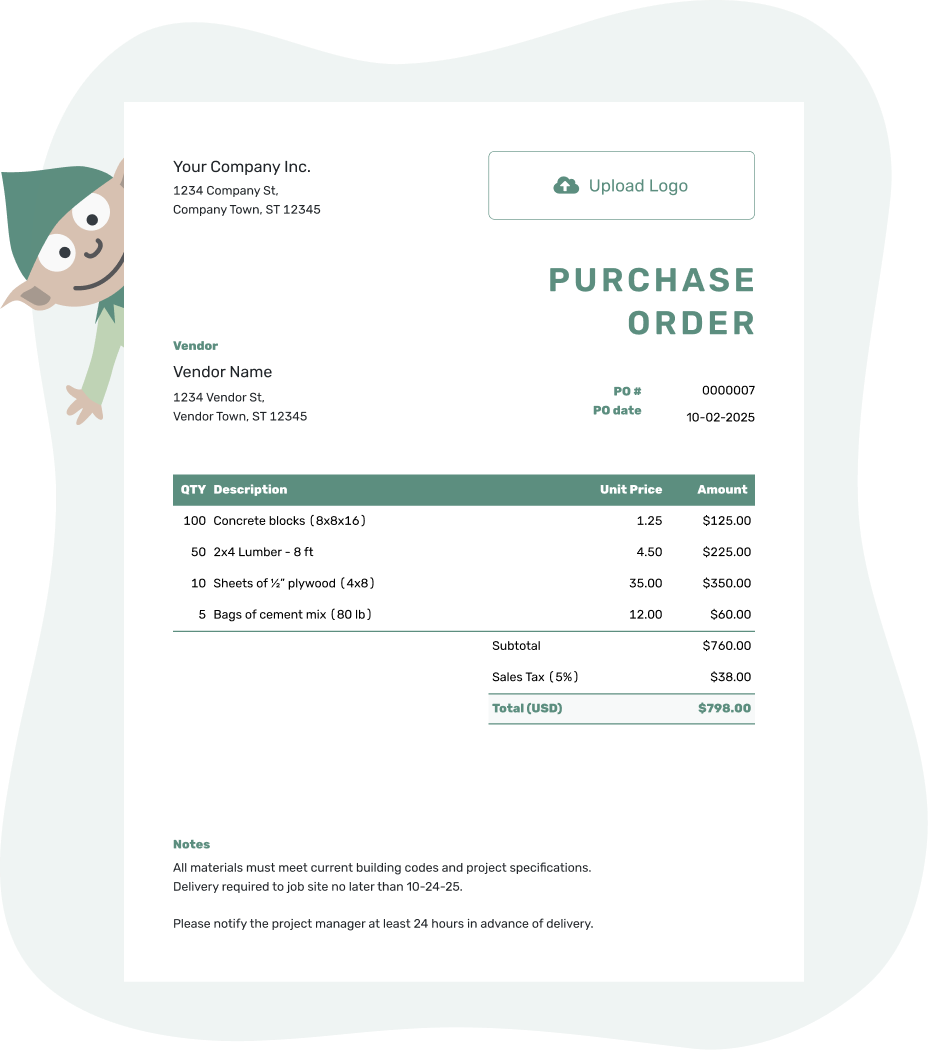
Create a professional purchase order. Send it. Get back to work.
Compare Purchase Order Formats
Choose the editing tool first, then the layout. A short order with detailed delivery instructions may suit a document. An order with many quantities and prices may be easier to review in a spreadsheet.
| Format | When It Helps | Before You Send |
|---|---|---|
| Word or Google Docs | Adjust the wording and layout around the order, including longer delivery instructions. | Recheck the totals and page breaks after editing the item table. |
| Excel or Google Sheets | Review item quantities and unit prices in rows, with formulas for calculations. | Check that formulas include every added row and use the intended tax rate. |
| Docelf online | Reuse vendor and item details, calculate totals automatically, and keep purchase orders together. | Review this order's quantities and delivery details, then choose to email it or download a PDF. |
| Give the vendor a finished copy to read, print, or keep with the order. | Save the editable document as well so you can update the order without rebuilding it. |
Open a Purchase Order Template
Open the page for your preferred format to choose a template. The file templates are separate from Docelf's online editor, which downloads finished purchase orders as PDFs.
Document & Spreadsheet Formats
Use a familiar document or spreadsheet when you want to edit the purchase order yourself and keep a reusable file for the next order.
- Word Purchase Order Template
- Google Docs Purchase Order Template
- Excel Purchase Order Template
- Google Sheets Purchase Order Template
Fill-In & Finished Purchase Orders
Start with a blank or editable layout, use a form you can fill in, or choose a PDF when you mainly need a finished copy.
- Blank Purchase Order Template
- Editable Purchase Order Template
- Purchase Order Form
- PDF Purchase Order Template
Simple & Professional Layouts
Use a simple layout for everyday orders. Choose a professional template when you want the purchase order to look consistent with the rest of your business documents.
Online & Software Options
Create and send the purchase order online, or read about Docelf as an alternative for purchase-order paperwork.
What to Include in Any Purchase Order Format
The file or layout may change, but the purchase order still needs to tell the vendor exactly what you are ordering and what should happen next.
- Your business name, address, and contact details
- The vendor's business and contact information
- A unique PO number and the order date
- The shipping address, job site, requested delivery date, and delivery instructions
- Clear product or service descriptions, quantities, and unit prices
- Any discounts and applicable sales tax, with the subtotal and order total
- Agreed payment terms, order instructions, and any approval reference or attachments the vendor needs
In Docelf, add a separately charged shipping or delivery service as an item with a quantity and price. Its amount belongs in the subtotal.
Put delivery instructions and agreed payment terms in Notes, and use the separate ship-to address when the order goes somewhere other than your business address.
Ask the vendor to include your PO number on their invoice so you can match it to the order. Before you send the PO, check the quantities, prices, address, and delivery date. A two-minute review now can save a much longer email thread later.
Prefer to Keep the Order Online?
Keep the order with your other business documents in Docelf. Reuse saved vendor and item details, then check the order before you email it or download a PDF.
Purchase Order Format or Purchase Order Type?
A purchase order format describes how you create or present the document. Word, Excel, Google Docs, Google Sheets, PDF, blank, simple, professional, and online are purchase order formats or layouts.
A purchase order type describes what you are ordering or how the order will be used. Blanket, product, and service purchase orders are common examples.
Need help choosing the order itself rather than the file? Browse purchase order types. For a full explanation of purchase orders and how to create one, return to the free purchase order template.
More Purchase Order Templates
Browse the main purchase order guide, compare common purchase order types, or start with a template for construction or small-business purchasing.
Purchase Order Templates by Format FAQs
-
Which purchase order template format should I use?
Start with the tool you know. Documents suit orders where you need to adjust wording and layout; spreadsheets suit rows of quantities and prices. Choose Docelf if you want saved vendor details and automatic totals in one place. A PDF is the finished copy you share.
-
Can I create a purchase order in Word or Excel?
Yes. The Word page provides DOCX templates, and the Excel page provides XLSX templates. Save a working copy for each new order so you keep the blank template and a record of past orders. Google Docs and Google Sheets templates are also available.
-
Should I use Google Docs or Google Sheets for a purchase order?
Use Google Docs when the wording and layout need most of your attention. Use Google Sheets when you need to review many item rows and calculations. Either way, check the finished order before sharing it with the vendor.
-
Can I download a purchase order as a PDF?
Yes. In Docelf, finish the order and download its PDF to save, print, sign when needed, or attach to an email. You can also email it directly from Docelf. If the order changes, update the editable original and save a new PDF.
-
What is a blank purchase order template?
It is a layout with spaces for the buyer, vendor, order number, items, prices, and delivery details. Fill those spaces with the details of the current order and remove any unused sample text before sending it.
-
Can I create a purchase order online instead of editing a file?
Yes. Create the order in Docelf and reuse saved vendor and item details. You choose when to email it, and the document history shows when the emailed order is delivered and opened. You can also download a PDF or print it.
-
Is there a simple alternative to creating purchase orders in QuickBooks?
Docelf can help when you need to prepare and send purchase orders and keep them with your business documents. It is document software, not accounting software, so choose it for the order paperwork rather than bookkeeping.
-
What is the difference between a purchase order format and type?
The format is how you prepare or present the document, such as a Word file or an online order. The type describes the purchase or ordering arrangement. For example, a service purchase order can be prepared in any suitable file format.




