Free Receipt Types and Templates
Choose the right receipt for the payment
Choose the receipt type that matches the payment, such as a purchase, service, rent or donation. You can then use the details and wording that fit that payment.
Email, print or download your receipt as a PDF.
14-day free trial. No credit card required.
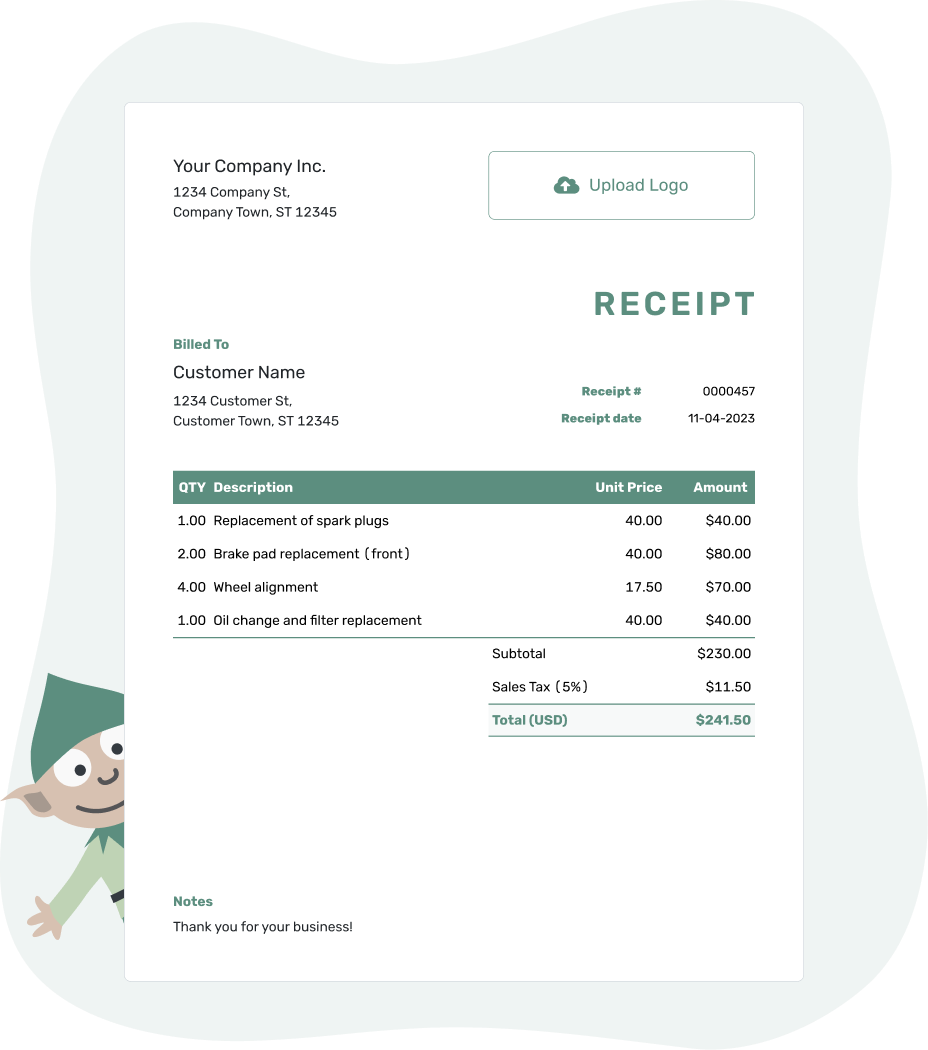
Record the payment. Send the receipt. Get back to work.
Choose by What the Payment Is For
Rent, a gift card purchase and a sponsorship payment each need a different explanation. The pages below help you choose the wording and references that fit the money you received.
- Donation Receipt Template
- Gift Card Receipt Template
- Parking Receipt Template
- Personal Receipt Template
- Rent Receipt Template
- Sponsorship Receipt Template
For an ordinary product sale or service payment, browse business receipt templates. Already have a Docelf invoice for the payment? Record it on that invoice, then create the receipt from it.
Give Each Payment the Right Context
Rent and Parking
A rent receipt identifies the property or unit and the rental period. A parking receipt identifies the location and parking time or booking. Those periods explain the charge; the receipt date remains the day you received the payment.
Donations and Sponsorships
A donation receipt identifies the donor and contribution. For a sponsorship payment, name the sponsor and the event or project supported. Describe the actual arrangement rather than using the two labels interchangeably.
For gifts of goods, use the donation guide for acknowledgment wording. The acknowledgment should describe the contribution without inventing a cash payment or promising a tax benefit.
Gift Card Purchases and Use
Buying a gift card and spending it are different transactions. A purchase receipt records the money received for the card. When the card is spent later, the sales receipt shows “Gift card” as the payment method. That explains how the goods were paid for without counting a second cash payment.
Unused gift card value is different from money the customer still owes on a bill. Docelf records the payment, not the card's changing value.
Personal Payments
For a payment between individuals, name who paid, who received the money and what it covered. A short description such as “Used desk purchase” is more useful than “Personal payment” on its own.
Confirm the Payment in Plain Language
A clear reference connects this payment to the rental period, event or purchase. Docelf calculates the total from your charges. Review the receipt and share a copy.
The Type and the Format Answer Different Questions
The receipt type tells the reader what the payment was for. The format is where you prepare it or how you share it. A rent receipt can be created online and sent as a PDF, or completed in a Word template.
Use the format collection for Word, Excel, Google Docs and Google Sheets. An itemized layout is useful when the reader needs separate charges, but a single clear line may be enough for one payment purpose.
Keep the People, Purpose and Payment Clear
A useful receipt lets both sides recognize the payment later. The payer's name and a booking, rental or event reference often give enough context. Notes can hold that extra reference.
- Identify who received the money and who paid.
- Use a unique receipt number and the date payment was received.
- Describe what the payment covers and add a useful reference.
- Show the amount received, payment method and any remaining balance.
Preparing the receipt later does not change its payment date. For a deposit or partial payment, keep the full charge, earlier payments and this payment distinct. “Paid in full” should refer only to the charge that has actually been settled.
More Ways to Find a Receipt
Choose an industry when you need service-specific details, a business use for everyday sales and work, or a format for the software you use. The main receipt guide brings the basic fields together.
Receipt Type FAQs
-
What does the receipt type tell the reader?
It tells them what the payment was for, such as rent, parking, a gift card purchase or sponsorship. The description and reference should then identify the actual transaction, not just repeat the receipt title.
-
Which receipt should I use for a product or service payment?
Use a sales or service receipt from the business receipt collection. The types on this page cover more specific payment purposes, including rent, donations and sponsorships.
-
Can I use the same receipt type in different formats?
Yes. The payment purpose stays the same whether you complete a file template or create the receipt in Docelf. A PDF is the finished copy you share or print, not a different kind of payment.
-
Which dates belong on a rent or parking receipt?
Use the day payment was received as the receipt date. Identify the rental period or parking time separately in the description or Notes. Preparing or sending the receipt later does not change that payment date.
-
Is a gift card purchase the same as a gift card payment?
No. A purchase receipt records money received to buy the card. When the card is later used for goods or services, identify it as the payment method for that sale. Keep any unused card value separate from an unpaid bill balance.
-
Can I create a receipt for these payments in Docelf?
Yes, for payments you receive. Start a new receipt with the payer and payment details, then email it, print it or download a PDF. For a payment against a Docelf invoice, record it on that invoice and create the receipt from it.
Ready to Create the Right Receipt?
Give the payment a clear description so both sides know what the record means.
- Identify who paid and what the money covered
- Use the payment date and amount received
- Email, print or download the receipt




