Free Construction & Trades Receipt Templates
Choose a receipt for the job or trade
Choose the trade or project that matches the payment you received. Add the job, labor and material details that help your customer see what the payment covered.
Email, print or download your receipt as a PDF.
14-day free trial. No credit card required.
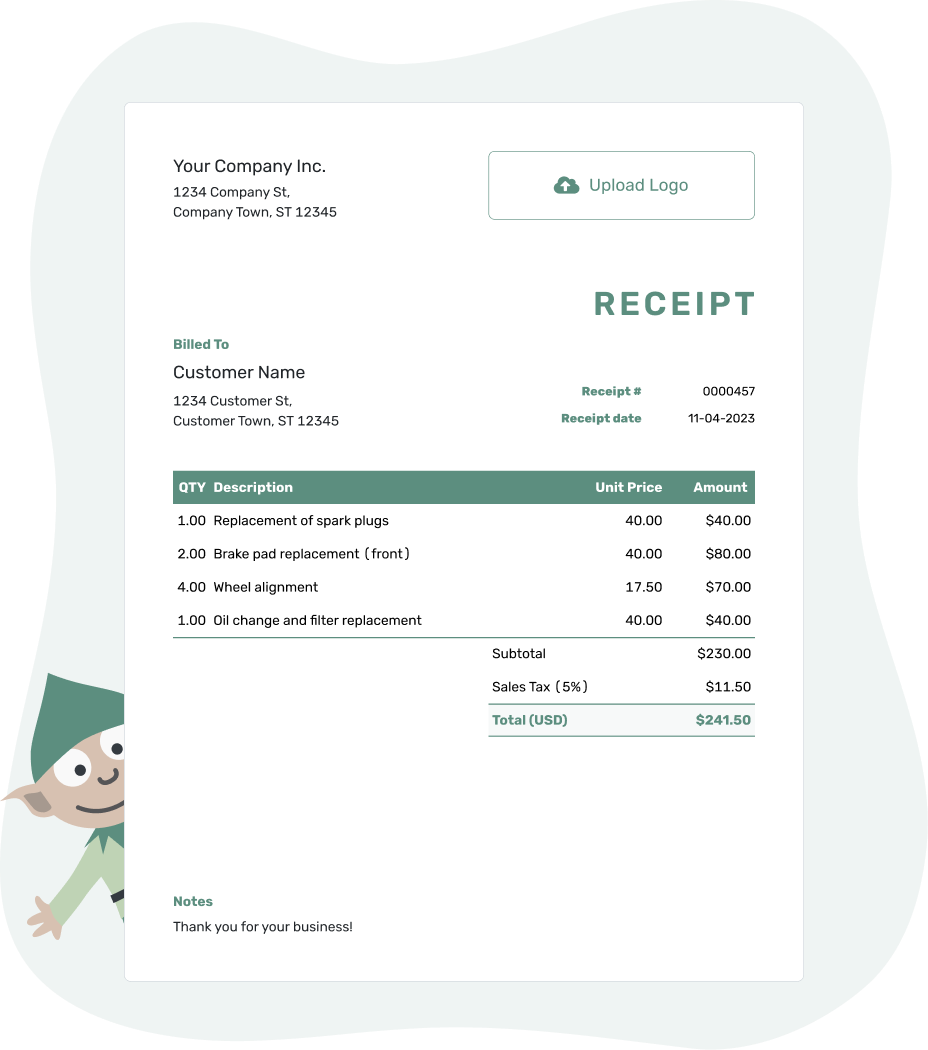
Record the payment. Send the receipt. Get back to work.
Choose the Receipt for This Job
A contractor or construction receipt suits a project payment. For a service call or a single trade, choose the page that helps you describe the work your customer paid for.
- Contractor Receipt Template
- Construction Receipt Template
- Electrician Receipt Template
- Handyman Receipt Template
- HVAC Receipt Template
- Locksmith Receipt Template
- Painting Receipt Template
- Plumber Receipt Template
- Repair Receipt Template
- Roofing Receipt Template
For a job with an invoice in Docelf, record the payment and create the receipt from that invoice. The customer and item details carry over, keeping this payment connected to its bill.
How to Create a Construction or Trade Receipt
For a new receipt, use the work and prices from the job record. Docelf calculates the line amounts, tax and total.
For your first receipt, choose a starting number. Docelf numbers new receipts in sequence.
- Your Business: Add your trade name and contact details.
- Your Logo: Use your logo, or keep the receipt plain.
- The Customer: Choose a saved customer or add the person or business that paid.
- Number and Date: Check the number. Use the date you received payment.
- The Work: List the work and materials with quantities and prices.
- The Payment: Record the amount and payment method. Check any tax or discount against the bill.
- Job Notes: Add the site and invoice reference in Notes. Review, then email or download a PDF.
Show the Job Charges and Total Paid
For hourly work, show the hours and rate. Separately priced materials use their own quantities and prices, while a fixed-price job can use one row. Include delivery, equipment, disposal, permit or travel charges only when they are part of the agreed bill.
This fictional receipt records full payment of a cabinet-fitting invoice in US dollars. An illustrative 8% tax applies only to the $190.00 of brackets.
The receipt date is September 18, 2026, when the $775.20 bank transfer arrived.
| QTY | Description | Unit Price | Amount |
|---|---|---|---|
| 6 | Cabinet fitting — labor hours | $85.00 | $510.00 |
| 2 | Wall support brackets — sets | $95.00 | $190.00 |
| 1 | Material delivery — agreed charge | $60.00 | $60.00 |
| Subtotal | $760.00 | |
| Sales Tax (8% on brackets — illustrative) | $15.20 | |
| Total Paid | $775.20 |
The $775.20 payment settles the cabinet-fitting invoice in full. Use the prices and tax treatment that apply to your own job.
Explain Which Part of the Job Was Paid
A site address and invoice reference are useful when a customer has more than one project. Notes can also say whether this is a deposit, a payment toward one stage or the final payment on a named bill.
The work and payment can happen on different days. These Notes add the completion date and bank-transfer reference to the cabinet-fitting receipt.
Example: Notes
- Bank-transfer payment of $775.20 received for cabinet fitting at [Job Address].
- Invoice CAB-2401 is paid in full.
- Cabinet fitting completed September 12, 2026. Payment reference: [Transfer Reference].
Give This Job Payment Its Own Record
Connect the amount received to the right invoice or project stage. Docelf keeps the payment details together so you can review the receipt and send it.
A Deposit, a Stage Payment or the Final Amount?
The same job can have several payments. Naming the stage helps your customer see what each one covered.
Before the Work Starts
A deposit receipt names the project and what the deposit is for. It can confirm that money arrived without describing the work as completed.
During the Project
Use the stage name or invoice number from the job record. Make clear whether a remaining balance belongs to that stage’s bill or to the whole project. Paying one stage does not settle later work.
When the Bill Is Settled
The final receipt records the last amount received after earlier payments. Use “Paid in full” only for the named bill or job that those payments actually settle.
Keep the Supporting Job Details Close
A work order, approved change reference or attached job summary can explain the payment without filling Notes with the entire project history. Keep any warranty or other conditions consistent with your agreement and applicable local requirements.
For another payment on the same invoice, record that payment there before creating its receipt. For a new job, reuse saved customer and item details, then check the new address and prices. The payment date, amount and method should match the money received for that job.
Receipts for Other Work You Supply
The industry directory covers other services, and the format page offers Word, Excel and Google options. The neighboring collections below help when the payment is for work outside the construction job.
Construction and Trades Receipt FAQs
-
Can I give a receipt before the construction work is finished?
Yes, after you receive a deposit or progress payment. Name the project and the stage that payment covers. The receipt confirms the money received even while the work is continuing.
-
How much detail should I give for labor and materials?
Use the agreed pricing as your guide. Show hours and rates for hourly work, and quantities and prices for separately charged materials. One fixed-price job line can describe included work without charging for its materials again.
-
Which address belongs on a trade receipt?
Identify the customer who paid and put the job address in the description or Notes when it differs from their contact address. Add the unit, project or work-order reference when it helps distinguish several sites.
-
Should an earlier deposit be included in the new payment amount?
No. When a customer has paid a deposit, record only the new amount on the next receipt. Keep the deposit in the payment history and show any remaining balance. A deposit is an earlier payment, not a discount.
-
Should I send an invoice or a receipt for a job payment?
An invoice asks your customer to pay. A receipt confirms money received and can show the balance left on that invoice. Use the receipt for the payment that has arrived, not to request the next one.
-
How do I keep a receipt connected to the job invoice?
Record the payment on the relevant Docelf invoice and create its receipt. Docelf keeps those documents connected. Check the job reference so the customer can match the receipt to the right project or stage.
-
Does the receipt use the job-completion date?
No. Use the date payment was received. Put the completion date or work period in Notes when useful. This applies even when you create or send the receipt several days after payment.
Ready to Confirm the Job Payment?
Give the customer a clear record of where this payment fits in the project.
- Identify the job and invoice or project stage
- Check the amount received and payment method
- Email the receipt or download a PDF




