Free Property & Service Receipt Templates
Find a receipt for the property service
Choose a receipt that matches the paid property service or job and add the main service details. You can find the record later, and your customer can see what they paid for.
Email, print or download your receipt as a PDF.
14-day free trial. No credit card required.
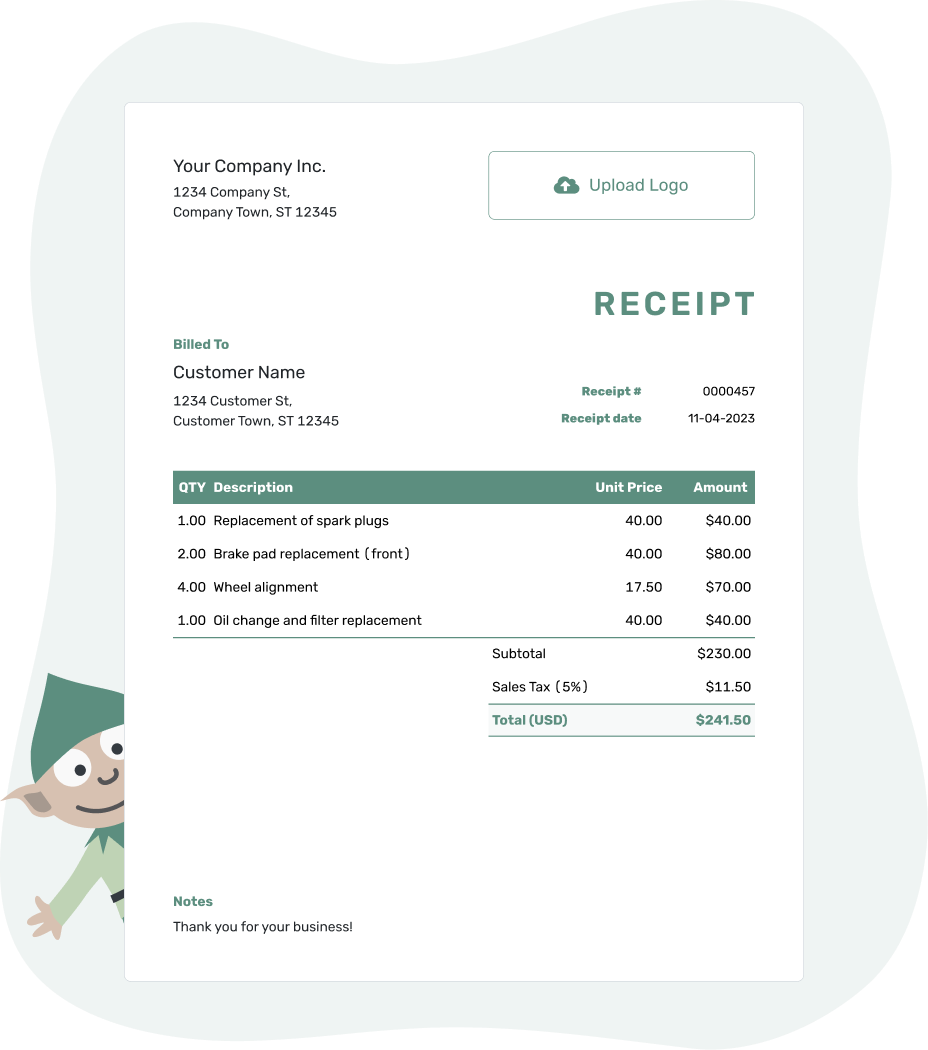
Record the payment. Send the receipt. Get back to work.
Find the Receipt for the Property Work
Choose the service your customer paid for: cleaning, landscaping, pest control or disposal. For a moving job, use the moving receipt guide to connect the payment to the right booking.
- Cleaning Receipt Template
- Dump Receipt Template
- Landscaping Receipt Template
- Pest Control Receipt Template
- Moving Receipt Template
Have a Docelf invoice for the property? Record the payment and create its receipt. Docelf brings over the customer and item details and keeps the receipt connected to that bill.
How to Create a Property Service Receipt
For a new receipt, use the property and visit records to identify the paid work. Docelf calculates the line amounts, discounts, tax and total.
For your first receipt, choose a starting number. Docelf numbers new receipts in sequence.
- Your Business: Add your service business name and contact details.
- Your Logo: Use your logo, or keep the receipt plain.
- The Customer: Choose a saved customer or enter the payer's details.
- Number and Date: Check the number. Use the date you received payment.
- The Work: List the visits and extras with quantities and prices.
- The Payment: Record the amount and payment method. Check any applicable tax or discount.
- Notes and Send: Add the address and visit dates in Notes. Review, then email or download a PDF.
Separate Regular Visits From Agreed Extras
Use the quantity to show visits, hours or another unit from the service agreement. Separately priced extras deserve their own rows. Supplies or tasks already included in the regular service should not become extra charges.
This fictional office-cleaning example is in US dollars. An illustrative 8% tax applies to all charges. The customer paid $367.20 by bank transfer on September 18, 2026, which is the receipt date.
| QTY | Description | Unit Price | Amount |
|---|---|---|---|
| 3 | Regular office cleaning — completed visits | $85.00 | $255.00 |
| 2 | Interior window cleaning — separately priced rooms | $30.00 | $60.00 |
| 1 | Bulky packaging removal — agreed extra | $25.00 | $25.00 |
| Subtotal | $340.00 | |
| Sales Tax (8% on all charges — illustrative) | $27.20 | |
| Total Paid | $367.20 |
The $340.00 subtotal plus $27.20 tax comes to $367.20. The bank-transfer payment covers the listed services in full.
Identify the Property and Visits in Notes
The property address or unit number helps an owner match the receipt to their records. Notes can also hold the visit dates and an invoice or booking reference.
Label visit dates in the item description or Notes; the receipt date remains the date you received payment. This Notes example follows the cleaning payment above.
Example: Notes
- Bank-transfer payment of $367.20 covers invoice PROP-2401 for [Property Address / Unit].
- Regular cleaning visits: September 1, 8 and 15, 2026. Window cleaning and packaging removal completed September 15.
- Paid in full for the listed services.
Keep the Payment With the Right Property
An address and visit reference make a payment easier to find later. Add them to the Docelf receipt, review the total and send the customer a copy.
One Visit, Several Visits or a Prepayment
For a one-time job, identify the service address and completed work. For a payment covering several visits, show the dates or service period so a manager can match it to their records.
A prepayment receipt names the upcoming job or service period it covers. Keep a separate record of the visits as you complete them; they do not each represent another payment.
A deposit or partial payment needs the amount received now, any earlier payments and the remaining balance on the named bill. Keep an unpaid balance distinct from extra work that has not yet been billed.
Reuse the Details, Not the Old Payment
For a new payment, saved customer and service details can save you another round of typing. You can also duplicate a receipt to start a new draft with a new number. A new draft still needs this payment's date, amount and method. Review the service period and balance before sending.
Remove old one-time extras or discounts unless they apply again. A customer asking for a copy of an earlier receipt should receive that existing record instead of a newly recorded payment.
Payment for rent rather than property work belongs on a rent receipt. It identifies the rental period instead of describing a cleaning or maintenance visit.
More Help With Property and Service Payments
For repairs or installations, browse the construction and trades collection. The main guide explains the receipt fields, formats offer file-based options, and the other industry collections cover different kinds of work.
Property and Service Receipt FAQs
-
Is a property service receipt the same as a rent receipt?
No. A property service receipt confirms payment for work such as cleaning, landscaping or pest control. A rent receipt confirms rent paid for a property or unit and identifies the rental period.
-
Should I use the customer’s address or the service address?
Identify the customer who paid, and add the service address or unit in the description or Notes when it is different. That helps an owner or manager who pays for several properties match the receipt to the right work.
-
Can one receipt cover several cleaning or maintenance visits?
Yes, when one payment covers them. List the visit dates or service period and identify the property. Use the date the payment arrived as the receipt date, not the date of the last visit.
-
How should I show extras and discounts?
Give separately priced extras their own rows. The office-cleaning example lists window cleaning and packaging removal alongside regular visits. If you offer a discount, show it as a reduction in the charge, not as an earlier payment.
-
How do I record the rest of a property service payment?
Record the new payment on the same invoice, then create its receipt. That receipt confirms only the new amount and shows the balance after the earlier payments.
-
Can I start the receipt from the property’s invoice?
Yes. Record the payment on the Docelf invoice and create its receipt. The customer and item details carry over. Check the property reference and visits covered before emailing it or downloading a PDF.
-
Can I duplicate last month’s receipt for a new payment?
Yes. A duplicate gives you a new draft and number. Review the visits and remove last month's one-time extras or discounts. Use the new payment's date, amount and method, then check the balance before sending.
Ready to Send the Property Service Receipt?
Give the owner or manager a record they can match to the right property and visits.
- Identify the address and service period
- Record the amount paid and payment method
- Review, then email or download a PDF




