Free Automotive Receipt Templates
Find the right receipt for the vehicle payment
Choose a receipt for a vehicle sale, repair, parts purchase or roadside service. Your customer gets clear proof of payment, and you keep it with the right sale or service record.
Email, print or download your receipt as a PDF.
14-day free trial. No credit card required.
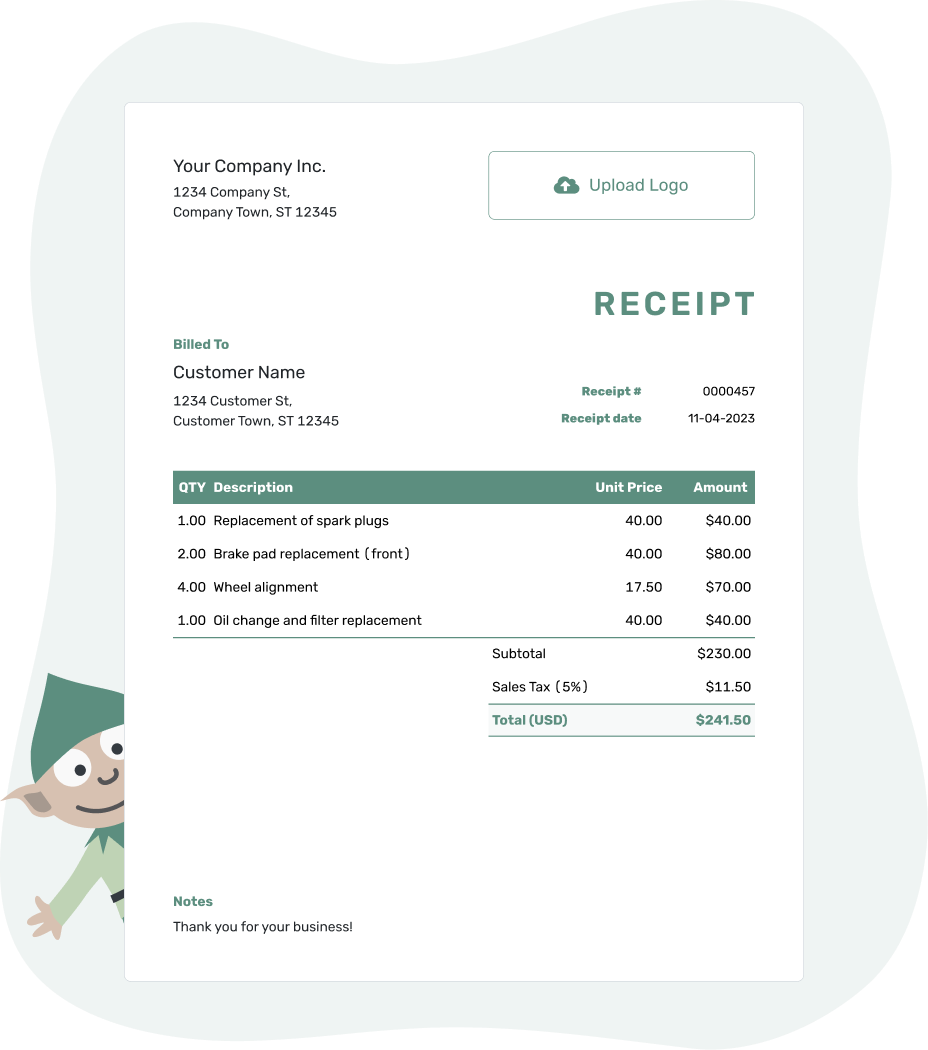
Record the payment. Send the receipt. Get back to work.
Find the Receipt for the Vehicle Payment
The mechanic guide covers repairs; the car guide covers vehicle sales. For oil changes, parts, tires or towing, choose the page focused on that payment.
- Mechanic Receipt Template
- Car Receipt Template
- Auto Parts Receipt Template
- Oil Change Receipt Template
- Tire Receipt Template
- Towing Receipt Template
Already have a Docelf invoice for this vehicle? Record the payment and create its receipt. Docelf brings over the customer and item details; check that the vehicle or repair reference is clear.
How to Create an Automotive Receipt
Starting a receipt without an invoice? Use the repair order or sale record for the charges. Docelf calculates the line amounts, tax and total.
For your first receipt, choose a starting number. Docelf numbers new receipts in sequence.
- Your Business: Add your shop name and contact details.
- Your Logo: Add your logo, or leave it out.
- The Customer: Choose a saved customer or add the customer who paid.
- Number and Date: Check the number. Use the date you received payment.
- The Sale or Service: List the sale or services with quantities and prices.
- The Payment: Record the amount and payment method. Check any tax or discount against the bill.
- Vehicle Notes: Add the job reference in Notes. Review, then email or download a PDF.
Show the Charges Behind an Automotive Payment
For a separately priced repair, give parts and labor their own rows. A fixed-price service can use one row describing what is included, so the same oil, parts or labor are not charged twice.
This fictional oil-service receipt uses US dollars. An illustrative 8% tax applies to $59.00 of oil and parts, with no tax on labor in this example. The customer paid $113.72 by card on September 16, 2026, so that is the receipt date.
| QTY | Description | Unit Price | Amount |
|---|---|---|---|
| 5 | Synthetic engine oil — quarts | $9.00 | $45.00 |
| 1 | Oil filter supplied — each | $14.00 | $14.00 |
| 0.5 | Oil and filter replacement — labor hours | $100.00 | $50.00 |
| Subtotal | $109.00 | |
| Sales Tax (8% on oil and parts — illustrative) | $4.72 | |
| Total Paid | $113.72 |
The $113.72 payment settles this service bill in full. Use your own charges and applicable tax treatment; the example does not set a tax rule for automotive work.
Use Notes to Identify the Vehicle and Visit
A repair order number and a recognizable vehicle description help the customer find the right record later. A license plate or vehicle identification number (VIN) helps distinguish similar vehicles. Add mileage when it helps identify the service, rather than repeating all the repair paperwork.
The service may take place before payment. Keep its date clearly labeled in Notes, as in this example for the oil-service payment above.
Example: Notes
- Card payment of $113.72 covers the oil service on repair order AUTO-2401.
- Vehicle: [Year, Make and Model / License Plate]. Service completed September 14, 2026.
- Paid in full for this service.
Match the Payment to the Vehicle
Keep the service or sale reference with the money received. Docelf calculates the receipt totals so you can check the payment and send a clear copy.
A Repair Payment and a Vehicle Sale Need Different Details
Repair, Parts or Towing
Name the work supplied and any separately priced parts. A towing receipt may need the pickup and destination, while a parts sale may need a part number or quantity. List shop supplies, disposal or storage only when they are actual charges on the bill.
Vehicle Purchase
Identify the vehicle and refer to the sale paperwork. Keep the price, any trade-in credit, an earlier deposit and the new payment distinct. A credit changes the amount to settle; it is not another cash payment.
For warranty or return information, refer to the terms supplied with the sale or repair. Include only policies your business uses, and check local requirements before adding fees or limitations.
Keep a Record of Each Vehicle Payment
For a deposit followed by a final payment, each receipt confirms the amount received at that point. The repair or sale reference ties the payments together, and the latest receipt shows any balance left.
For a customer who needs another copy, resend the existing receipt with its original payment date and reference. A useful repair summary or warranty document can be attached to the receipt without making the Notes section longer.
Find a Receipt Beyond the Vehicle Job
Use the industry directory for other work your business supplies, or the main receipt page for the basic fields. The format collection offers file-based options; the trade and property collections cover non-automotive jobs.
Automotive Receipt Template FAQs
-
Which template fits a repair, parts sale or vehicle purchase?
Use Mechanic for a repair, Auto Parts for a parts purchase and Car for a vehicle sale. The oil change, tire and towing pages give more specific examples for those payments.
-
Do I need a VIN on every automotive receipt?
For a routine service, the year, make, model and repair order may identify the job. A license plate or VIN helps distinguish similar vehicles. Check any additional requirements for the sale or repair you are recording.
-
Should I split a fixed-price service into parts and labor?
Only when they were priced separately or the breakdown is useful. When one service price already includes the oil, filter and labor, describe what is included without adding another charge for those items.
-
What should a receipt show after a deposit?
Show the full bill, the earlier deposit and the amount received now. The new receipt confirms only this latest payment and shows the balance after both payments.
-
Can I use the existing repair invoice to create the receipt?
Yes. Record the payment on the Docelf invoice and create its receipt. The customer and item details carry over, and the receipt stays connected to that invoice. Check the vehicle reference and payment information before sending.
-
Can I send the receipt from the roadside or repair shop?
Yes. Docelf works on phones, tablets and computers. Review the vehicle and payment details, then email the receipt or download a PDF. Its email history shows delivery and opening information.
-
Which date should I use when the customer pays after the repair?
Use the date you received payment as the receipt date. Label the repair or service date separately in Notes. A later pickup or the day you send the receipt does not replace the payment date.
Ready to Send the Automotive Receipt?
Leave the customer with a payment record they can match to this vehicle.
- Identify the sale, service or repair order
- Check the amount received and payment method
- Email the receipt or download a PDF




